37
RUN SCREEN (continued)
Cell Change Screen
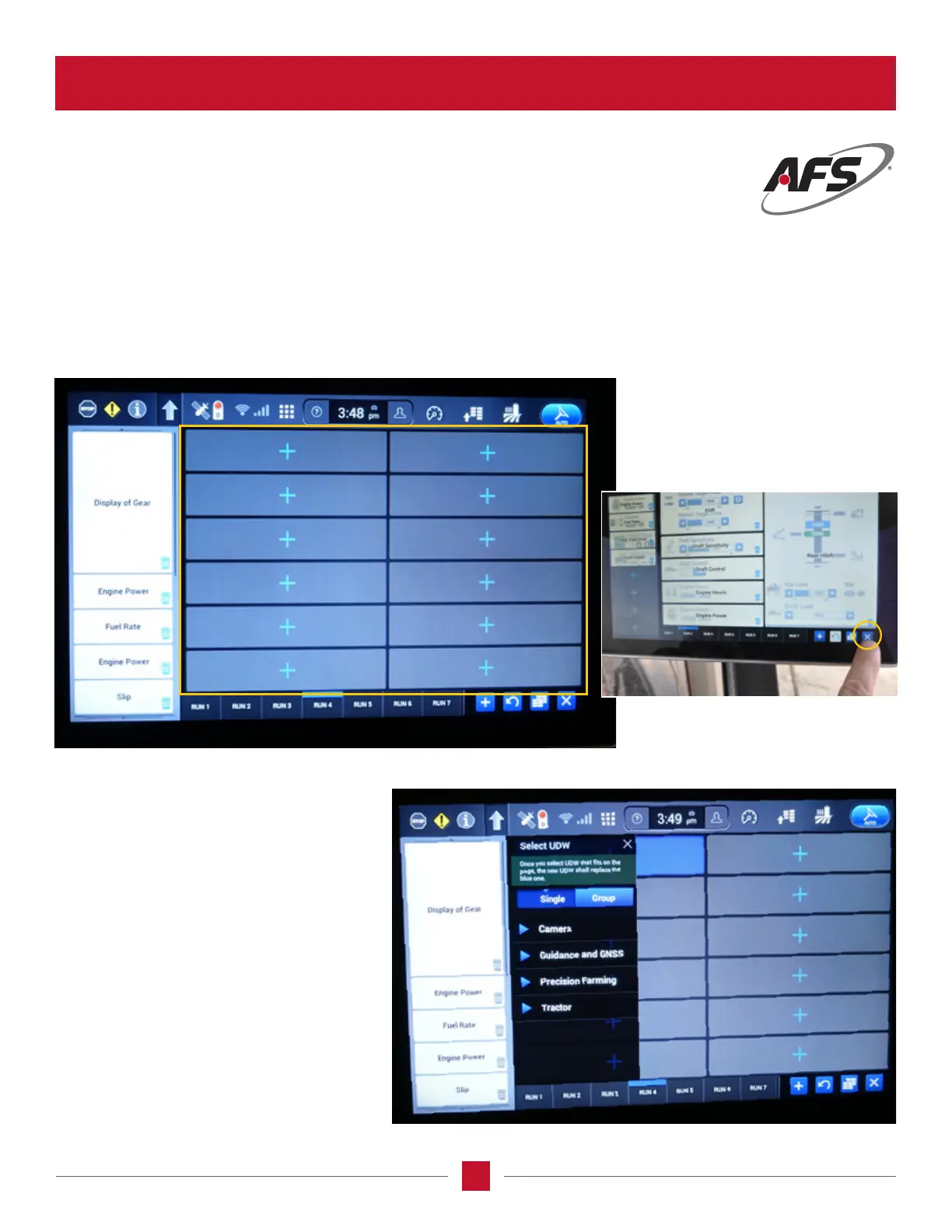
The Cell Change screen is used to set up the information the operator wants to see in each of the operation screens on the
display. As the screen is populated the blue + is the next screen to be set up. Once you get the screen set up, push the
X in the lower right-hand corner and it will go out of the setup screen and to the active screen where the tractor and the
information asked for will be shown.
List of User Dened Window (UDW)
From the list of UDW subjects, there is a list
of information titles allowing the operator
to select the subjects to be observed into
the individual cells. This is done by simply
choosing a location on the screen and place
the subject by touching one of the + signs and
the subject name from the list will appear.
AFS Pro 1200
™
Display








 To Next Page