CASE IH PRO VISION OPERATING SYSTEM GUIDE
58
SYSTEM WIZARDS (continued)
AFS Pro 1200
™
Display
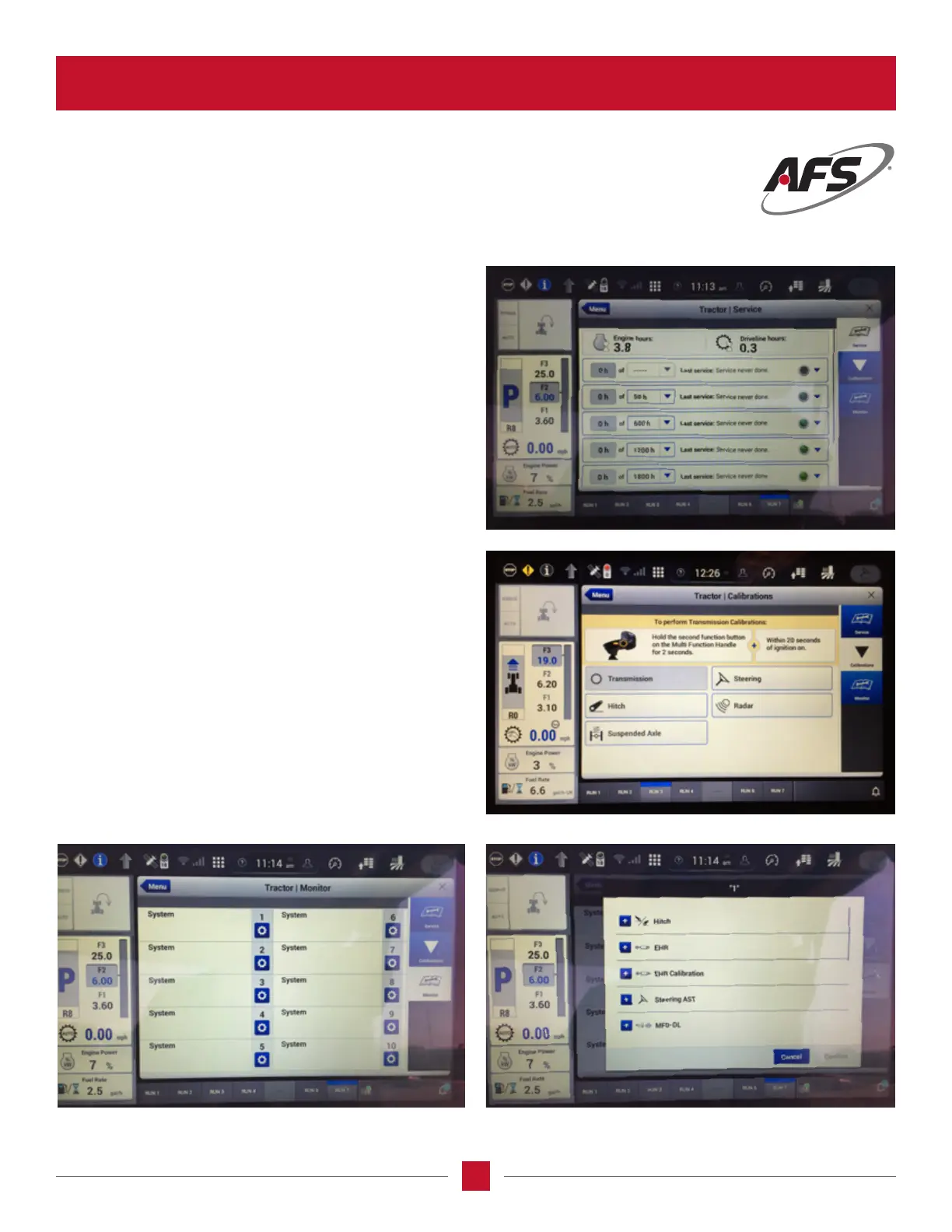
Diagnostics menu:
Select Vehicle Diagnostics card and three wizards
will show on the right side of the screen – Service,
Calibration and Monitor.
In the Service Wizard, the operator will see the required
service intervals and length between services.
The Calibration Wizard brings up all the areas
to be calibrated.
The Monitor Wizard brings the items which can be
monitored and allows the operator to program these
items to the selected run screen to monitor.








 To Next Page