75
SHOOTING A SNAPSHOT
Instant Zoom lets you jump to digital zoom telephoto with the
press of a button.
■ Specifying the Instant Zoom Setting
1. In the REC mode, press [MENU].
2. On the “REC” tab, select “Instant Zoom” and
then press [X].
3. Use [S] and [T] to select the setting you want
and then press [SET].
• Select “Off” if you do not want to use Instant Zoom.
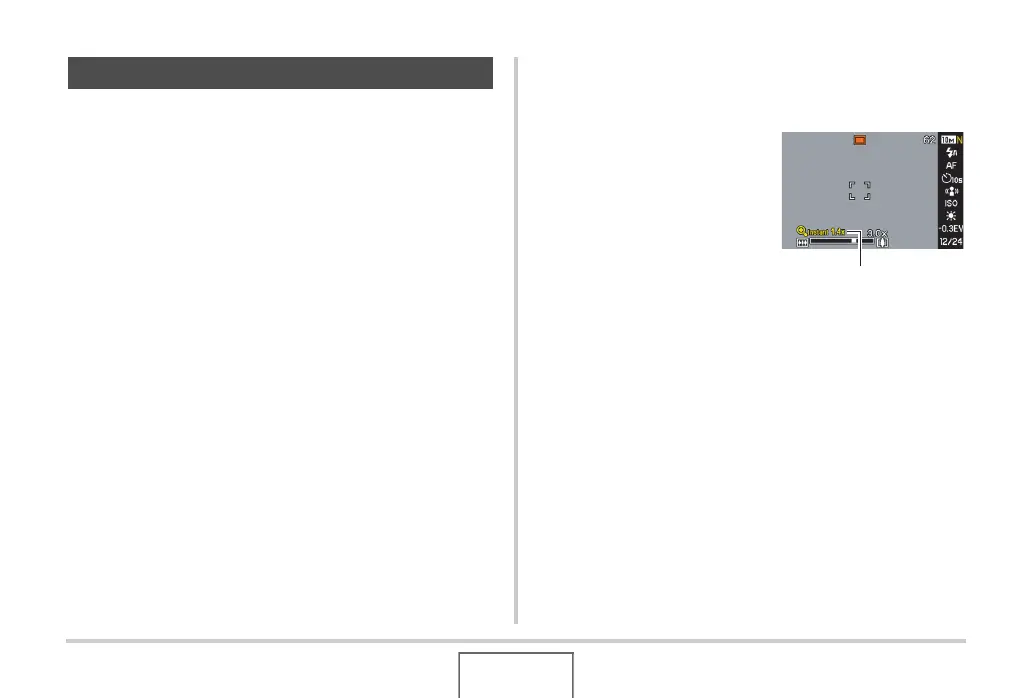
■ Using Instant Zoom
1. Enter the REC mode.
2. Press [S].
This immediately changes
the digital zoom to the preset
Instant Zoom setting.
Performing the above
operation after zooming with
optical zoom will cause the
subject to be zoomed to a
level that is equivalent to the
current optical zoom factor plus the preset Instant Zoom
digital zoom factor.
3. Press [S].
This returns to the original (pre-Instant Zoom) factor.
Using Instant Zoom
Instant Zoom factor


 To Next Page
 Loading...