17
TIG WELDING
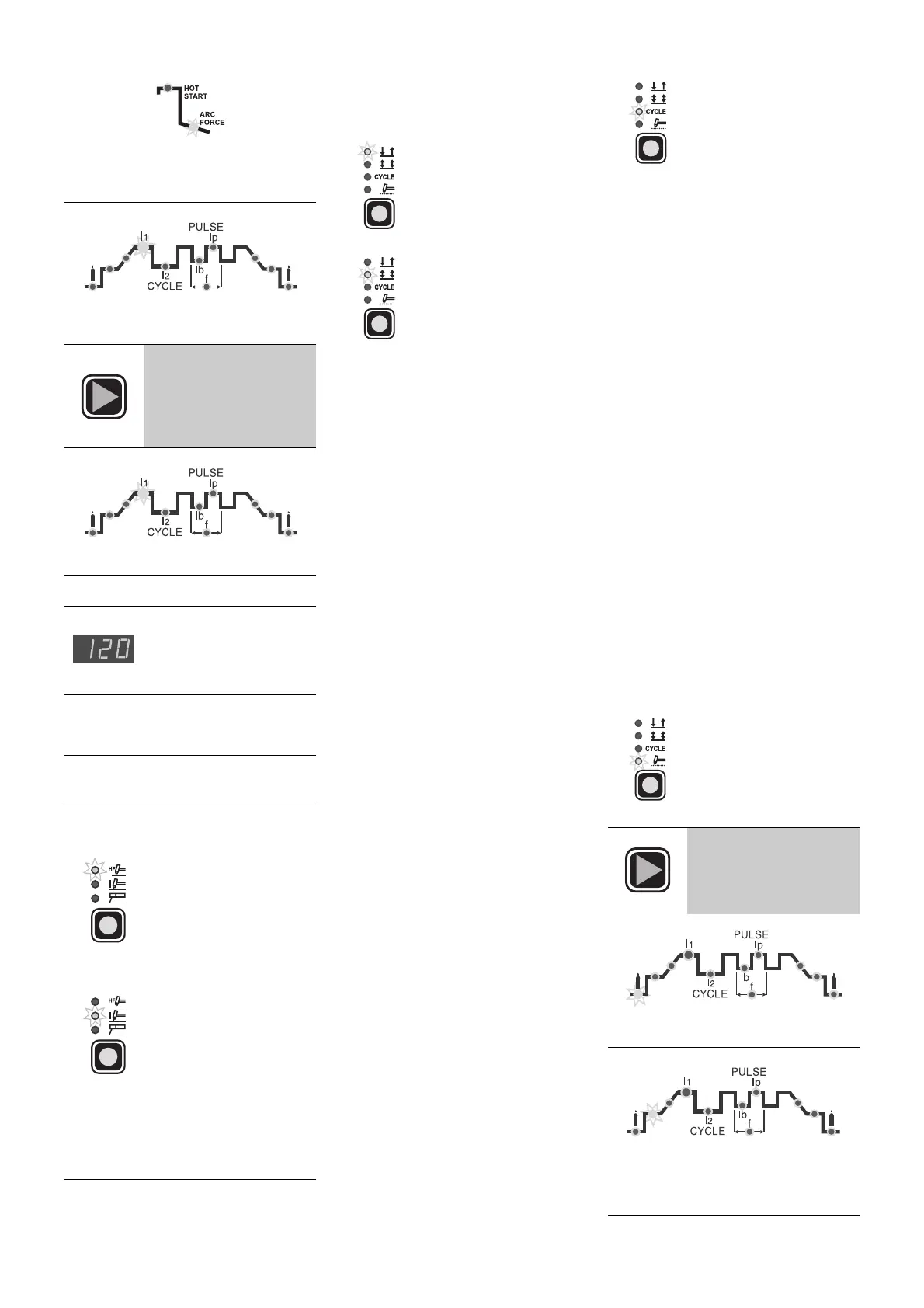
• ARC FORCE (0 ÷ 100): this
increases the energy of the arc on
poor welding conditions
• PRINCIPAL weld CURRENT
I
1
(5 ÷
250 A)
4)
Keep pressing the
SET
key for about 1 second
to leave the weld
parameter setting
phase
• The GREEN LIGHT
I
1
is on
5)
It is now ready for welding
6)
The digital display visu-
alizes effective current
used during welding
1)
Start up the welder by turning the
main switch to position
I
2)
Press the "weld process" button and
set on:
•
TIG "HF"
for TIG weld
with high frequency arc
strike
OR
•
TIG
tipo
“lift”
per la sal-
datura TIG tipo
“lift”
senza alta frequenza
WARNING:
The correct "lift" type arc
strike is only obtained by pressing the
torch button after touching the piece to
be welded with the electrode befo-
rehand.
3)
Press the "weld mode" button and
set on one of the 4 options availa-
ble:
•
2 STROKE
The TIG weld cycle is
done by pressing the
torch button, while weld-
ing will stop when you
release it.
•
4 STROKE
TIG welding is done as
follows:
A)
Pressing the torch
button strikes up the
arc and the current
stays at the INITIAL
value
B)
Peleasing the torch
button will start the
SLOPE UP (if
present) and the
PRINCIPAL CUR-
RENT will take itself
to value
I
1
C)
Pressing the torch
button will start the
SLOPE DOWN (if
present) and the cur-
rent will take itself to
the FINAL value
(crater current)
D)
Releasing the button
will finish the weld
cycle.
•
CYCLE
TIG welding is done as
follows with this function
on:
• pressing the torch but-
ton will strike up the
arc and the current
stays at the INITIAL
value
• releasing the torch
button will start the
SLOPE UP (if present)
and the current will
take itself to the PRIN-
CIPAL value (
I
1
)
• pressing and releasing
the torch button for
less than 1 second,
the weld current will
take itself to the
CYCLE (
I
2
) value; it
will be possible to
move an infinite
number of times
between the two cur-
rent levels (
I
1
,
I
2
) by
repeating this opera-
tion
• pressing the torch but-
ton and keeping it
pressed down (for
more than 2 seconds)
will start the SLOPE
DOWN (if present)
and the current will
take itself to the FINAL
value (crater current)
• releasing the torch
button will finish the
weld cycle
•
SPOT-WELDING
Spot-welding can be
done for the set time (in
seconds) by pressing
the torch button after
which the arc will auto-
matically switch off
4)
The following weld
parameters can be set
by pressing the
SET
button repeatedly
PRE-GAS time (0,05 ÷ 1 sec)
INITIAL weld CURRENT (5 ÷ 250 A)
WARNING:
only programmable with
4
STROKE
or
CYCLE
functions on



 To Next Page
 Loading...