90
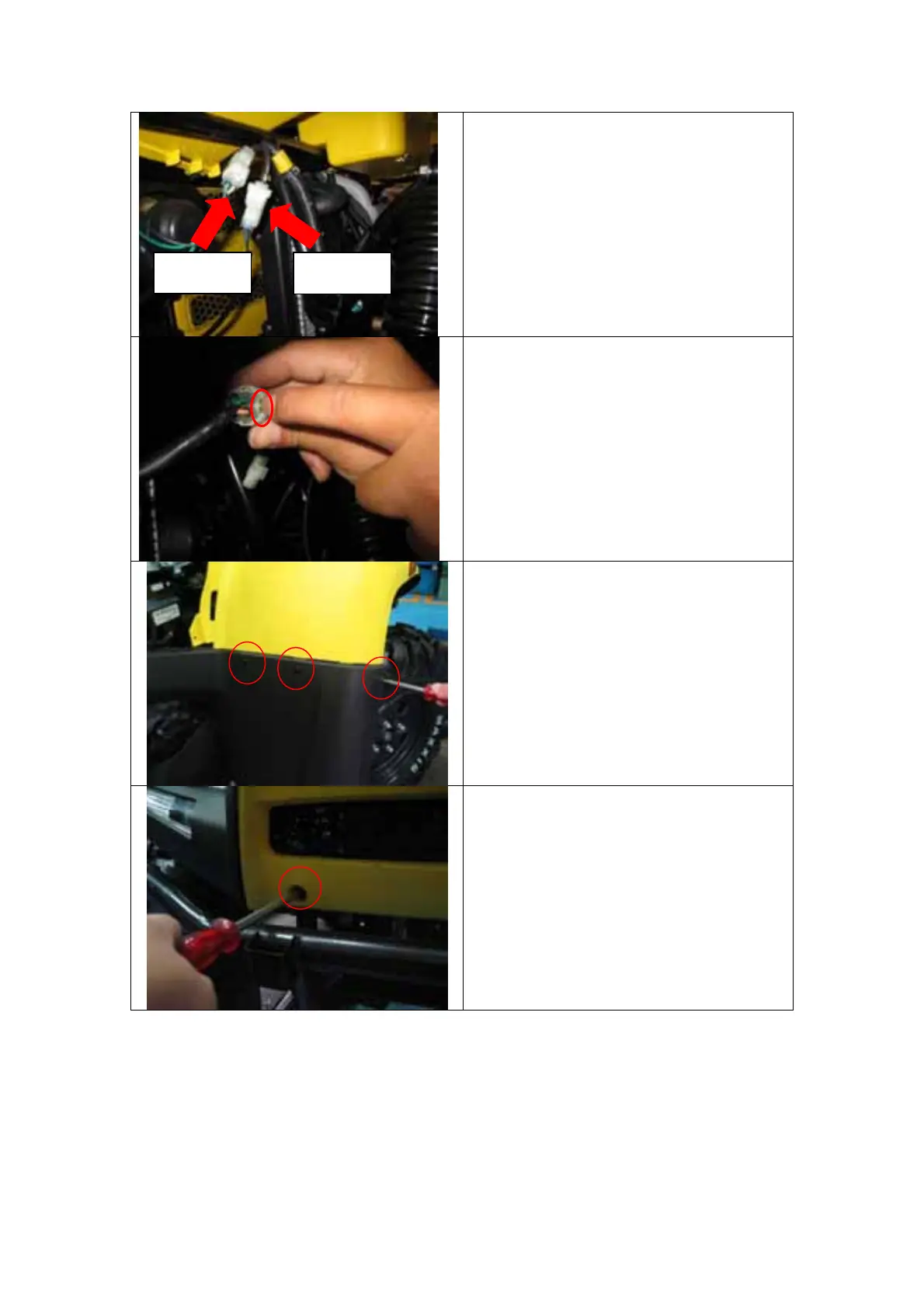
2. Disconnect the headlight and
direction light connectors.
3. The connectors are latched,
pull the latch outward and
disconnect the connectors.
4. Remove the RHS 3 front cover
latch screws and LHS 3 front
cover latch screws.
5. Remove the RHS front mask
cover bolt above the bumper.
direction headligh
(1)
(2)
(3)


 To Next Page