Quickly Conguring the Gateway
4
You can use the quick setup wizard to congure and maintain the basic parameters of the
gateway. Click Quick Setup in the operation navigation to access the welcome page.
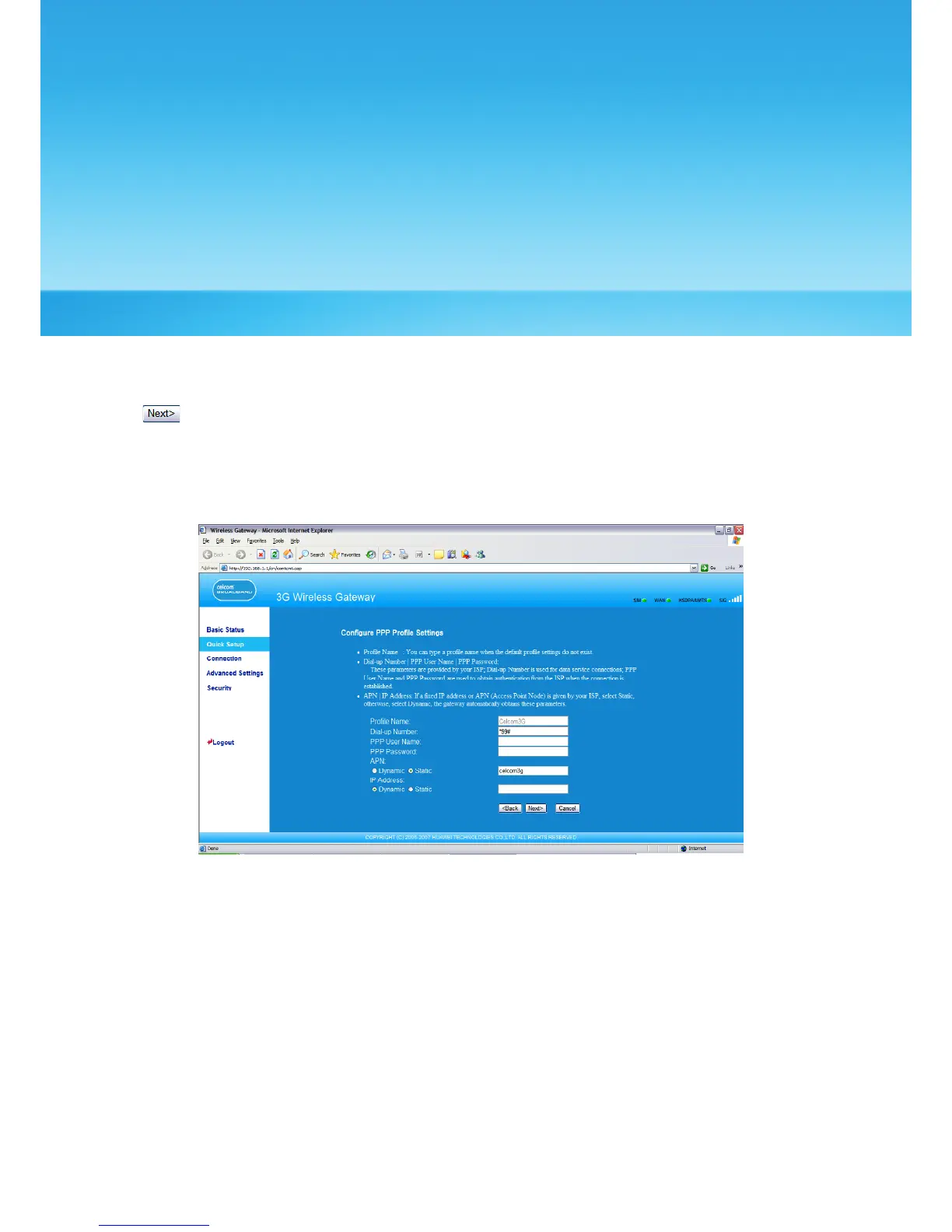
Click to access the PPP prole setting page following the page prompts.
Conguring PPP Prole Settings
• Prole Name: Enter the prole name when the text box is null.
• Dial-up Number/PPP User Name/PPP Password: Enter these three parameters provided
by the internet service provider (ISP). The dial-up number is used to initiate the network
call; and the PPP user name and password is used to gain the service authorization
provided by the ISP.
• APN/IP Address: Select the mode for obtaining the APN or IP address. If the carrier
provides the relevant parameters, select Static and enter the APN and IP address.
Otherwise, you need to select Dynamic and the gateway automatically obtains them.
9



 To Next Page