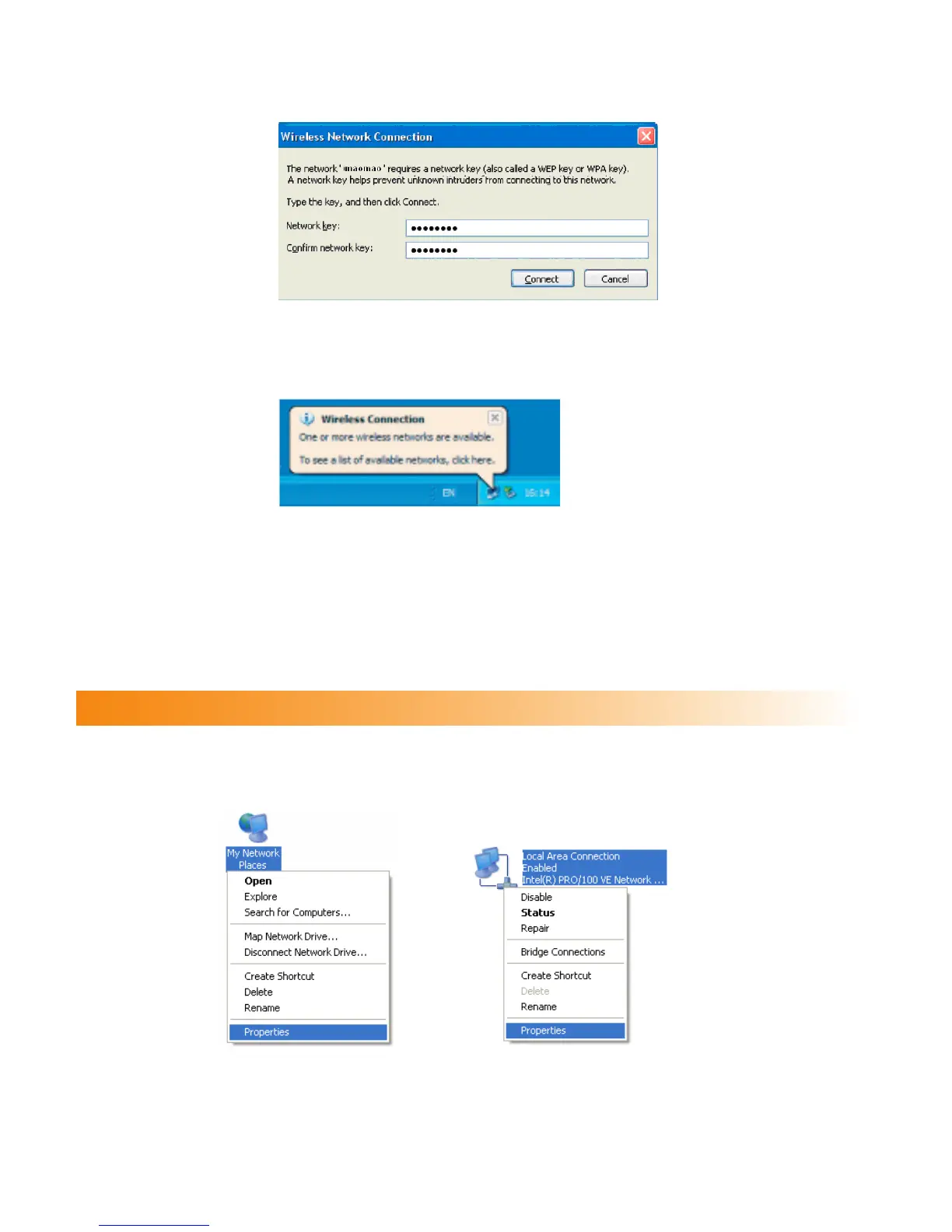
4. If the encryption parameter is set for the E961, the Wireless Network Connection dialog
box is displayed and requires the network key and conrmation. The value you entered
must be consistent with the WPA Pre-Shared Key or Network Key of the E961.
5. Wait for several minutes after you enter the correct network key. The wireless connection
icon displays in the status area in the lower right corner of the screen. Then, your PC can
automatically connect to the E961.
Conguring the PC Network
The recommended congurations of the gateway are as follows:
• Obtain an IP address automatically.
• Deselect Use a proxy server for your LAN.
Conguring the Network Connection
1. Select My Network Places > Properties > Local Area Connection.
2. Right-click the Local Area Connection icon and select Properties from the shortcut
menu.
14



 To Next Page