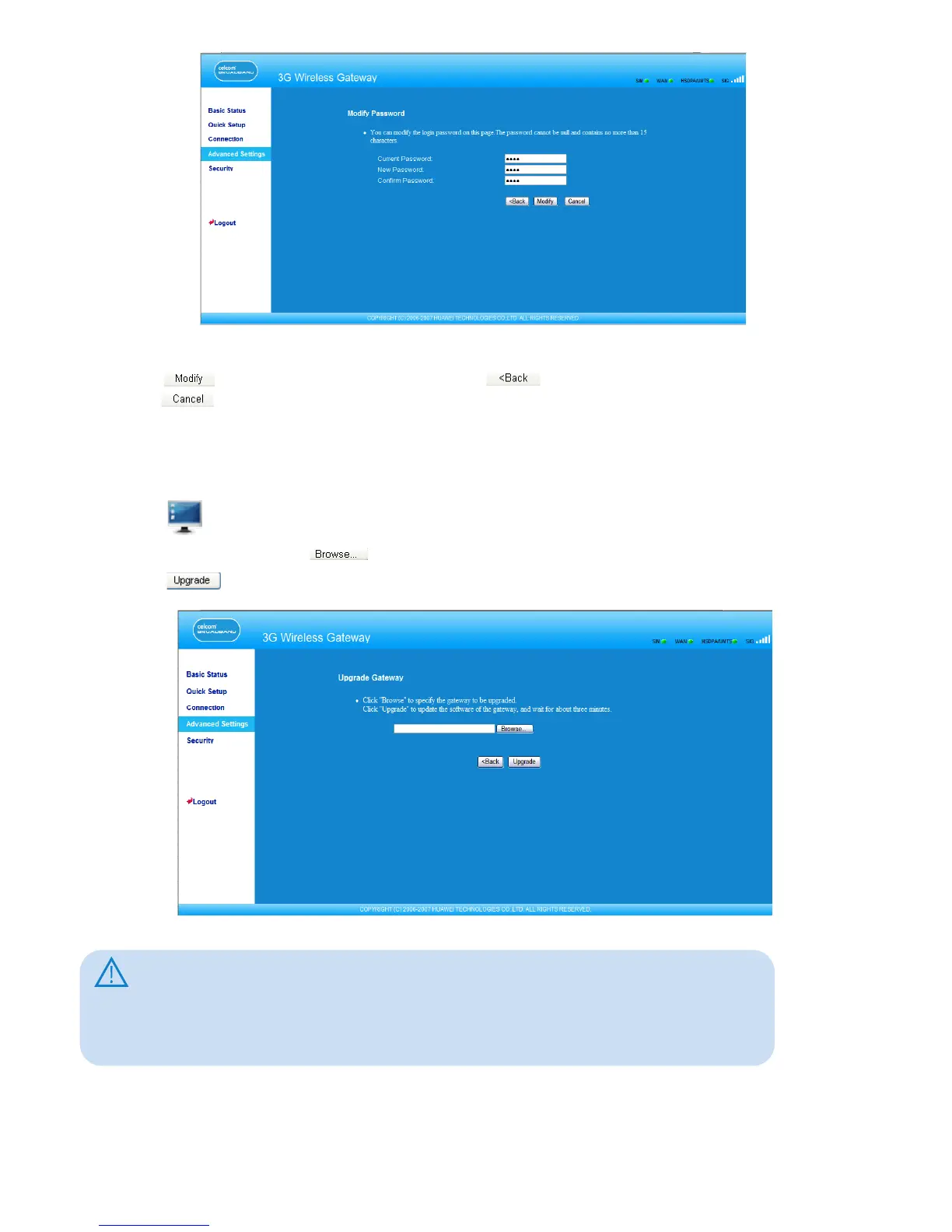
2. Enter the current password, and then enter the new password and conrm it.
3. Click to save the modication, click to return to the previous page, and
click to cancel the modication.
Upgrading the Gateway
1. Click to open the Upgrade Gateway page.
2. Enter the path or click to select the software image le to be updated.
3. Click to upgrade the system software.
Caution:
• After the system is upgraded, the system automatically restarts. The whole process
takes two to three minutes.
• The software programs for upgrading must come from the ofcial website of
Huawei or the ofcial website of the carrier.
• The system upgrading does not change the conguration of the client.
19



 To Next Page