Getting to Know Your E961
1
Your E961 supports UMTS/HSDPA 2100MHz GSM/GPRS/EDGE 850/900/1800/1900MHz, and
network auto-switch. With the E961, you can experience wireless gateway at any time and
any place.
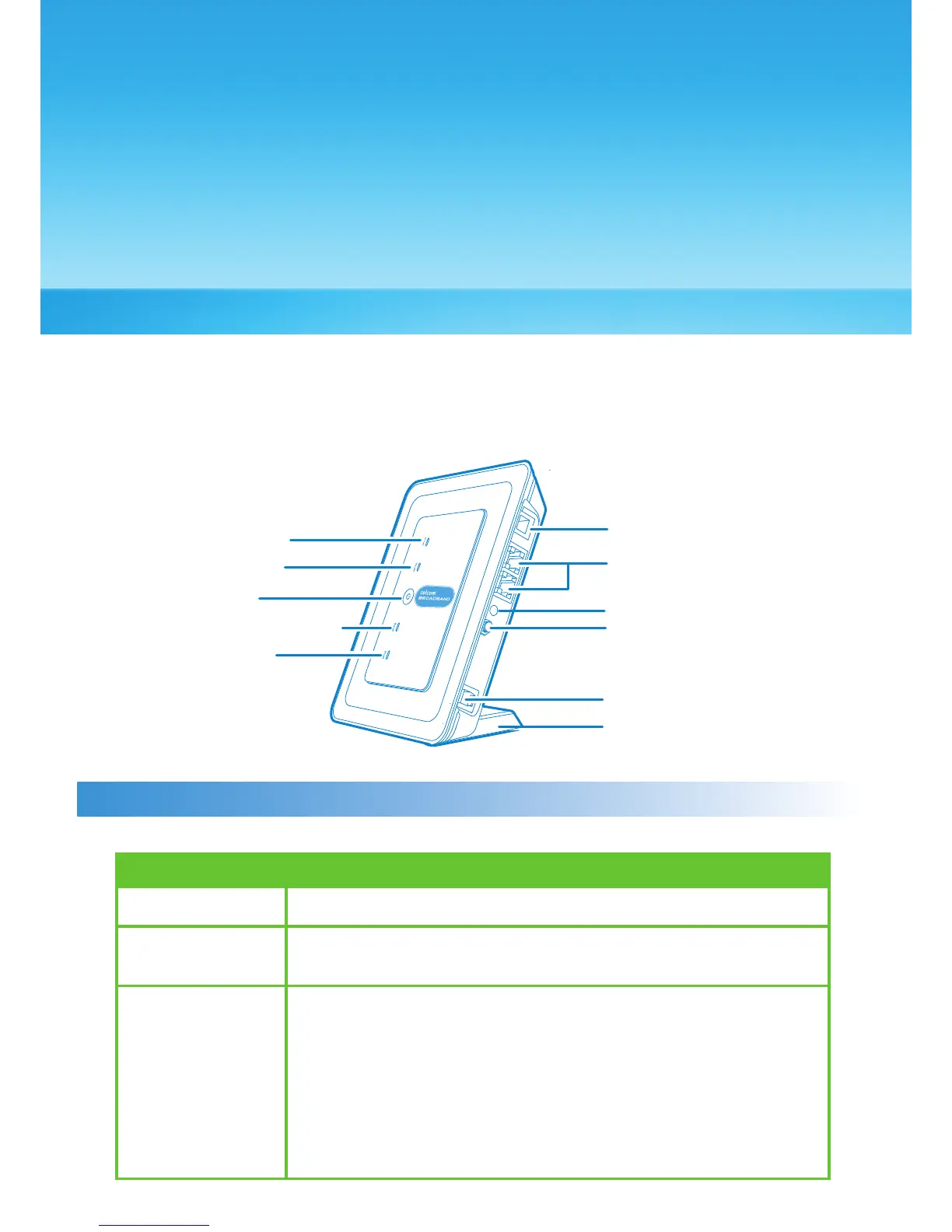
Appearance
Indicator and Button
The following table introduces the indicator and button of your E961.
Power
WLAN If it is steady on and in yellow, the WLAN is enabled. If it is
blinking, data is transmitting
Signal strength • Fast blinking in red : No SIM card or unveried PIN code
• Steady on in red : Signal strength in level one (weak)
• Steady on in yellow : Signal strength in level two or three
(middle)
• Steady on in green : Signal strength in level four or ve
(strong)
Indicator
* Set the Antenna Selector to Internal unless the gateway is connected to an External Antenna
Power Indicator
WLAN indicator
ON/OFF key
Signal Strength Indicator
Network Mode
Indicator
Phone
Ethernet
External Antenna Connector
Antenna Selector
Power Adapter
Pedestal
1



 To Next Page