Conguring the Transmission Rate
1. Select Auto, the E961 automatically searches the transmission rate. The maximum WLAN
transmission rate supported by the gateway is 54 Mbit/s.
2. Click to submit the setting.
3. Click Advanced to congure the advanced WLAN setting.
Advanced WLAN Settings
You can congure the security and Network Bridge.
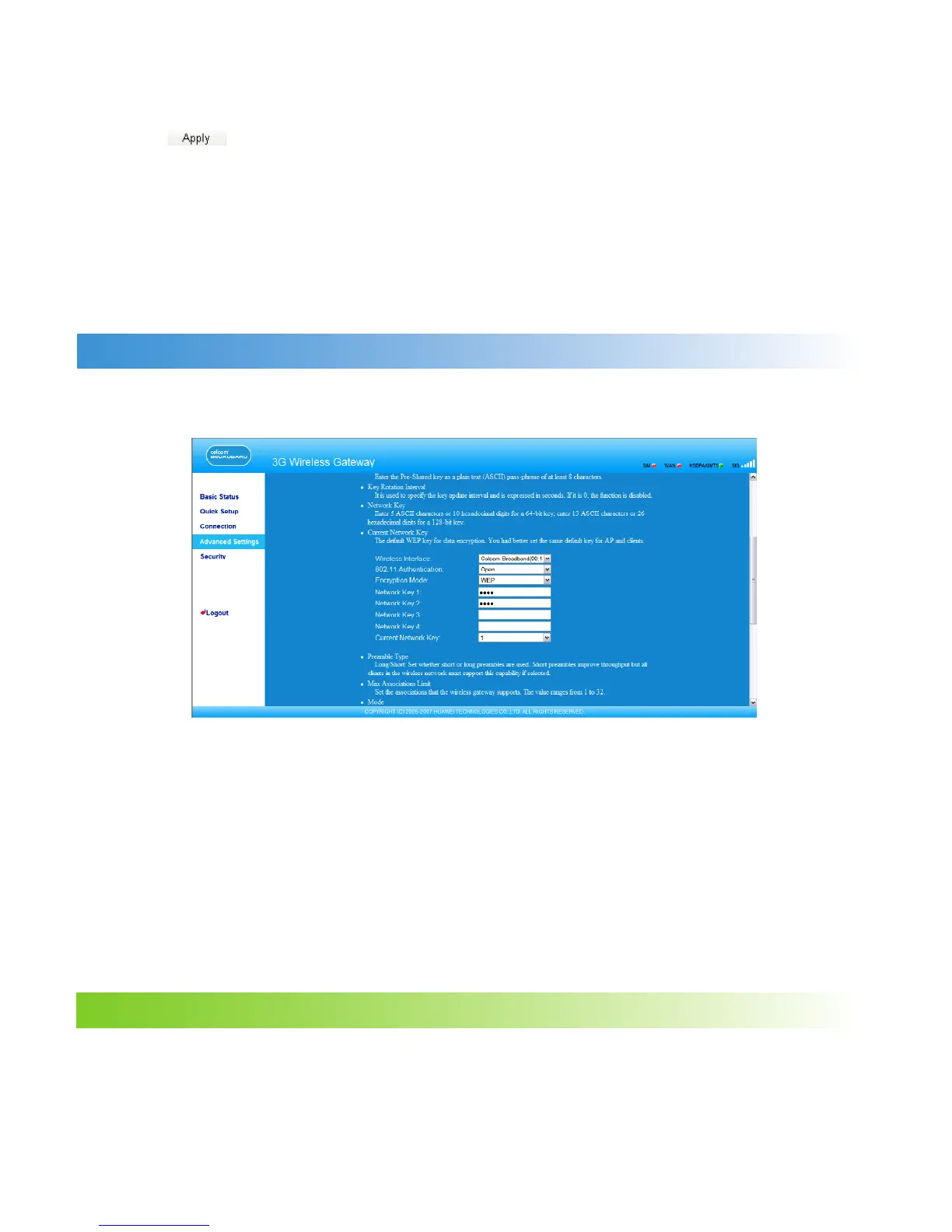
Conguring Security Key
A security key can protect your WLAN from illegal data attacking. The security key of your
wireless gateway must be consistent with that of the PC.
Conguring the 802.11 Authentication
• Open: Open system authentication. A user accessing the WLAN can choose WEP,
WPA-PSK, or WPA2-PSK key to pass the authentication or choose No encrytion to skip the
authentication.
• Shared: Shared key authentication. It can use only WEP. The user accessing the WLAN
must use the WEP to authenticate.
Conguring the Encryption Mode
There are four encryption modes: No Encryption, WPA-PSK, WPA2-PSK, and WEP. For details,
refer to “Conguring the WLAN Encryption Mode.”
Conguring Access Attributes of the Client
As shown in the following gure, you can set the Preamble Type, Max Associations Limit,
Mode, and enable or disable the peer MAC address through the Bridge Restriction.
32



 To Next Page