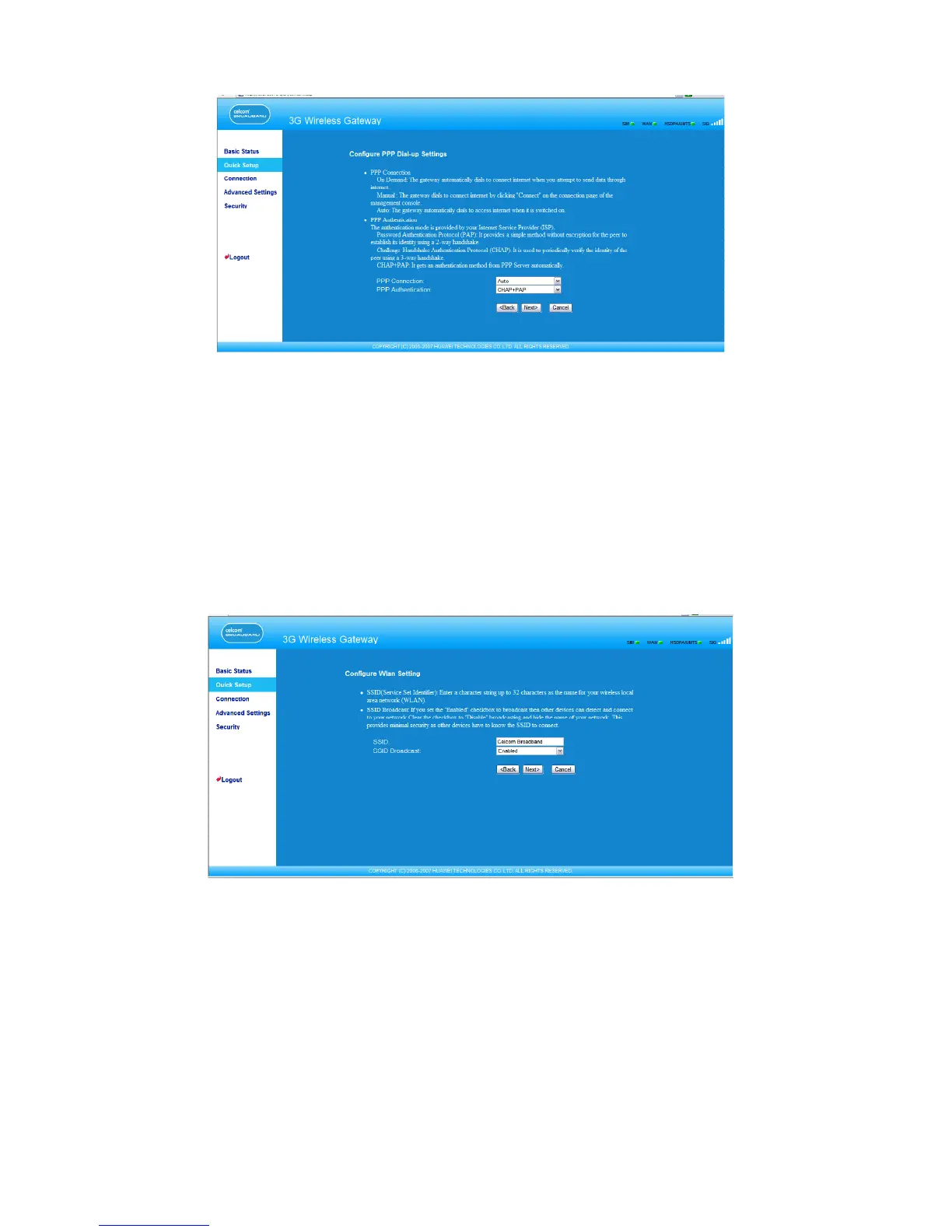
Selecting the PPP Connection Mode
PPP Connection: It is used to select the dial-up access mode.
• Auto: After the gateway is switched on, it automatically connects to the Internet and will
not disconnect regardless of the data transmission.
• On Demand: The gateway automatically connects to the Internet when there is data
transmission. It automatically closes the connection when there is no data transmission.
• Manual: Manual dial-up. For details, see “Connecting to the Internet.”
Conguring the WLAN Setting
SSID: Enter a name for your WLAN.
The service set identier (SSID) is used to identify a WLAN. A wireless terminal (such as a
PC) and the wireless gateway can perform normal data communication only when they
have the same SSIDs. To ensure the WLAN security, do not use the default SSID. You can
enter a character string as the SSID, such as MyHome.
SSID Broadcast: Enable or disable the SSID broadcast.
• Enabled: The E961 broadcasts the SSID of the WLAN, and users can easily access the
WLAN. Unauthorized users, however, can also easily access the WLAN because the SSID
is broadcasted.
10



 To Next Page