Unlocking the PIN Code
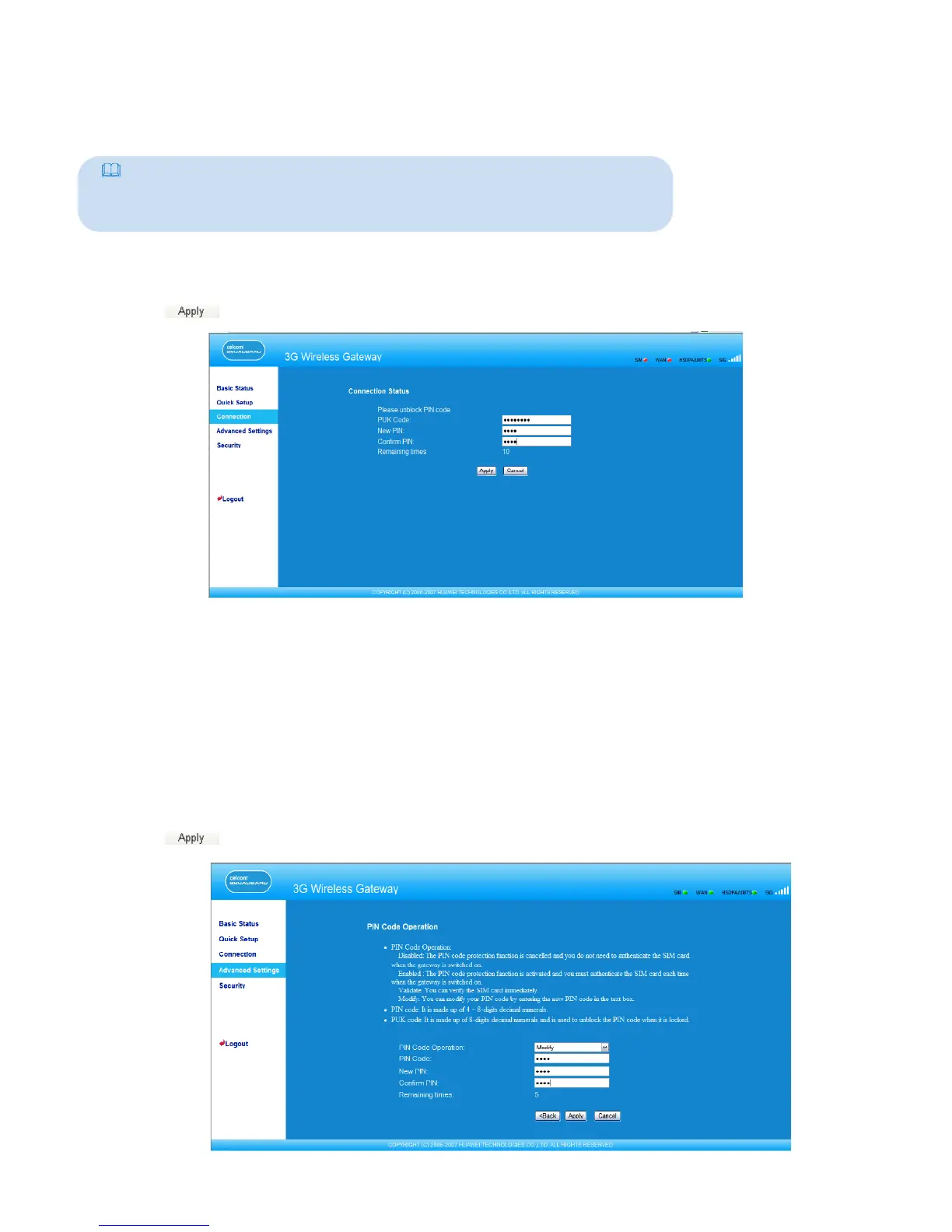
If the PIN code is locked, you need to enter correct PUK code and set the new PIN code to
unlock it.
Note:
• If you forgot the PUK code, consult your carrier.
• If you enter the wrong PUK code for successive 10 times, the SIM card is
locked. You need to consult your carrier to unlock the SIM card.
1. Enter the correct PUK code.
2. Enter the new PIN code and conrm it.
3. Click to submit the setting.
Modifying the PIN Code
When the PIN code protection is enabled, you can reset the PIN code.
1. Select modify in the PIN Code Operation list box.
2. Enter the current PIN code.
3. Enter the new PIN code and conrm it.
4. Click to submit the setting.
22



 To Next Page