Dial-up Mode
Auto
On Demand
Manual
Description
After the gateway is switched on, it automatically connects
to the Internet and will not disconnect regardless of the data
transmission.
The gateway automatically connects to the Internet
when there is data transmission. It automatically closes the
connection when there is no data transmission.
Manual dial-up.
2. Enter the correct parameters.
• Prole List: Select a prole from the established dial-up connection list. If the drop-
down list is null, you need to create a prole list.
• PPP Connection: Select the dial-up connection mode.
• PPP Max Idle Time: The duration of the idle PPP connection. In On Demand mode, if
there is no data transmission beyond the duration, the PPP connection automatically
closes.
• PPP MTU: The MTU of the PPP data transmission. It is used to set the maximum number of
bytes encapsulated in a single data frame.
• PPP Max Dial Time: Set the maximum waiting time when connecting to the Internet.
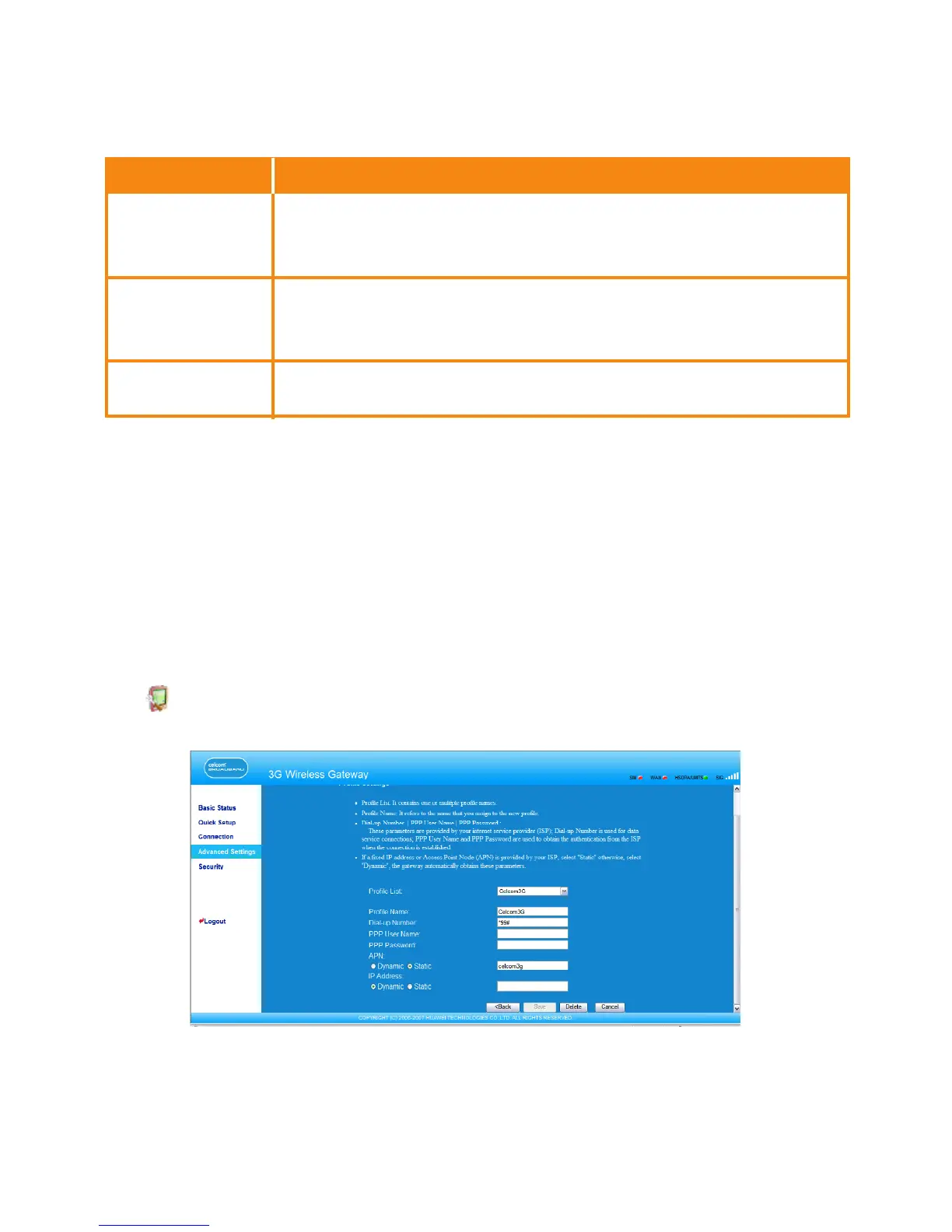
Managing the Prole List
Click to open the Prole settings window and you can create, edit, save, and delete
a dial-up connection list.
27



 To Next Page