9.5 Manual alignment
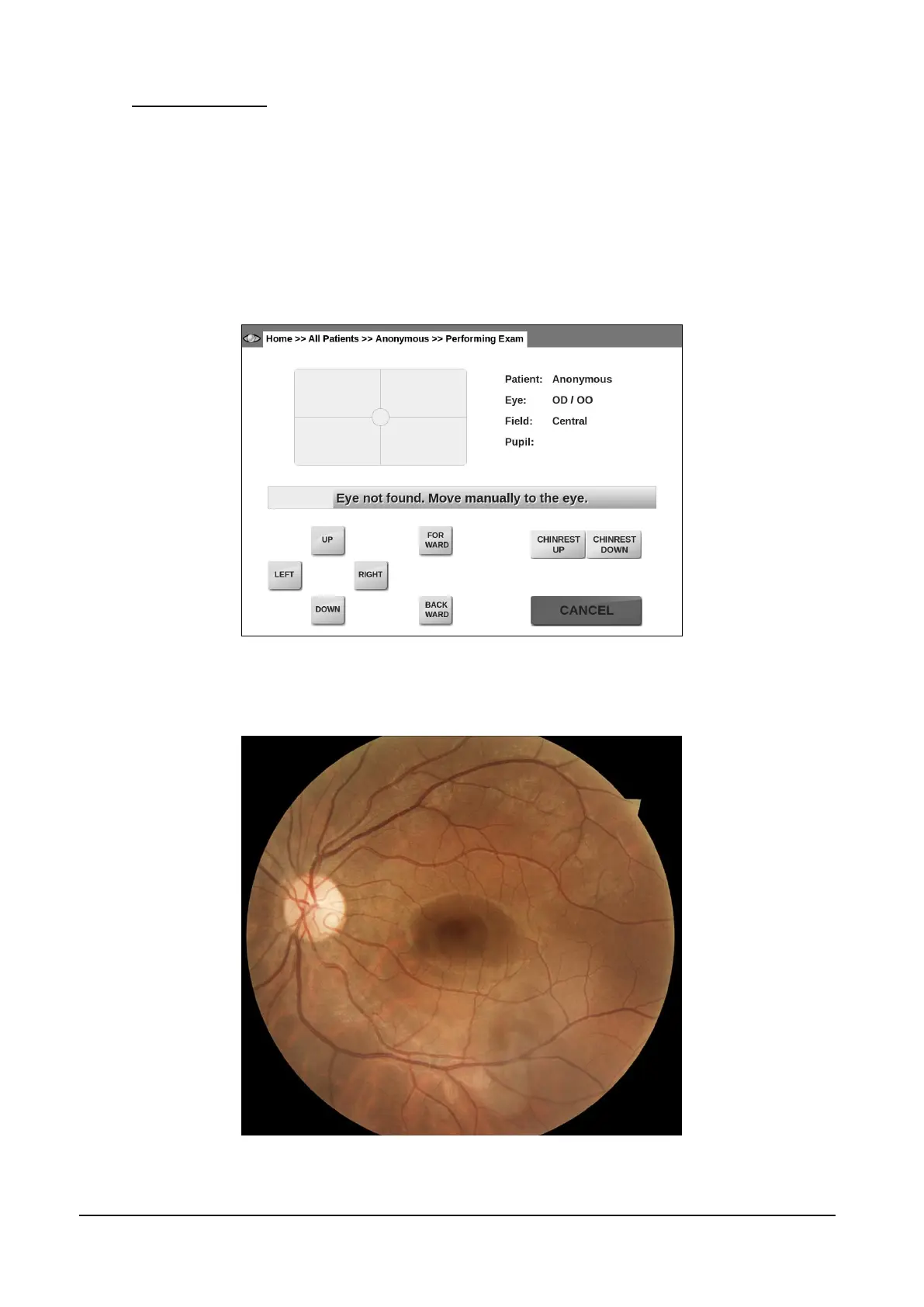
If, for some reasons, the automated eye search fails, a message as in Figure 14 shows up.
Reasons for failure include: improper patient positioning, patient not fixating steadily, patient
moving the head and / or the gaze during eye search.
If any of the above situations applies, try to fix the cause (re-position the patient, instruct her/him to
steadily fixate at the target and/or to not move) before proceeding with manual alignment.
Use the UP / DOWN / LEFT / RIGHT buttons to adjust the optical head position and align the
patient’s eye to the instrument front lens. As soon as the eye is detected the automated procedure
will resume.
Figure 14 – Message indicating failure of automatic eye search
The result of the acquisition process is one or more retinal images as the one shown in Figure 15.
Figure 15 – Example of retinal image captured by the DRS



 To Next Page