APPENDIX B – AUTOMATED MOSAIC FUNCTION
The automated mosaic function is available since software version 2.4.
A mosaic is the composition of multiple, partially overlapping, fields of the same retina and it is
used to obtain a wider view. Mosaic images are permanently stored on the local memory and can
be reviewed at any time as individual fields. Typical examples of fields used are: central, temporal
and nasal or central, temporal, nasal, superior and inferior.
This function is not active by default on the DRS system and requires installation of a
dedicated license. Please contact your CenterVue representative for further
information on how to activate the mosaic function.
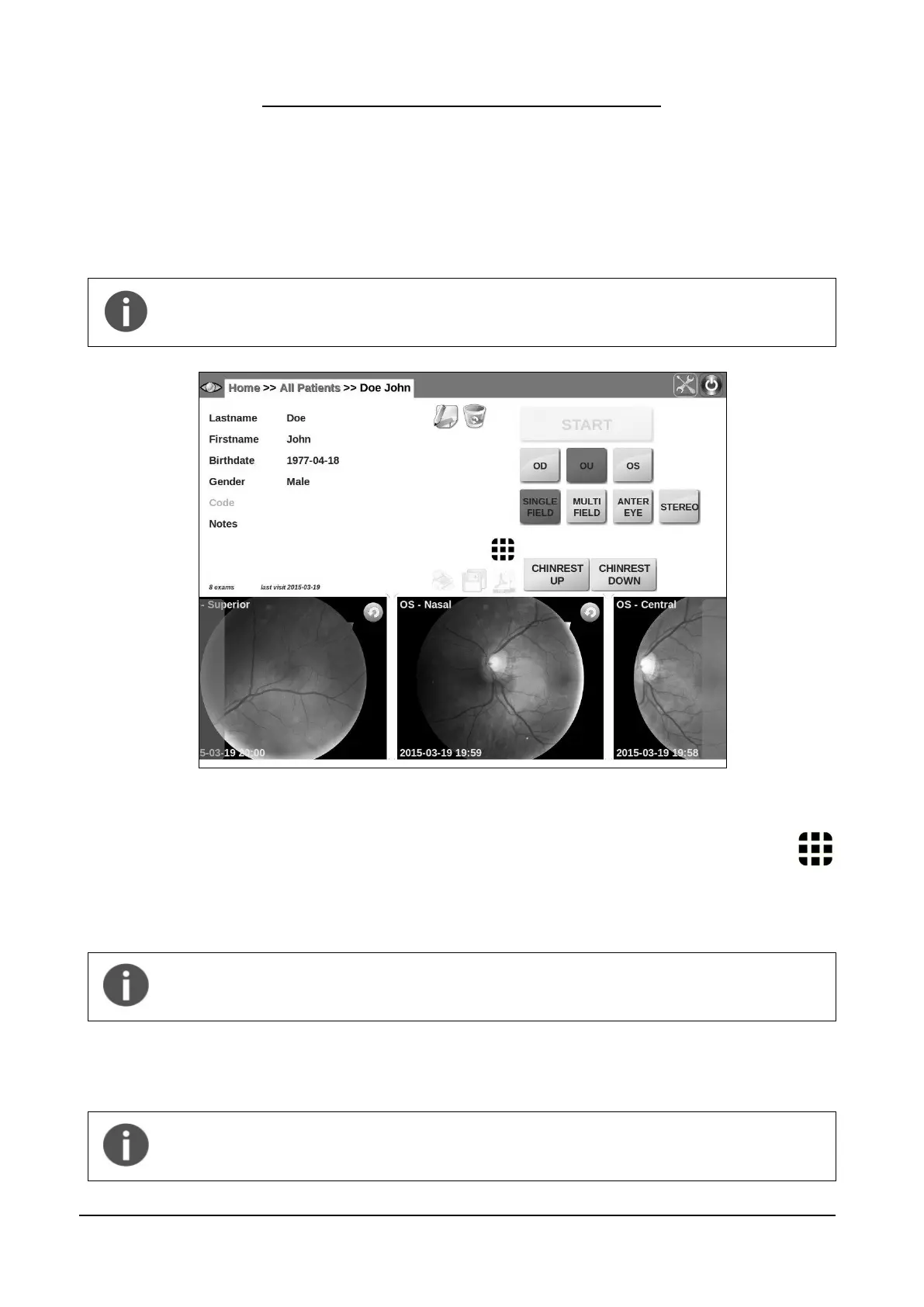
Figure 66 – Patient Record screen when mosaic function is enabled
To create a mosaic, check that the fields of interest have been captured then click on the
mosaic button in the Patient Record screen (see Figure 66) to open the image selection
screen: the first step requires selection of the eye, the second one requires selection of the fields to
be composed.
Presence of a central field is always required for mosaic generation. 2 to 6 fields can
be used. Only images of the same eye captured on the same day can be used. Only
one eye at a time can be selected.
Once field selection is completed click on the Create Mosaic button to start mosaic generation, or
click on Cancel to abort (see Figure 68).
Once the mosaic is started it cannot be interrupted before its completion. Generation
of a mosaic image may take 1-3 minutes, depending on how many fields are used.
The DRS cannot be used while mosaic generation is in progress.



 To Next Page