9.6 Anterior Eye
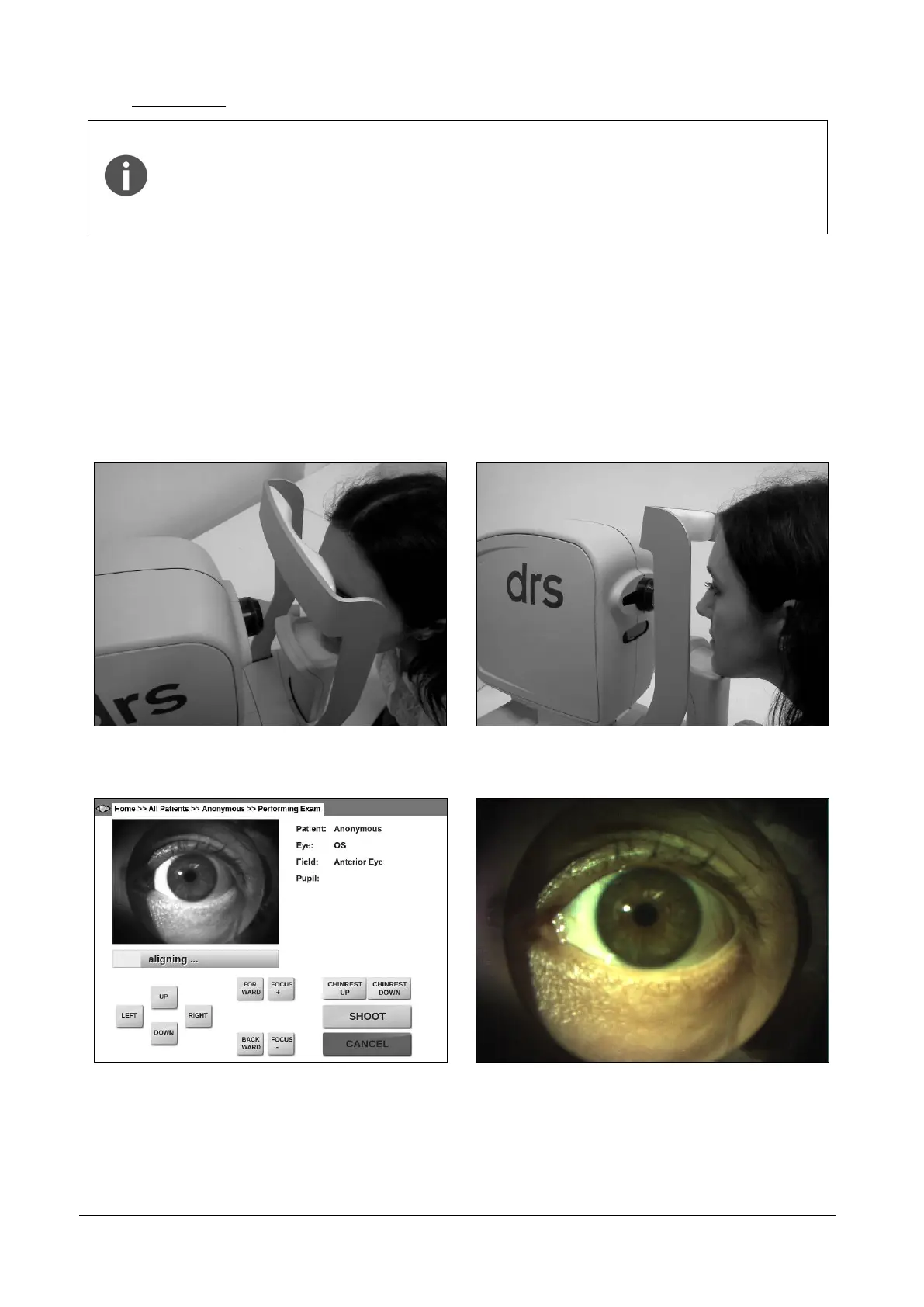
In order to capture a focused image of the anterior part of the eye, the patient’s
forehead must be placed on the chinrest at a distance of 3-5 cm (1-2 inches)
from the instrument forehead rest. The patient’s chin should be placed near the
edge of the chin rest (see Figure 16).
The room must be sufficiently lit in order to take an anterior eye image.
Once the process is started, the optical head moves in front of the selected eye and performs a
rough alignment. When it reaches the optimal position, a live color view of the eye is displayed
(Figure 17) so that manual alignment and focus can be performed using the on-screen buttons.
Manual adjustment of alignment and focus may be necessary to capture a good quality picture.
Click on the live image to toggle a full-screen view (Figure 18). Once satisfied with alignment and
focus, press SHOOT to acquire the image.
Figure 16 - Anterior eye: correct patient position
Figure 17 - Anterior eye acquisition
Figure 18 - Full screen view of the anterior eye



 To Next Page