14.5 EKN
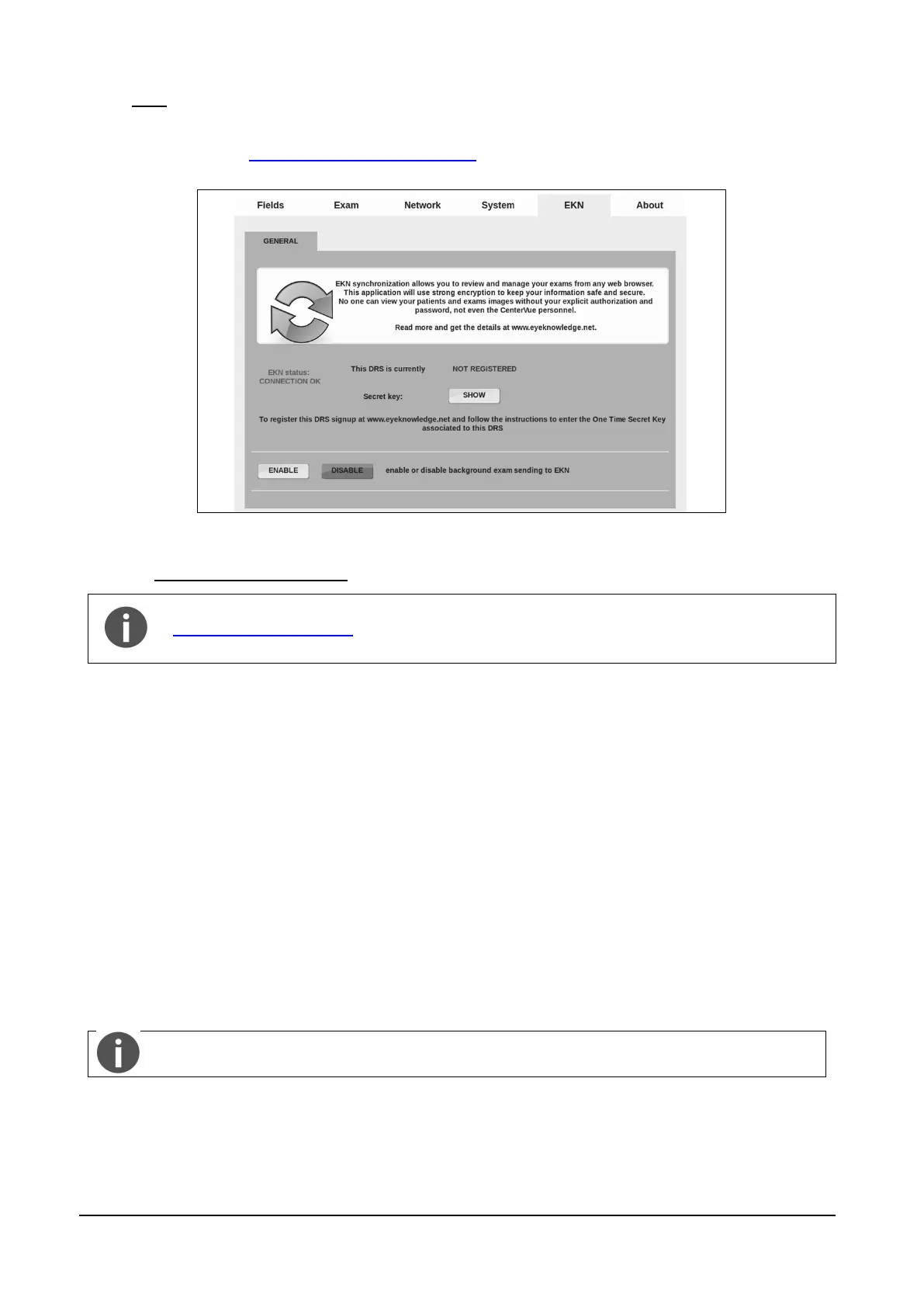
The EKN tab is used to manage DRS connection to the Eye Knowledge Network (EKN).
See Appendix C and www.eyeknowledge.net/about for additional information about this feature.
Figure 57 - EKN tab in Settings
14.5.1 Enabling the EKN service
The EKN functionality requires activation of a dedicated license. Please visit
www.eyeknowledge.net for further information on how to activate the EKN. Free trial
periods may be available from time to time.
To enable the EKN service and start accessing DRS data online, you need to first register the DRS
on the EKN:
Make sure that you have a valid EKN license;
press the SHOW button to show the Secret Key. Press ENABLE to activate DRS
synchronization with the EKN server;
from any PC, navigate to www.eyeknowledge.net and setup a new account by clicking on
the “Sign Up” button.
on the EKN website click on “Register now” to open the registration page. Type the serial
number of your DRS (e.g. drs-0123), use lowercase characters. Then carefully type the
One Time Secret Key shown on your DRS. This operation is done only once;
go back to the DRS and have it connected to the internet. After maximum half an hour the
unit will display in Settings >> EKN as "registered" and any existing patients and exams will
start being uploaded on the EKN. The upload time depends on the number of patients and
images stored in the DRS and on the available bandwidth.
Use Ethernet (wired) connection in order to maximize performance.



 To Next Page