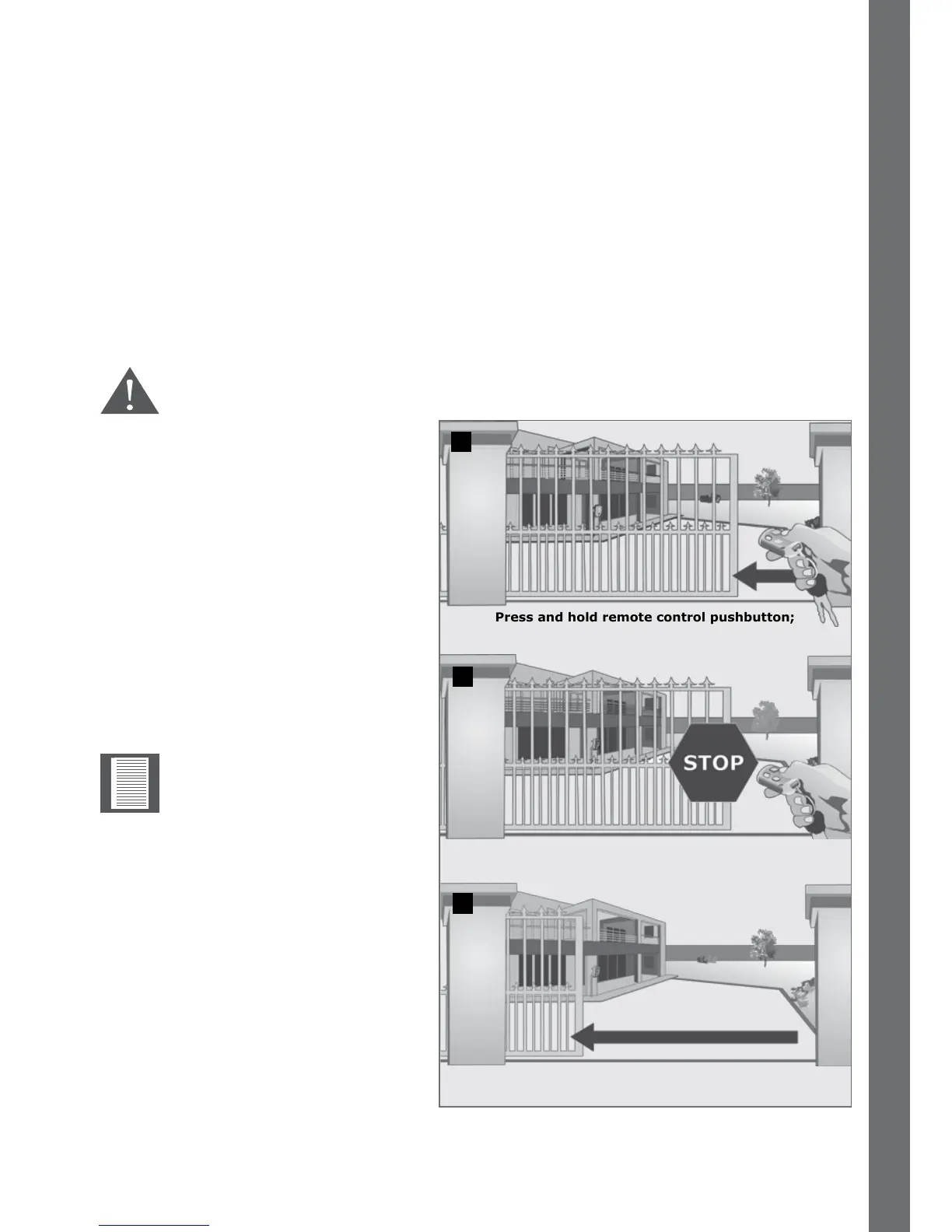
FIGURE 12
Gate stops to indicate that Autoclose
Override has been engaged
Release pushbutton; gate will continue
to open fully and stay open
4.1.3.1. Autoclose Override
Automatic closing can be overridden in Standard and Reversing Modes by pressing and
holding the button of the remote control or intercom gate release for no less than three
seconds. The gate response will be to start opening and then to stop as soon as the
Autoclose Override feature is activated. On releasing the button, the gate will continue
opening until fully open.
Your gate will stay open until you use the remote control or intercom gate release to
close the gate. The D5-Evo DOMESTIC, the D10 and the D10 Turbo will then revert to
normal Autoclose operation
The Autoclose function cannot be overridden in Condominium Mode.
It is possible to adjust the
override time or the time
required to hold down the
button in order to override
Autoclose in one second
increments from one to
ten seconds. The default
time is three seconds.
Press and hold remote control pushbutton;
gate will start to open
FEATURES AND FUNCTIONS SECTION 4
2
1
3













 To Next Page