21
Socket
DC2000™ Startup
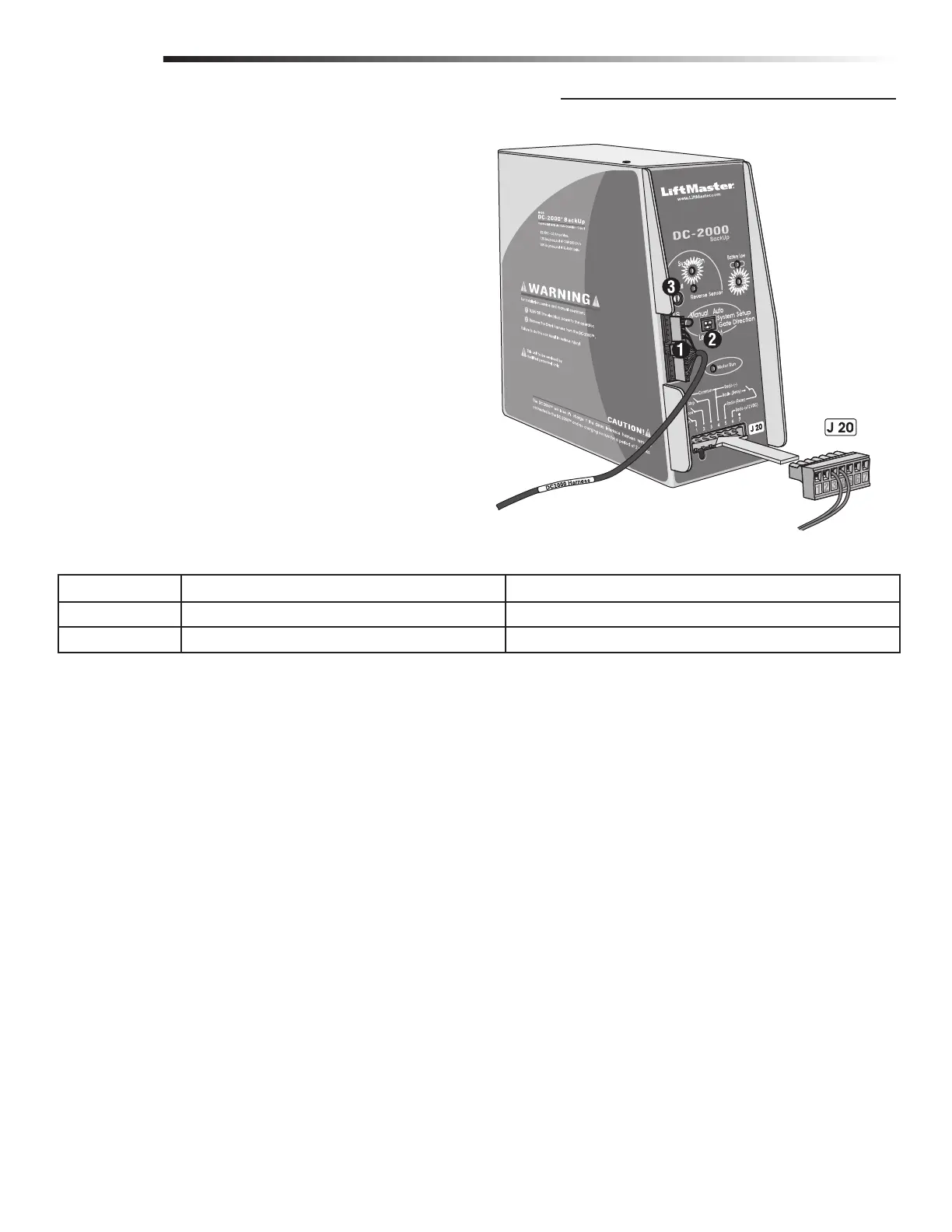
1. Plug in the 12 pin plug into the DC2000™ control unit. Make
sure the “System ON” and “Charge OK” LEDs are lit. If the
“Battery Low” led comes on, the battery needs to charge
before it can be used.
2. Make sure “Gate Direction” setting on DC2000™ is set the
same as the OmniControl™ board setting. See Adjustments.
3. Adjust “Reverse Sensor” setting. See Adjusting Reverse
Sensor(s).
Reset button and interlock wires, Do Not Remove.
NOTE: All devices wired to the DC2000™ MUST be dedicated to it alone. Normal operation will be controlled by separate devices wired
to the OmniControl™ board and surge suppressor.
EXAMPLE: If the DC2000™ is “automatically opening” the gate due to a power failure (auto mode), any manual command such as
“One-Button”, “Three Push Button”, “Key Switch”, “Photoelectric Sensor” or “Edge Sensor” will cancel the automatic mode of the
DC2000™. After such cancellation, the DC2000™ will continue to operate in “manual mode” until 120 Vac power is restored.
WIRING
FACTORY INSTALLED DC2000™ CONNECTION
120 Vac Power Failure 120 Vac Power On, OmniControl™ Board Malfunction
Manual Mode
Push and Hold to operate gate. Turn the 120 Vac power off then push and Hold to operate gate.
Auto Mode
Gate automatically opens. Turn the 120 Vac power off then gate opens automatically.






 To Next Page