100
B. Website updates
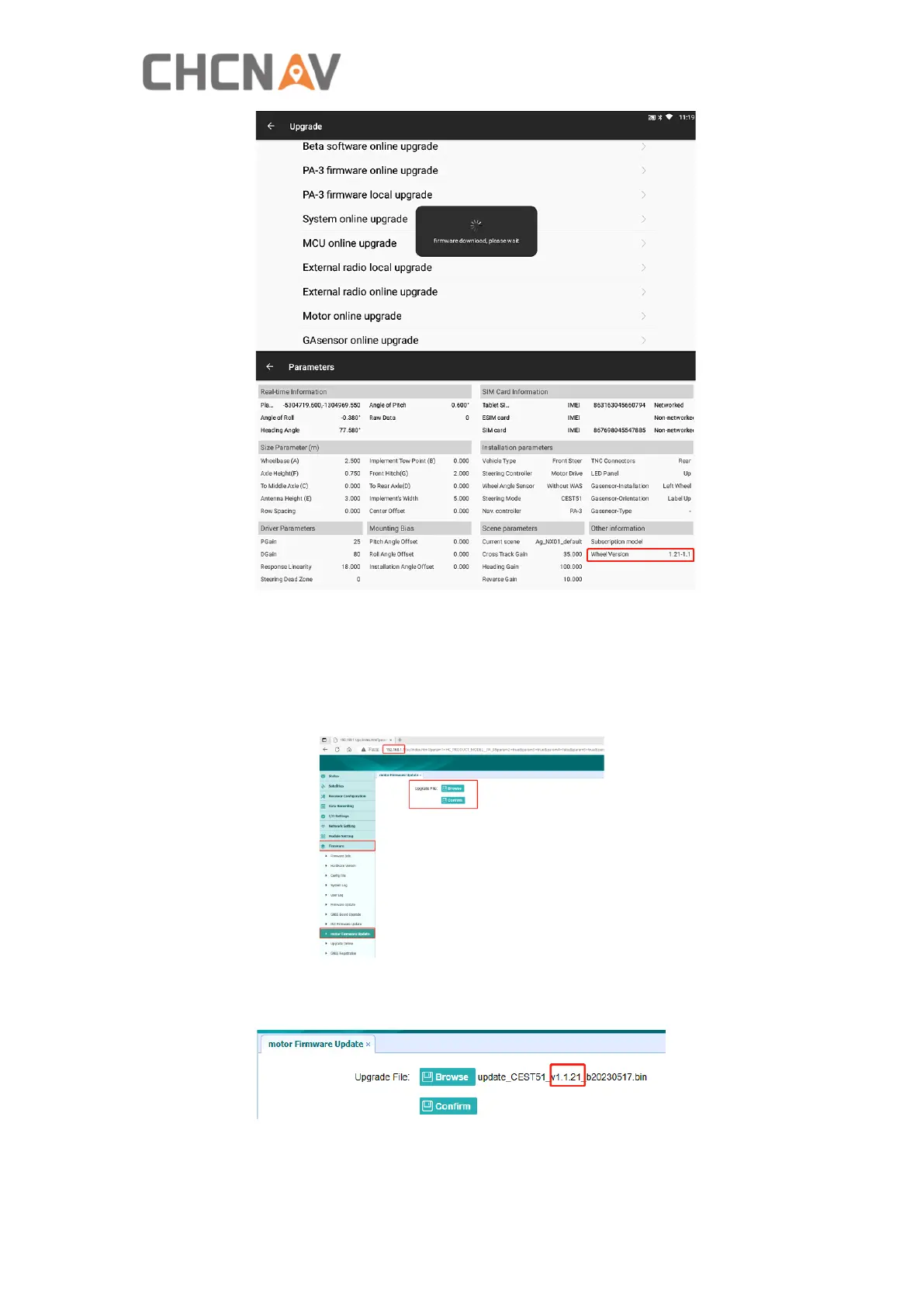
1) Connect to receiver’s WiFi named ‘GNSS-XXXXXXX’.
2) Open Google browser and enter 192.168.1.1, then go to Firmware-motor
Firmware Update. If there is no motor firmware update module, try clearing the
browser cache and re-entering the receiver webpage.
3) Select the firmware file and click Confirm.
4) Wait around 5 min to finish the update.



 To Next Page