99
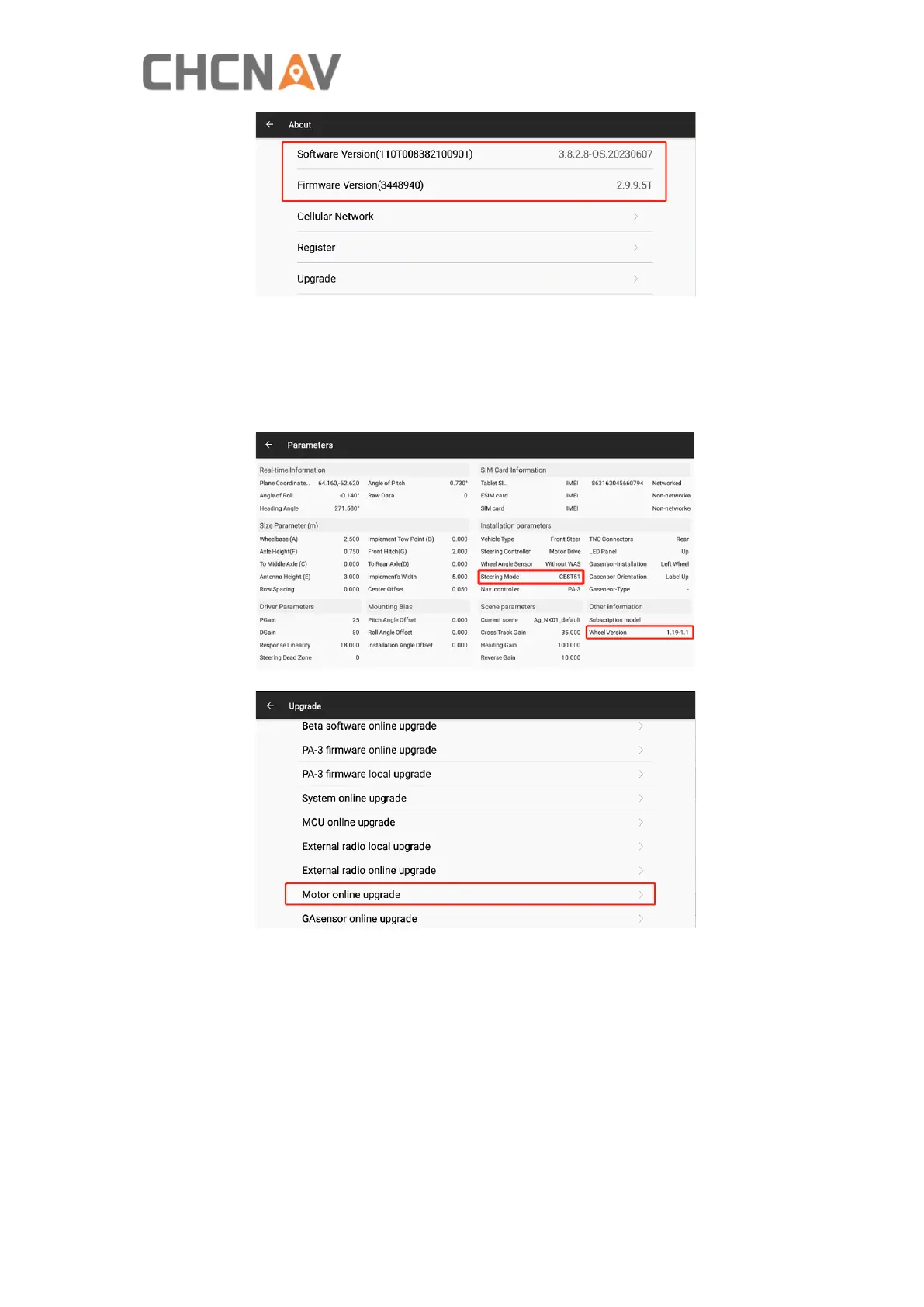
2) Check the previous motor firmware and see if it is necessary to be updated.
CEST51 means the current motor hardware type and it is the latest hardware
version, 1.19-1.1 means the current firmware version for CEST51 motor is 1.19
version but it is necessary to update to the lastest firmware version 1.21.
Also there are previous version like CEST50 and CEST30 which can not support
firmware updates.
3) Enter Upgrade interface and click Motor online upgrade.
4) The firmware will be upgraded automatically, wait around 5 minutes and please
do not touch the steering wheel at this time to avoid damage.



 To Next Page