98
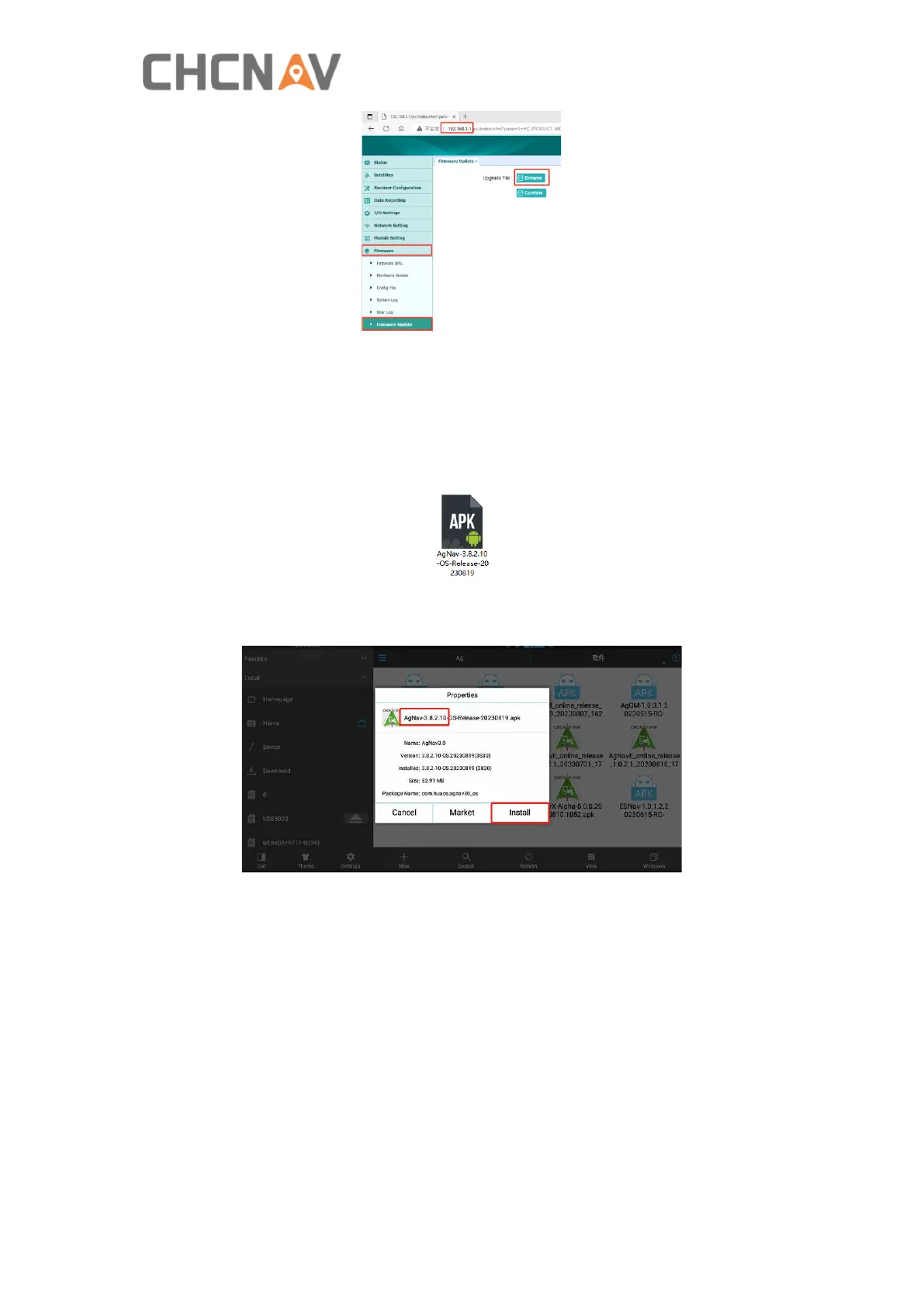
d) Select the firmware file and click Confirm. Wait around 5 min to finish the update.
5. Software local upgrade
a) Ask technical engineer for the latest software apk file and copy it into a U disk. For
example 3.8.2.10 software version as below.
b) Connect USB disk to the tablet, then copy the file under the root directory on the
tablet and click apk file to install.
6. Motor updates
In some cases, it is also necessary to update the motor firmware but the motor type
must be CES-T 5.1(PN:4006020035), and CES-T 3.X can not be updated any more.
There are two methods to do updates for CES-T5.1.
A. Online updates
1) Software and firmware version should be 3.8.2.8-OS.20230607 and 2.9.9.5T
above.



 To Next Page