Installation Edge/Edge Blanket
2-10
Communications Cable Connection
(Option)
If the unit was shipped with the optional
communications cable:
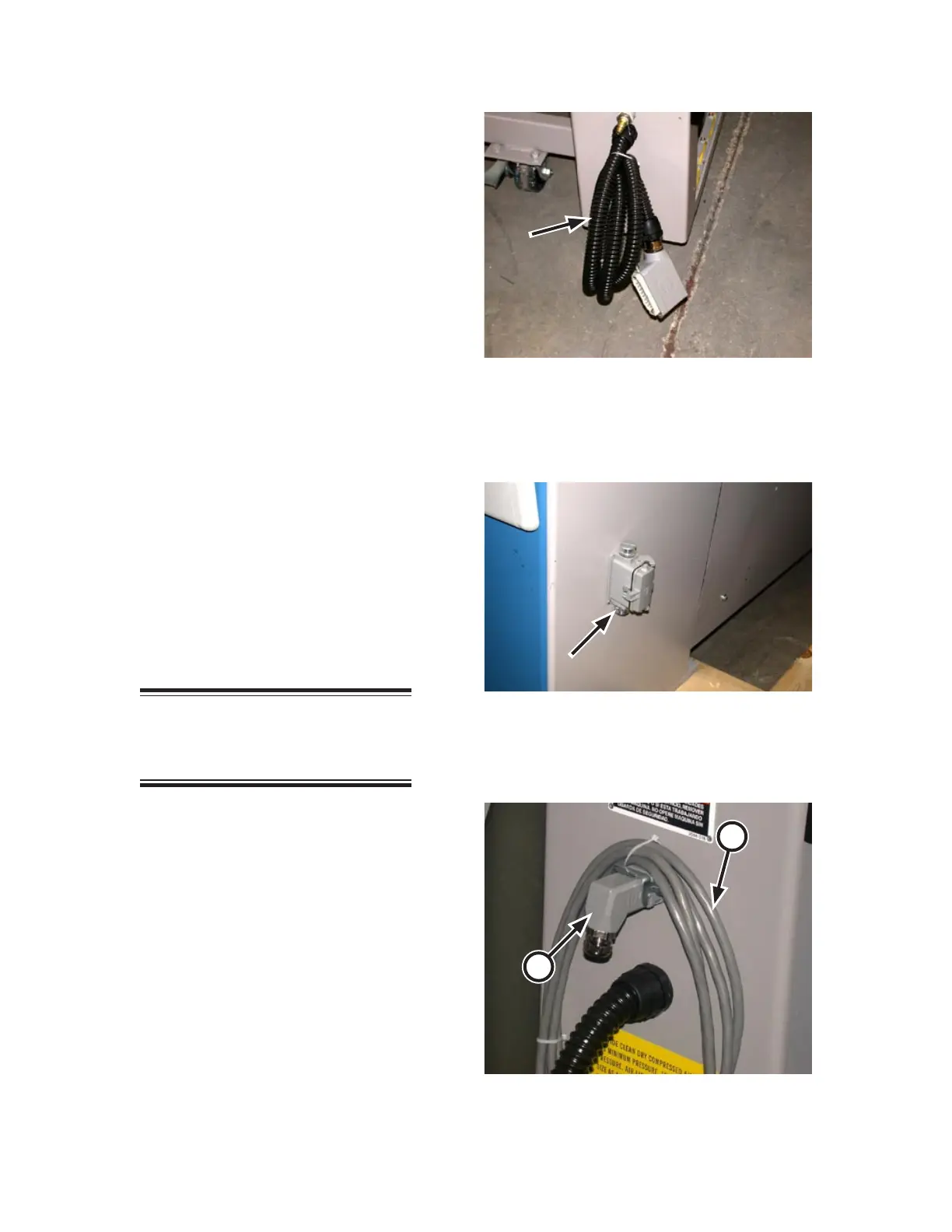
Non ChiLinc machines: Locate it at
the left rear of the unit near the com
-
pressed air connection, (Figure 2-16).
Uncoil the cable and connect to the
communications port on the left front
of the ironer (Figure 2-17).
ChiLinc machines: The cable will
be near the electrical connection box
(Figure 2-14, B). Uncoil the cable and
connect to the communications port
on the right front of the ironer (Figure
2-15, B).
Interconnected Stop Circuit Cable
Connections (Option)
If the unit was shipped with the optional
Interconnected Stop Circuit, remove the
feedback plug from the stop circuit con
-
nector (Figure 2-18, A) at the left rear of
the unit.
NOTE: Save this plug. It will be
needed if the feeder unit is ever
run as a single machine.
Uncoil the stop circuit cable (Figure
2-18, B) and attach it to the stop circuit
connector. Pull the latch to secure the
connection.
Remove the feedback plug from the ironer
behind the spreader/feeder and connect the
stop circuit cable to its plug. Pull the latch
the secure the connection.
1.
•
•
1.
2.
3.
Figure 2-17: The communications connection is at
the left front of the ironer unless it is a
ChiLinc-enabled unit.
Figure 2-18: Interconnected Stop Circuit plug at the
left rear of the spreader/feeder.
A
B
Figure 2-16: The communication cable is at the left
rear of the spreader/feeder unless it is
a ChiLinc-enabled unit.


 To Next Page