Installation 2-23
5160 Service Aggregation Switch Hardware Installation and Start-up Manual
009-3207-001 Standard Revision A
Copyright
©
2013 Ciena
®
Corporation September 2013
spade lugs suitable for the installation environment on the wires. Use UL/CSA
approved parts and local practices to install spade lugs at both the chassis
and terminal block ends of the power cord.
Note: Table 2-1 on page 2-9 provides a summary of the DC lugs that are
recommended for use with the 5160.
Note: After it is installed, the power cord will be dressed to the right, across
the front of the power supply. It is not appropriate to dress the power cord to
the left, across the front of the 5160 chassis.
5 Remove power from the DC circuit(s) that will supply power to the system.
6 Using a flat head screwdriver, remove the plastic terminal block cover from
the front of both power supplies and set them aside.
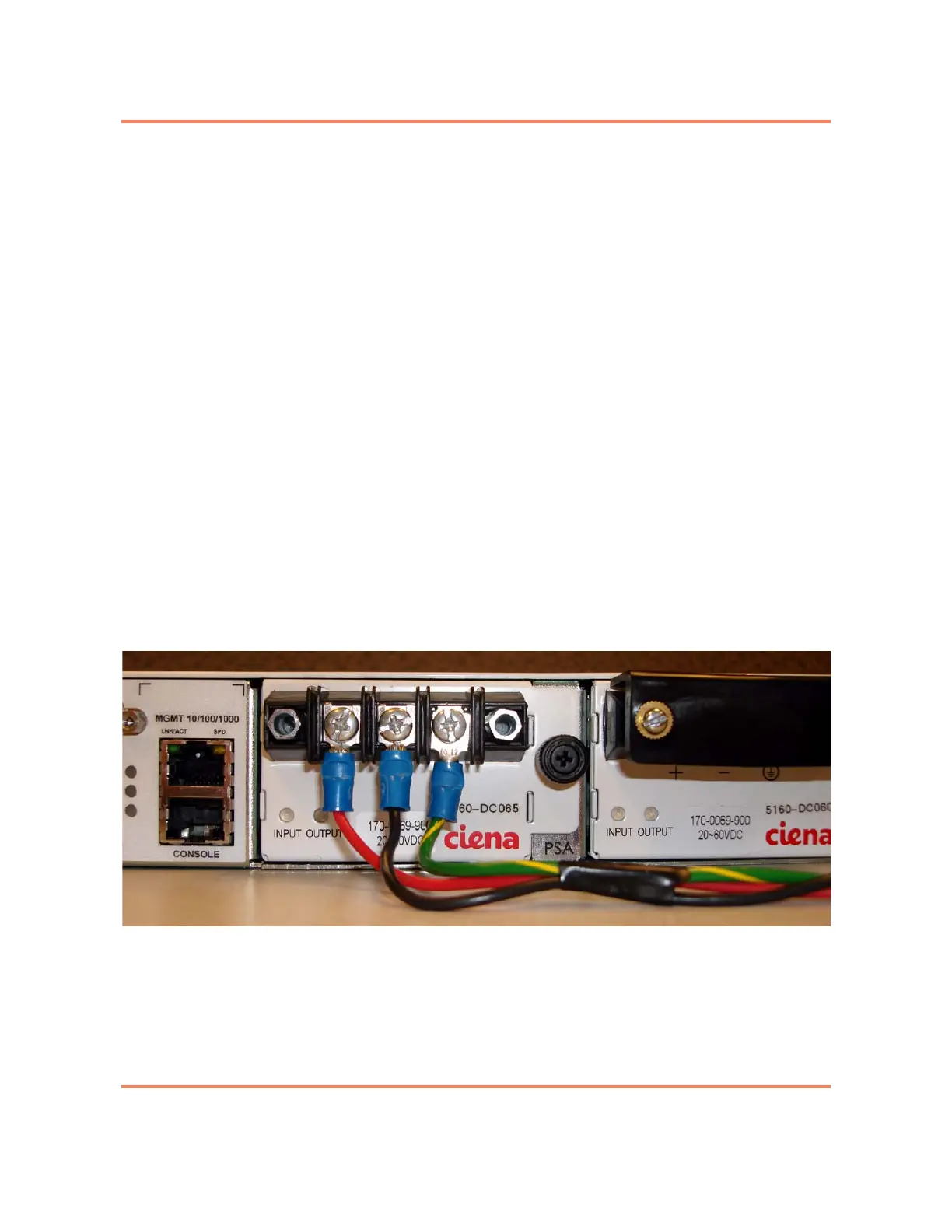
7 Use the terminal block on the front of the DC power supply to connect the
wires as follows:
• Ground — connect to the right connector
• Negative — connect to the middle connector
• Positive — connect to the left connector
Note: The ground connection should be made first. The wires should be
installed so they flow down from the terminal block. The power cabling will be
dressed to the right in step 11.
Figure 2-4 shows the faceplate of the DC power supply with the power wiring
installed, and the plastic terminal block cover removed.
Figure 2-4
DC Power Supply (with cover removed and wiring installed)
8 Tighten the set screws on the terminal block with a Phillips screwdriver.



 To Next Page