STOP
OK
BACK
ARCONTROLBMS.COM
M O D E = M A N U A L >
P R E P U G 0 0 5 >
I G N I T I = < 3 0 >
C O M M I T
<
T I M E
T I M E
= < R
S E
E
O
N
T T I N G S
→
STOP
OK
BACK
ARCONTROLBMS.COM
M O D E = M A N U A L >
P R E P U G 0 0 5 >
I G N I T I = < 3 0 >
C O M M I T
<
T I M E
T I M E
= < R
S E
E
O
N
T T I N G S
→
27
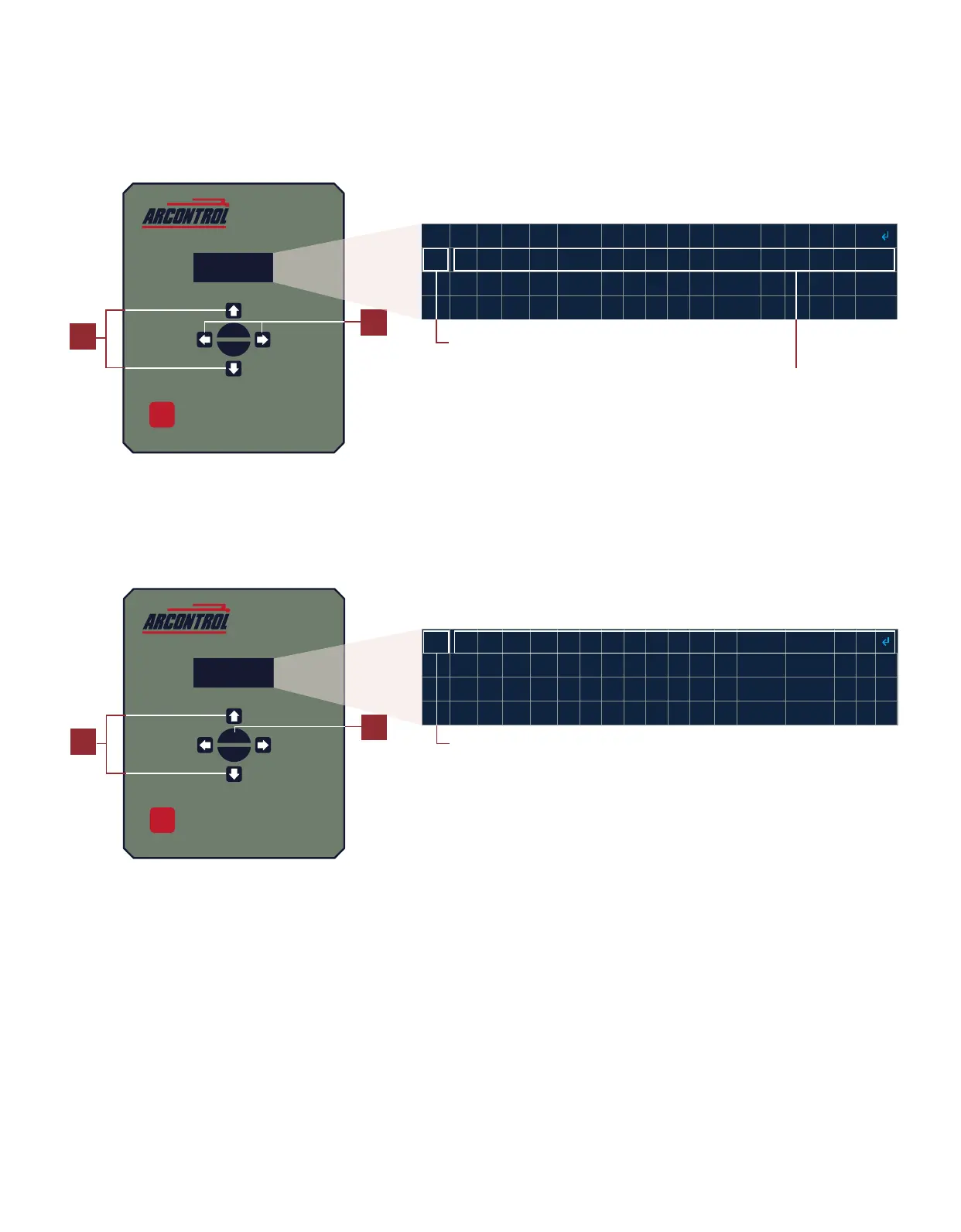
3. Using the UP and DOWN key to move the arrow on the le hand side of the menu and navigate to desired
subseng (i.e.: MODE) (Image 3.3.2).
4. Using LEFT and RIGHT key scroll through the possible opons for the seng. For example, change the MODE to
MANUAL (Image 3.3.2)
5. If needed, repeat steps 3 and 4 for the remaining sengs.
6. When sased with the seng changes use the UP and DOWN key and navigate to the COMMIT SETTINGS
command (Image 3.3.3).
7. Press the OK key.
Image 3.3.2 · Select subseng
3
4
Use the Up or Down key and move
arrow to the desired subseng
Use the Le or Right key and
toggle to the desired seng
6
Use the Up or Down key and move
arrow to COMMIT SETTINGS
7
Image 3.3.3 · SELECT COMMIT SETTINGS



 To Next Page