WARNING!
E T T I N S
I
M
N
E N
S
S
E R V I C E
G
F O
U
I N
F O
→
M M O D E = [ C U R R E N T O D E ]
S T A T E = [ C U R R
[ C U R R
[ C U R R
[ C U R R
[ C U R R
S T A T E ]
[ S T A T E A D D T L I N F O ]
V A L U E ]
V A L U E ]
D I A G N O S T I C S
P₂ =
P₃ =
P
I
=
P₁ =
V A L U E ]
V A L U E ]
≡
≡
≡
≡
≡
76
4 System Operaon
Failure to comply with the following safety warning(s) may result in serious personal injury or death.
• Do not open the unit when in operaonal mode.
Each mode of operaon, AUTOMATIC and MANUAL have mulple operaon and alarm states. Addionally, The system
has an INDEPENDENT (PI) process which is a process that connually runs if the system is powered on and is not in
the DIAGNOSTIC mode. The independent process will connue even if the system is in the STOPPED state or even an
ALARM or SHUTDOWN state.
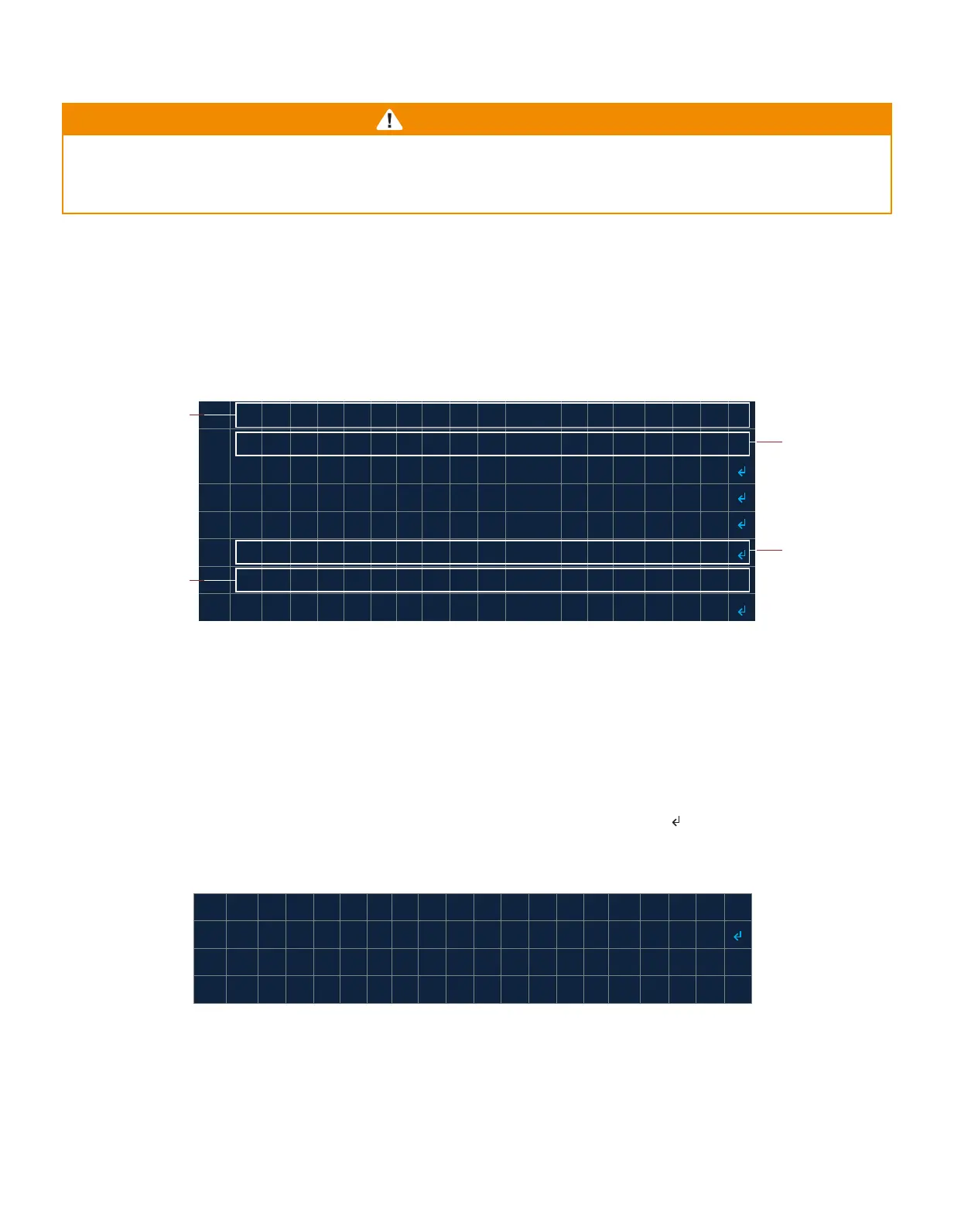
Informaon about the current state and prompts for aconable menu items is presented in the system menu state
addional informaon entry (STATE ADDTL INFO) (Table 4.1). This secon provides detailed informaon about each
mode, states and transions between states.
4.1 AUTOMATIC Mode
In AUTOMATIC mode ignion is iniated by the user. Upon power-up in AUTOMATIC mode, the system inializes in
the STOPPED state (Image 4.1.1). Once the pilot is lit, the system will automacally start controlling the process (Image
4.1.2). The system will aempt to automacally relight if ame is lost (A). ON DEMAND mode is also available which
only lights the pilot when ame is required by a process.
If the system is in any state except for an alarm state, the system can transion to the STOPPED state by pressing the
STOP buon. To exit the STOPPED state the user must navigate to the START (HOLD OK) menu entry and hold the OK
key for at least a second. Once the OK key is released the system will transion to the STARTUP state (B) or, if in the
ONDEMAND mode, to the IDLE state (B).
Current mode
Image 4.1 · System Menu
Current operaon
state
Addional state
informaon
INDEPENDENT
process
informaon
→
S T A T E = T S O P P E D
S A T R T ( O H L D O K )
P₂ =
P₁ =
Ø
0 . 0
o
z
in
2
≡
≡
Image 4.1.1 · System Menu - AUTOMATIC start-up



 To Next Page