M B
P
S M O U L D E
R O C E S 1 S
P R O C E S 2 S
P R O C E S 3S
P R O C E S I N DS
→
≡
≡
≡
≡
≡
P I D
S H U T D O 1NW
S H U T D O 2NW
S H U T D O 3NW
≡
≡
≡
≡
A V
B
L E U I M T I I N
V D
G
4 8
S
5
A T T E R L Y
M O D B U S S R
D
D A T A L O
T
G
C A L I B
I O S E
C R
N
O S
G
X
I
T
≡
≡
≡
≡
≡
U S E R P C
A
T & M
I
A T
E T D A T E
S
E
L A G
O
L E R D A
C
S
M N
E
E T S I
T E
S
75
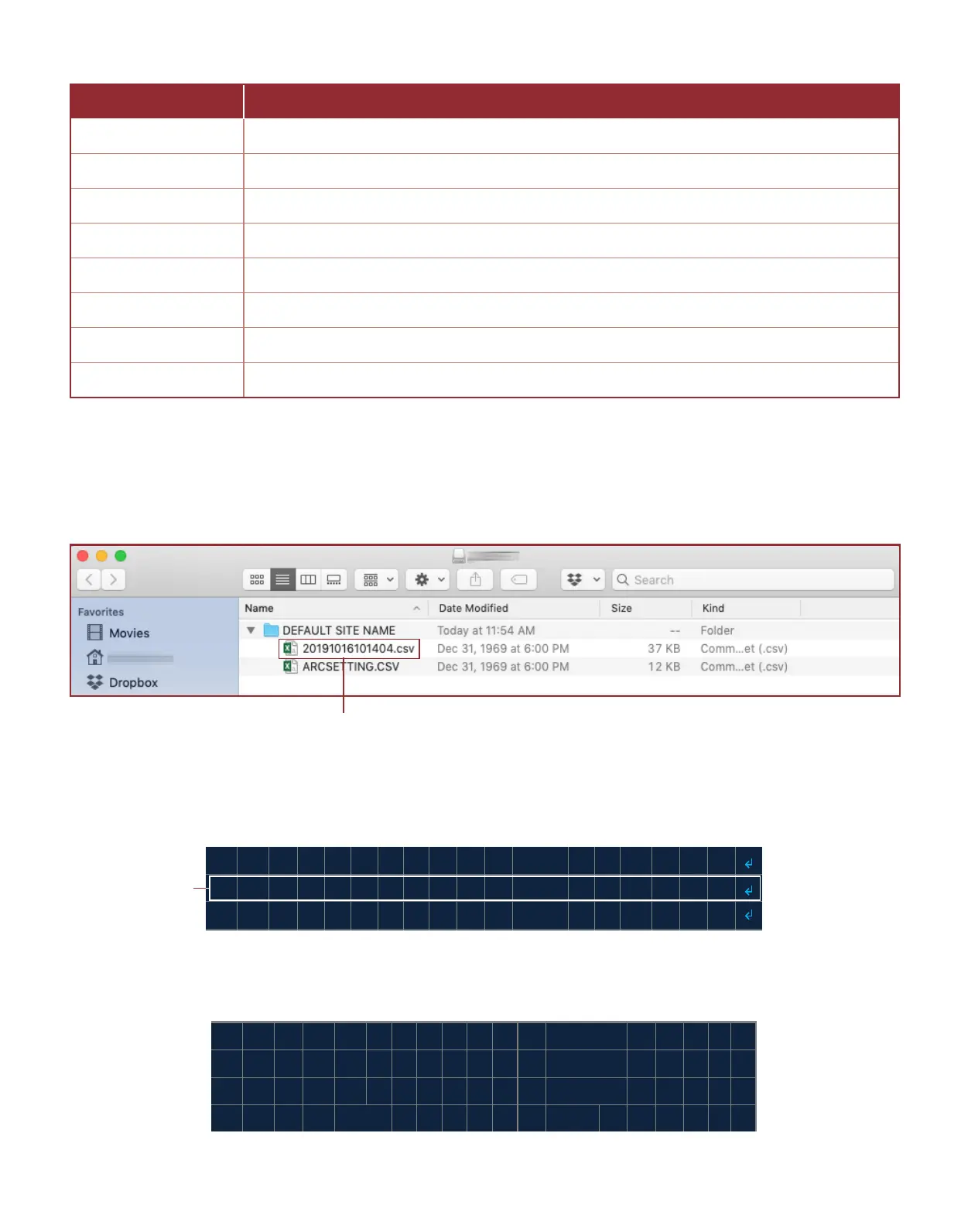
The following is a list of events logged by the system (Table 3.4.18).
3.6.1 Retrieving the Data Logs
The data logs are easily retrieved by inserng a USB drive (FAT formaed) into the USB drive port on the ARControl unit.
The system will write the data logs to a CSV le under a folder named ARControl on the root of the USB drive. The CSV
log le is named aer the me the log was generated in the format YYYYMMddhhmmss (Image 3.6.1).
3.6.2 Clearing the Data Logs
Select the CLEAR DATA LOGS menu (Image 3.6.2) to clear the data logs.
On the conrmaon screen (Image 3.6.3), press the LEFT or RIGHT key and toggle YES or NO. Press the OK key to exit.
Important! Cleared data cannot be recovered.
Image 3.6.2 · CLEAR DATA LOGS menu
Select CLEAR
DATA LOGS menu
Table 3.4.18 · Events logged by the system
Data log le
Image 3.6.1 · Data log le
L L D U S L Y
O G G E D W S O T
B E
A R ?
L
A T
O N F RI L E < N O > M C
I L L
R E V A P I O A
L
C
Image 3.6.3 · Conrm clearing data log
EVENT DESCRIPTION
LOGS ERASED All previously logs erased
POWER ON Unit has been powered on
POWER OFF Unit was powered o
INTERVAL The me period set in the LOG FREQUENCY has elapsed.
DATA DOWNLOAD Previous data has been downloaded
SETTINGS CHANGE System sengs have changed
FIRMWARE UPDATE Firmware has been updated to a new revision
STATE CHANGE System state has changed



 To Next Page