27
34
English
20 EN
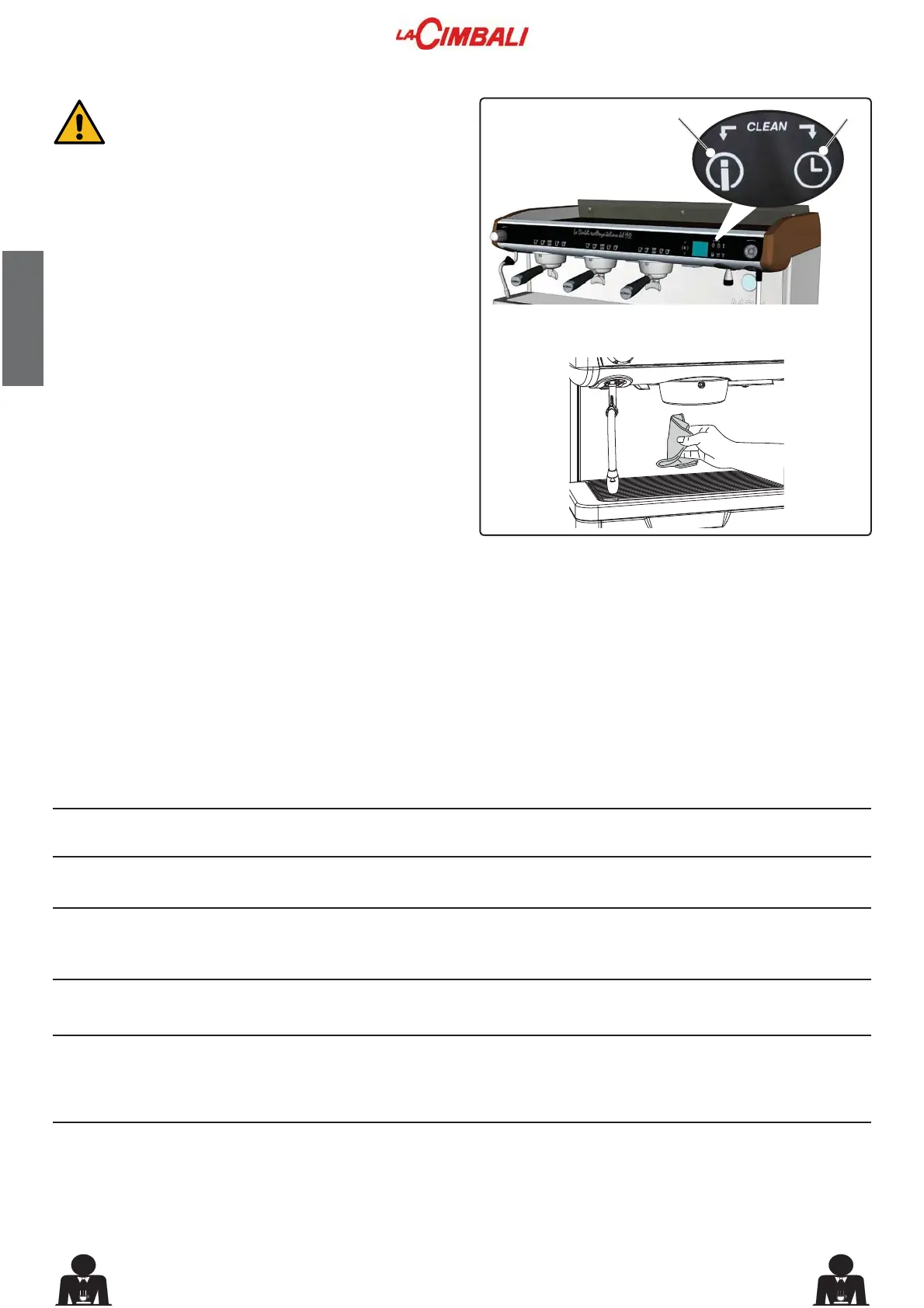
BODYWORK - This operation must be carried out at the end of each working day
Use a soft cloth and cleaning products WITHOUT ammonia
or abrasives, removing any organic residue present in the
work area.
NOTE: Do not spray liquids into the panel slots.
To avoid pressing the dispensing keys
accidentally during cleaning, block the selection
keypad by holding down the 27 and 34 keys
WRJHWKHUIRUDIHZVHFRQGVGXULQJEORFNLQJWKH
group keys remain off and the keys 27 and 34
ÀDVK
On completion of the cleaning operations,
reactivate the selection keypad by holding down
the 27 and 34 keys again for a few seconds.
Direct action by the customer
Before calling service personnel, to avoid unnecessary expense, check whether the machine problem corresponds to
one of the cases listed below.
PROBLEM
The coffee machine does not work
and the display (16) is blank.
/HDNLQJIURPWKH¿OWHUKROGHUULP11).
Coffee dispensing time too short.
Coffee drips out of machine.
Loss of water under the machine.
Machine heated up, but it does
not dispense coffee.
The automatic level-control
devices remain in operation.
SOLUTION
Check the electricity supply.
Check the position of the ON/OFF
switch (1).
Clean using the special brush pro-
vided.
8VHD¿QHUJULQG
Use new coffee.
Clean.
Use a coarser grind.
Clean.
Clean.
Open.
Wait until water is available or call a
plumber.
Same solution as above.
CAUSE
No electricity supply.
Underpan gasket dirty with coffee.
Coffee ground too coarse.
Coffee too old.
Filter holes blocked or filter holder
(11) outlet hole dirty.
&RIIHHJURXQGWRR¿QH
Discharge clogged up.
Discharge pan hole blocked.
Water supply or water softener tap
closed.
No water in system.
Same causes as above.
17. Defects - malfunctions



 To Next Page