8
9
4
5
12
13 16
18
14
6
7
17
21 3
10 11
15
English
17 EN
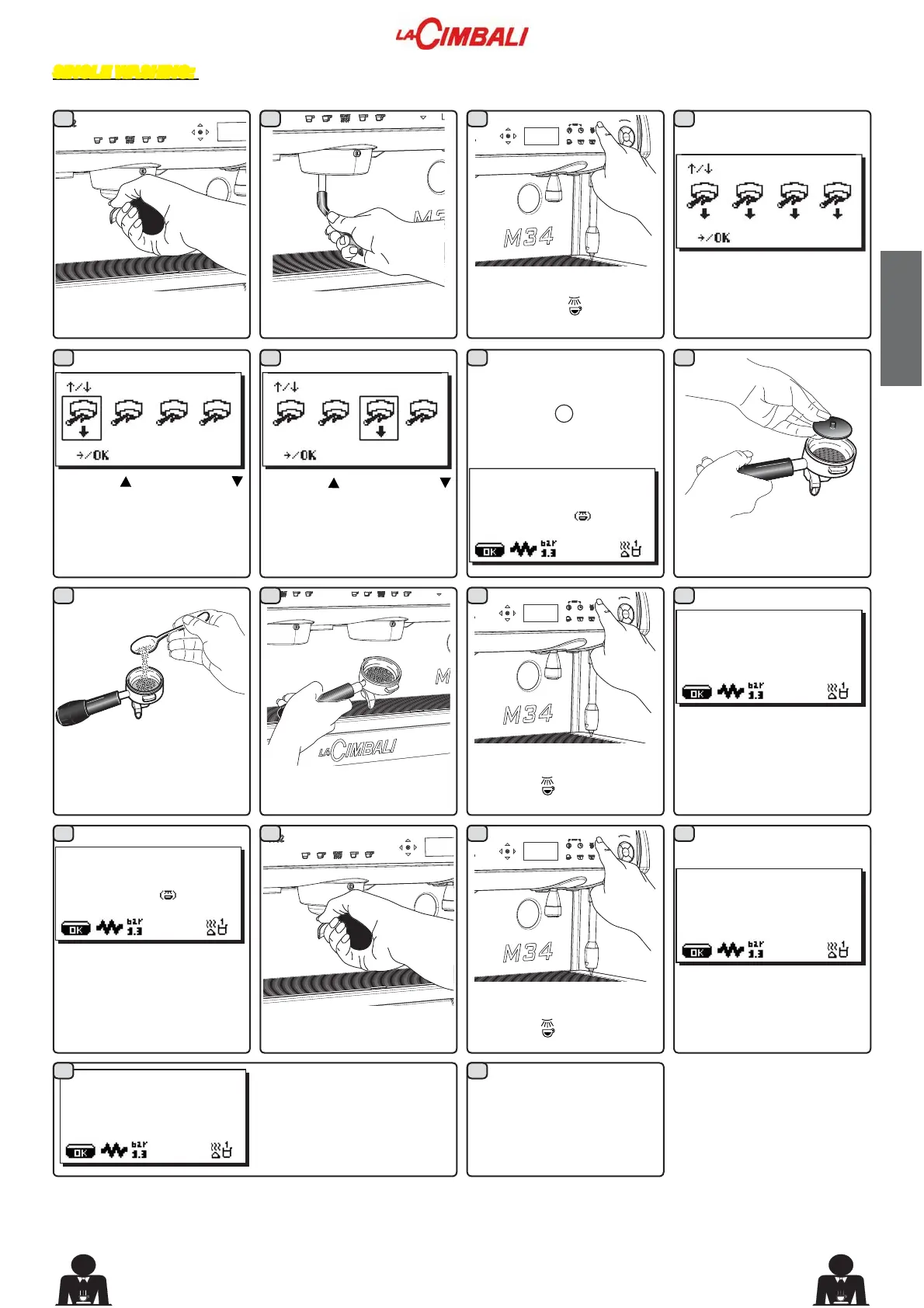
Remove the filter holder
from the coffee group.
Using a brush, clean the
cover gasket.
Hold down the coffee circuit
washing key
(26) for a
few seconds.
The simultaneous washing
mode (preset mode) will
appear on the display.
to change sel.
to confirm
SINGLE WASHING: Cannot be carried out if the machine launches a warning message.
Procedure to effect at the end of the work day on all groups or when signaled by the machine.
Use the
“+” (30) and
“-” (31) keys to pass to the
Single Wash. A rectangle
will highlight the group that
will be washed.
to change sel.
to confirm
Use the “+” (30) and
“-” (31) keys to choose the
group to be washed.
to change sel.
to confirm
Confirm the choice (for
example, group 3), using
the key and
OK
. The screen
will display:
26 SEP 12 15:15
INSERT. FILTER HOLDER
GROUP 3
push
to confirm
Insert the rubber disk into
WKH¿OWHUKROGHUZLWKLWV¿OWHU
Pour in a packet or dosing
cupful of detergent powder.
Hook the filter holder to
Group 3.
26 SEP 12 15:15
GR3 WASH
Press the coffee circuit
wash key
(26).
The Group 3 wash cycle will
start and the "GR3 WASH"
message will appear on the
display.
At the end of the group 3
wash cycle, the message
"REMOVE FILTER
HOLDER GROUP 3" will
appear.
26 SEP 12 15:15
REMOVE FILTER HOLDER
GROUP 3
push
to confirm
26 SEP 12 15:15
GR3 RINSE
The message "GR3 RINSE"
will appear.
5HPRYHWKH¿OWHUKROGHU
Press the coffee circuit
wash key
(26).
Repeat these steps for the
groups you want to wash.
26 SEP 12 15:15
The washing cycle is
complete after the rinsing
phase.



 To Next Page