3-52
Cisco Aironet 1552 Series for Hazardous Locations Installation Guide
Chapter 3 Installing the 1552 Series Access Points in Hazardous Locations
Mounting on a Wall or a Pole
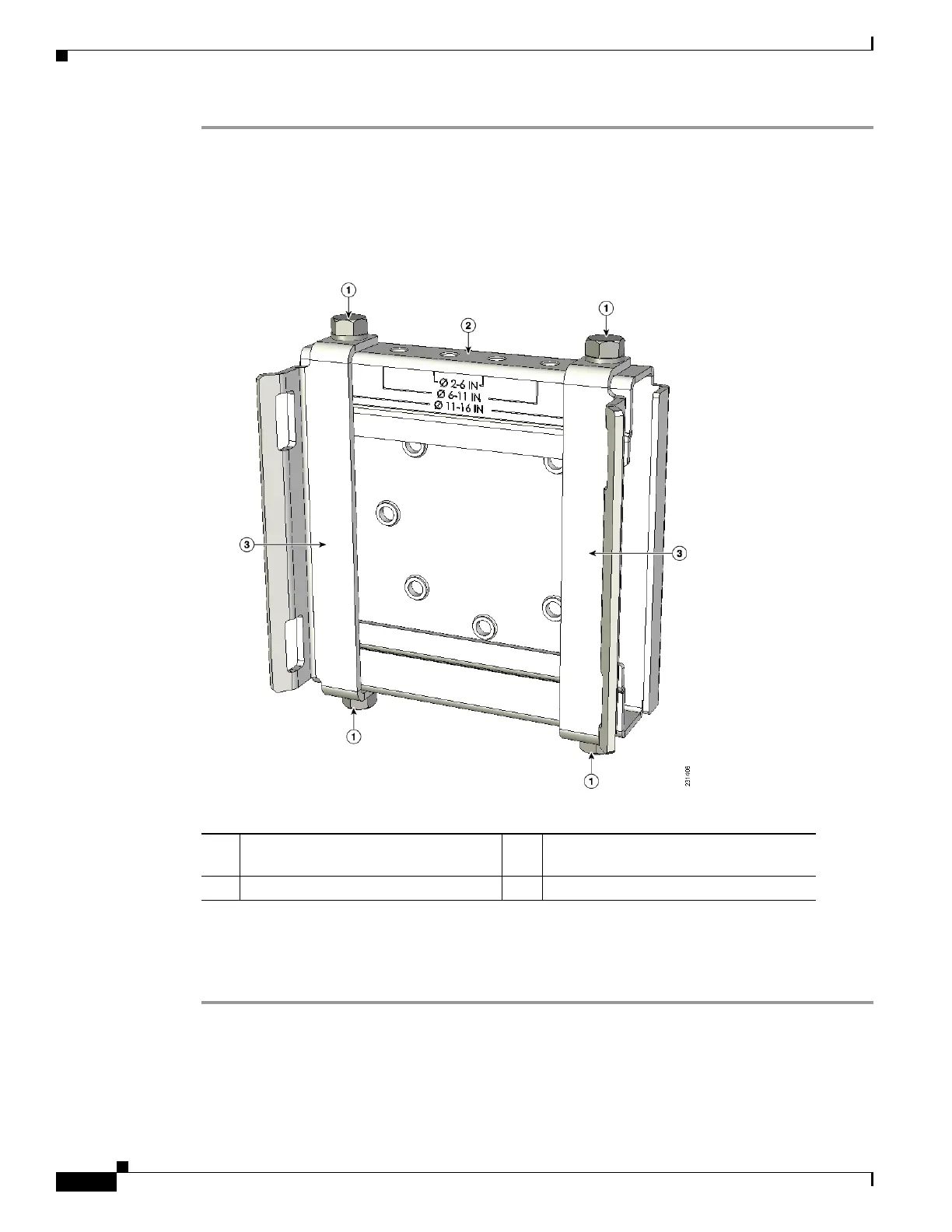
Step 1 Position the strap brackets on the pole clamp bracket for the pole diameter you are using and secure each
strap bracket with two M8 x16 bolts (with lock washers) (see Figure 3-4). Tighten the bolts to 13 to 15
ft lbs (17.6 to 20.3 Nm).
Figure 3-4 Assembled Pole Clamp Bracket and Strap Brackets
Step 2
Screw the M8 nut onto the pole clamp bracket support bolt, and tighten just enough to prevent the bolt
from falling off.
Step 3 Go to the “Pole Mounting” section on page 3-53.
1 M8 x1.25x16 bolts (with lock washers) 3 Strap bracket (shown positioned for 11
to 16 inch diameter pole)
2 Pole clamp bracket












 To Next Page