3-57
Cisco Aironet 1552 Series for Hazardous Locations Installation Guide
Chapter 3 Installing the 1552 Series Access Points in Hazardous Locations
Mounting on a Wall or a Pole
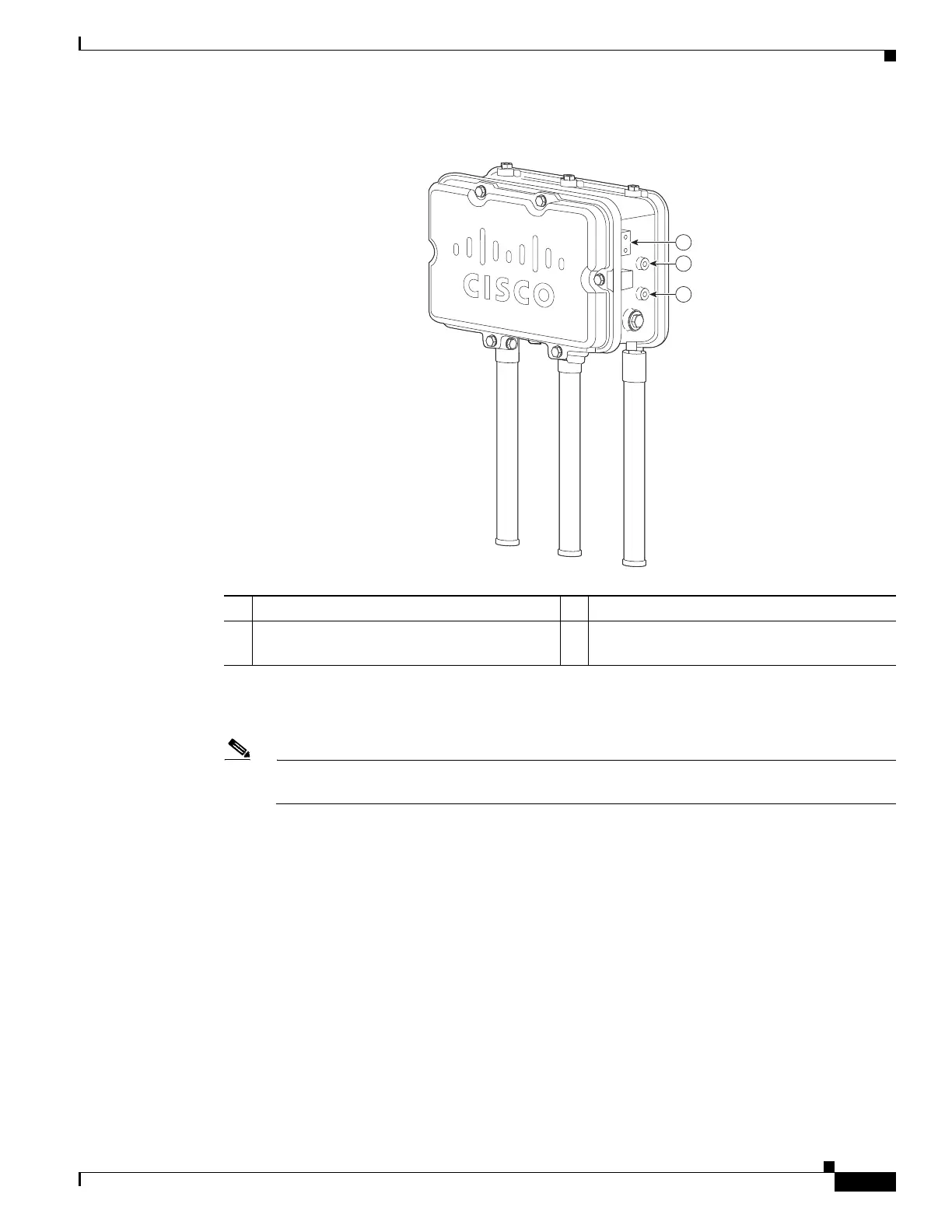
Figure 3-8 Location of Access Point Top Support Bolt Holes
Step 12
Position the two bolts on the access point into the access point quick-mount notch on the mounting
bracket (see Figure 3-9).
Note The access point should be positioned with the LEDs on the bottom to allow viewing from the
ground and with the hinged cover facing out.
1 Ground lug screw holes location. M4x.7 3 Second M8 x16 bolt hole location
2 M8 x16 bolt hole (bolts are supplied with pole
mount kit; install without flat or lock washers)












 To Next Page