3-56
Cisco Aironet 1552 Series for Hazardous Locations Installation Guide
Chapter 3 Installing the 1552 Series Access Points in Hazardous Locations
Mounting on a Wall or a Pole
Step 8 Install four M8 x16 bolts (with flat and lock washers) into the bolt holes.
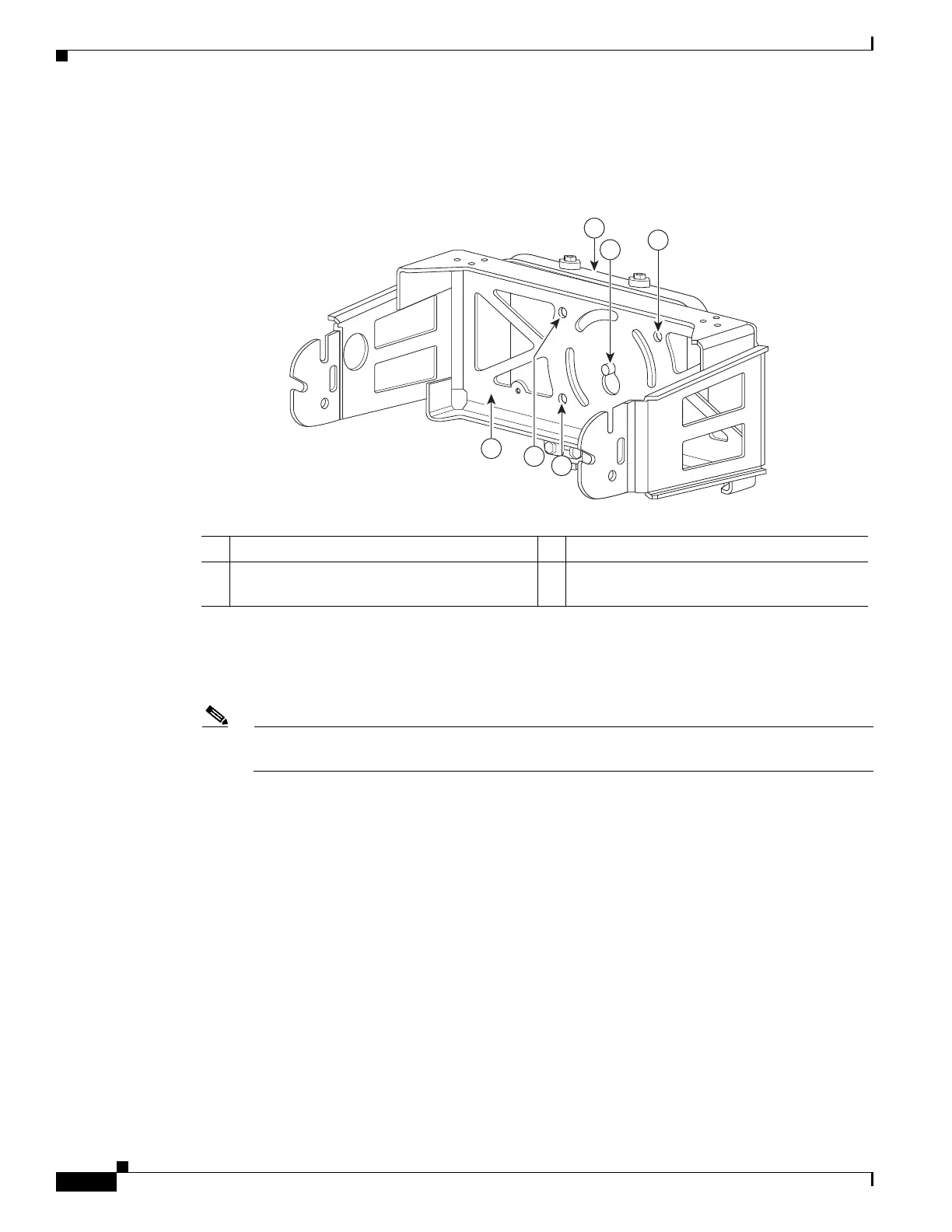
Figure 3-7 Screw Hole Locations on the Mounting Bracket and Pole Clamp Bracket Assembly
Step 9 Hand-tighten the bolts and the nut (do not overtighten).
Step 10 Adjust the top edge of the mounting bracket until it is horizontal and tighten the bolts and the flange nut
(see Figure 3-7) to 13 to 15 ft lbs (17.6 to 20.3 Nm).
Note The mounting bracket can be adjusted up to 45
o
to compensate for tilted horizontal streetlight
poles.
Step 11 Screw a M8 x16 bolt (without a flat or lock washer) in the top support bolt hole on each side the access
point (see Figure 3-8). Do not screw the bolt all the way in. Leave a gap of approximately 0.25 inch
(0.635 cm).
1 Pole clamp bracket assembly 3 Bolt holes
2 Access point support bolt
(M8 flange nut not shown)
4 Mounting bracket












 To Next Page