7-17
Cisco TelePresence System 3200
OL-14521-01
Chapter 7 Building the Second Row Table Assembly
Parts List
Note Before you attach the floating brackets, route the Ethernet and power cables in Chapter 9, “Routing
Power and Signal Cables.”
Note After you attach the brackets with the shoulder screws, move the brackets left and right to ensure that
they can move freely.
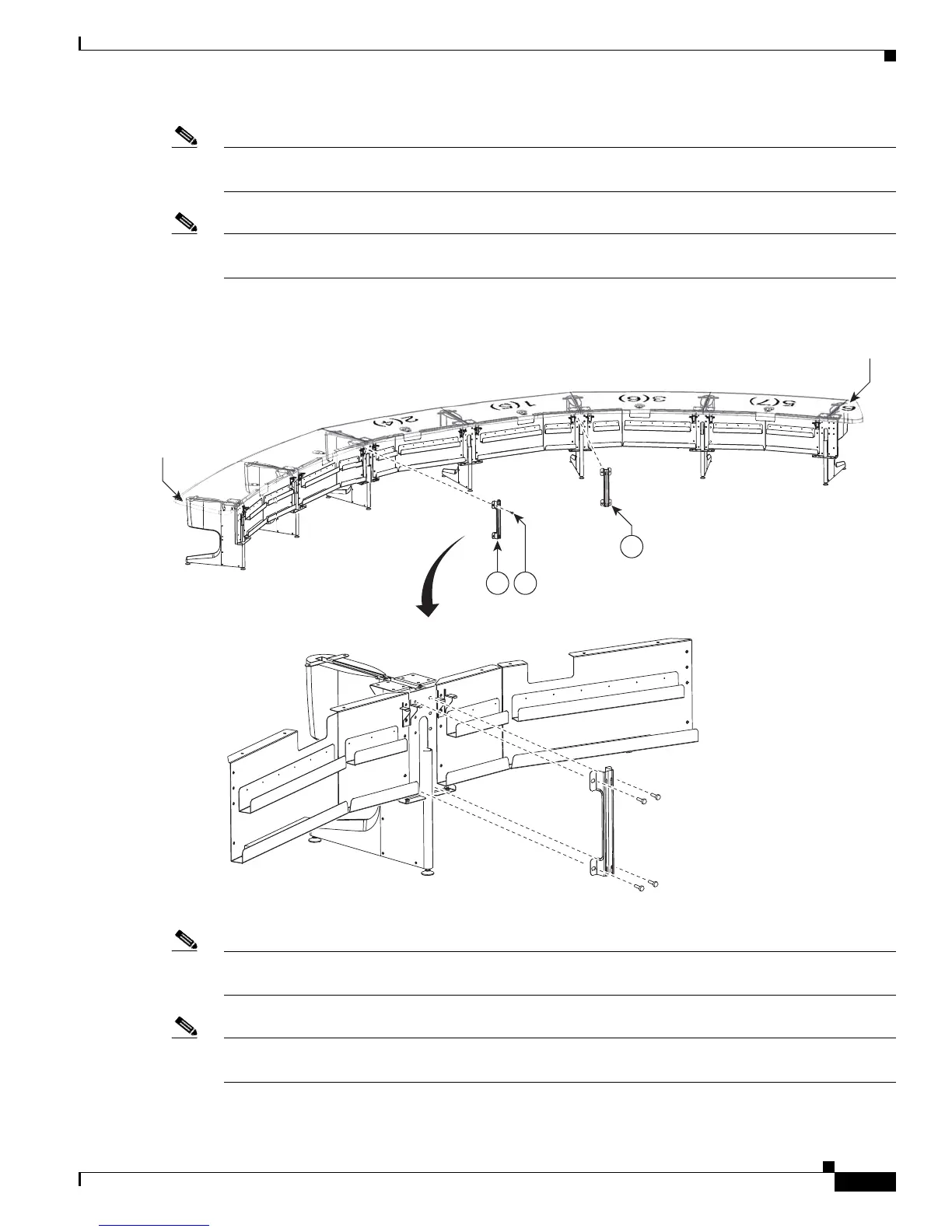
Figure 7-14 Floating Brackets, Type 1
Step 15 Attach the second set of floating brackets to the table assembly.
Note Before you attach the floating brackets, route the power cables in Chapter 9, “Routing Power and Signal
Cables.”
Note After you attach the brackets with the shoulder screws, move the brackets left and right to ensure that
they can move freely.
204169
12
12 56
3(6)
5(7)
6
6
5(2)
7
4(3)
1(5)
2(4)
7(1)
6(8)










 To Next Page