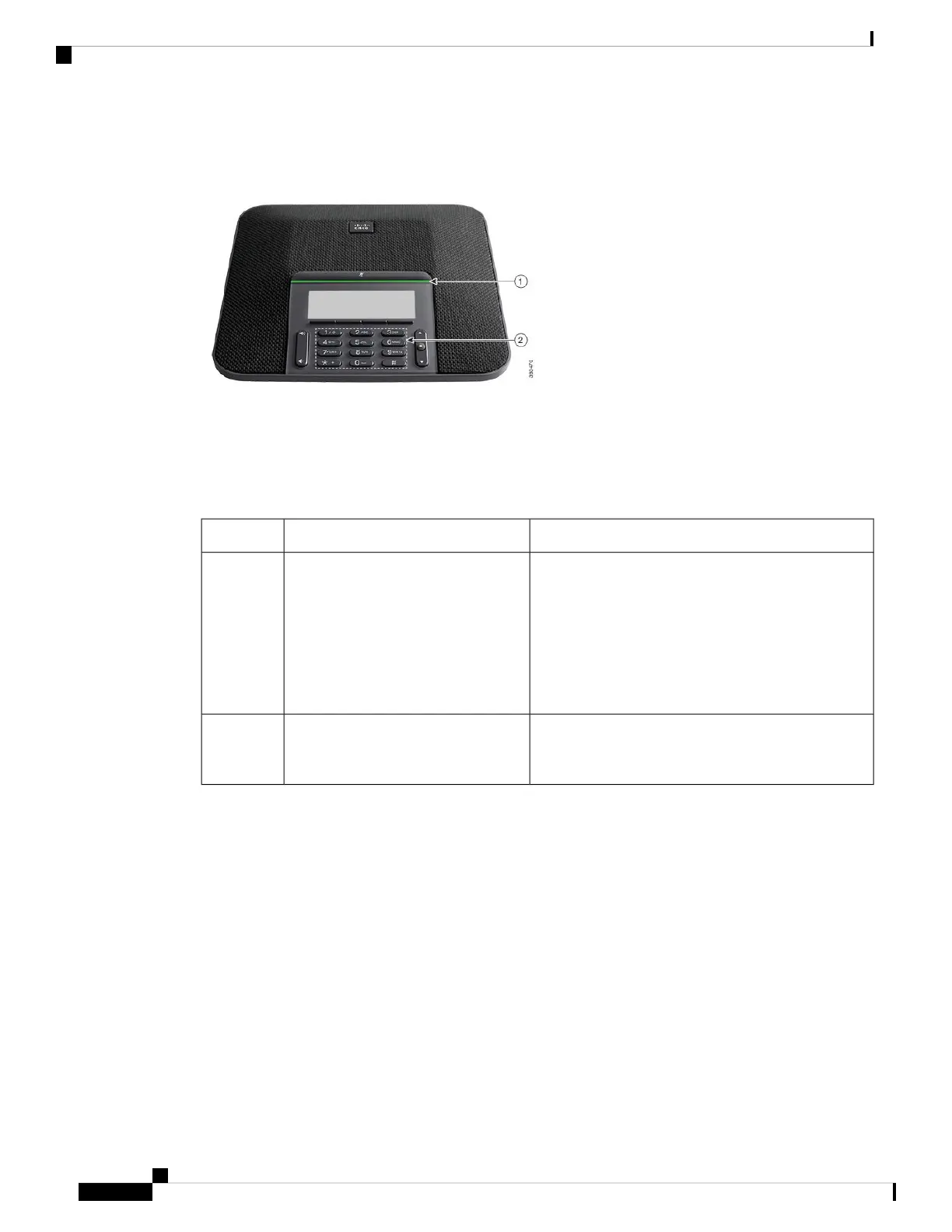
Figure 5: Mobility-Impaired Accessibility Features
The following table describes the mobility-impaired accessibility features on the Cisco IP Conference Phone
7832.
Table 4: Mobility-Impaired Accessibility Features
DescriptionAccessibility FeatureItem
Indicates your phone's status:
• Green, solid—Active call
• Green, flashing—Incoming call
• Green, pulsing—Held call
• Red, solid—Muted call
LED bar1
Allow you to easily locate your phone's keys. For
example, Key 5 has a nib, which you can use to locate
other key positions.
Tactile-discernible buttons and
functions, including a nib on Key 5
2
Third-Party Accessibility Applications
Cisco works closely with partners to provide solutions that complement the accessibility and usability of Cisco
products and solutions. There are third-party applications such as real-time captioning on Cisco IP Phones,
Text Telephones for the Deaf (TDD/TTY), Real Time Text (RTT), hearing/voice carry over (HCO/VCO),
audible caller ID, inline amplifiers for handsets for louder call sound, “busy lights”, audio/visual emergency
notifications through Cisco IP Phones (supporting users with disabilities), etc.
For more information about third-party applications, contact your administrator.
Troubleshooting
You may experience issues related to the following scenarios:
• Your phone cannot communicate with the call control system.
Cisco IP Conference Phone 7832 Multiplatform Phone User Guide
18
Your Phone
Third-Party Accessibility Applications



 To Next Page