vii
Catalyst 4500 E-Series Switches Installation Guide
OL-13972-02
Preface
This preface describes the audience, organization, and conventions of the Catalyst 4500 E-Series
Switches Installation
Guide and provides information on how to obtain related documentation and
technical assistance.
Audience
This guide is intended for technicians who will install a Catalyst 4500 E-series switch in a wiring closet
rack. Only trained and qualified service personnel (as defined in IEC 60950 and AS/NZS3260) should
install, replace, or service the equipment.
Organization
This publication is organized as follows:
Chapter Title Description
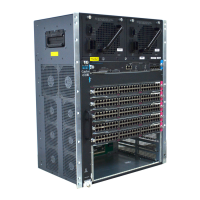
Chapter 1 Product Overview Lists and describes the hardware features, components,
interfaces, and specifications of the Catalyst
4500
E-series switches. The chapter also contains illustrations
of the chassis.
Chapter 2 Preparing for Installation Describes how to prepare your site for the installation of
the switch.
Chapter 3 Installing the Switch Describes how to install the Catalyst 4500 E-series
switches in an equipment rack.
Chapter 4 Removal and
Replacement Procedures
Describes how to remove and replace field-replaceable
units (FRUs) such as power supplies and fan trays.
Chapter 5 Troubleshooting Provides troubleshooting guidelines for the initial
hardware installation and suggests steps to help isolate
and resolve problems.
Appendix A Power Supply
Specifications
Provides illustrations and specification tables for the
available Catalyst
4500 E-series switch AC-input and
DC-input power supplies. Illustrations and specification
tables are also provided for the supported AC power
cords.


 To Next Page
 Loading...