Interface Modules
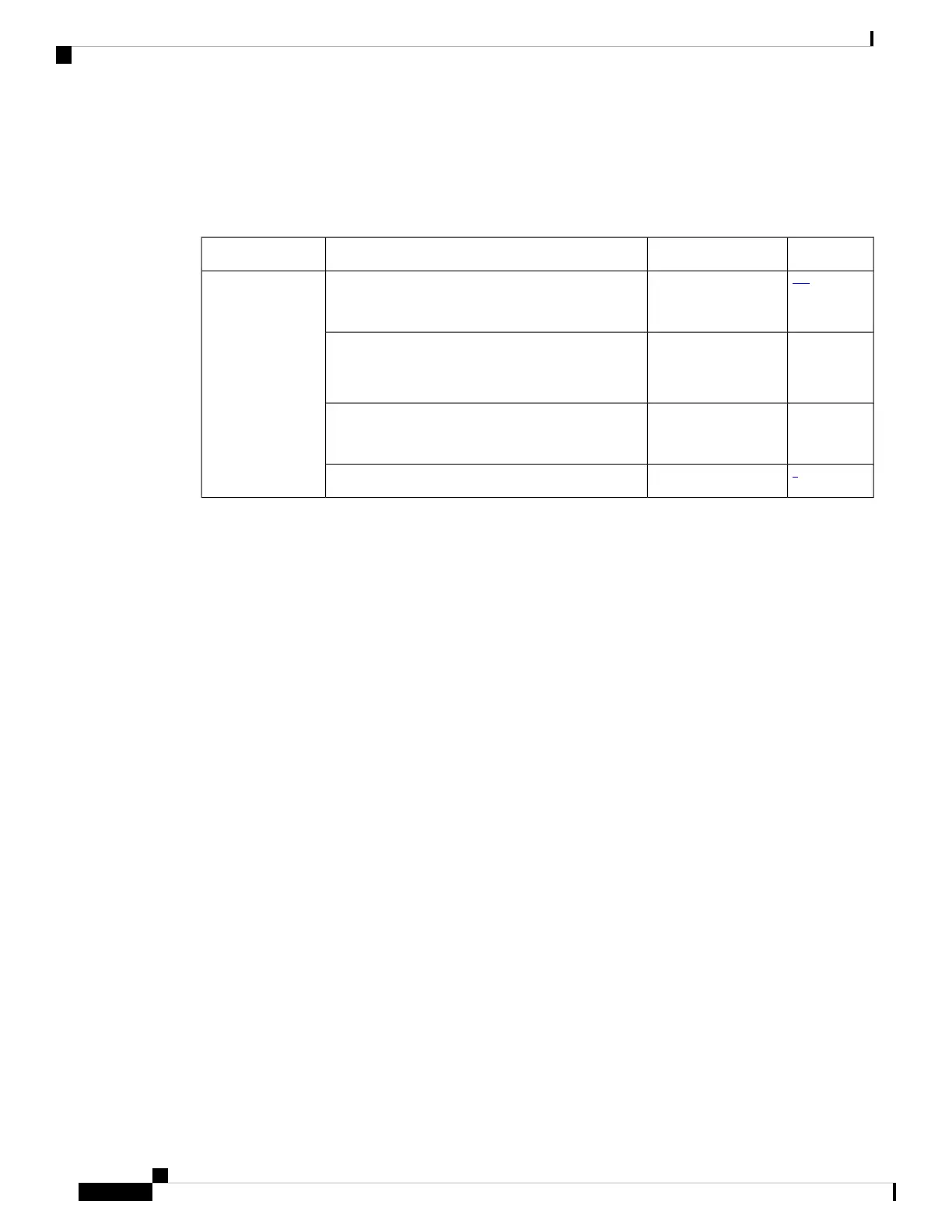
Table 2: Supported Interface Modules and Part Numbers for the Supported Route Processors
SlotPart NumberInterface ModulesRSP Module
123
0,1,2,3N560-IMA2C
N560-IMA2C-CC
2x100G Interface ModuleN560-4-RSP4 and
N560-4-RSP4E
OR
N560-4-RSP4-CC
and
N560-4-RSP4E-CC
0, 1, 2, 3, 4,
5
A900-IMA8CS1Z-M
A900-IMA8CS1Z-CC
8/16-port 1 Gigabit Ethernet (SFP/SFP) + 1-port
10 Gigabit Ethernet (SFP+) / 2-port 1 Gigabit
Ethernet (CSFP) Interface Module
0, 1, 2, 3, 4,
5
A900-IMA8Z
A900-IMA8Z-CC
8x10G Interface Module
4
0, 1, 2, 3N560-IMA1WNCS560 1 x 100G/200G CFP2 DCO Module
1
Starting with Cisco IOS XR Release 7.2.1, 560- IMA2C is also supported in slots 2 and 3. In these slots,
100G optics is supported only on port 0.
2
Staring with Cisco IOS XR Release 7.2.1, 40G optics are supported in slots 0-3.
3
The maximum bandwidth that can be achieved on slots 0 to 3 is (6 x 100G + 2 x 40G) or (8 x 40G).
4
100G mode is enabled by default. Slots 0 and 1 are supported on 100G and 200G mode. Slots 2 and 3
are supported only on 100G mode.
The interface-path-id is rack/slot/module/port. The slash between values is required as part of the notation.
• For IM N560-IMA2C, the port numbering is HundredGigE— 0/0/0/0 - 0/0/0/1
• For IM A900-IMA8Z, the port numbering is TenGigE— 0/0/0/1 - 0/0/0/7
• For IM A900-IMA8CS1Z-M, the port numbering is:
• GigE — 0/0/0/0 - 0/0/0/15
• TenGigE — 0/0/0/16
• For IM N560-IMA1W, HundredGigE (R/S/I/P/i) is created and mapped based on the port-mode
configuration of controller optics (R/S/I/P).
For more information, see the port-mode command in the Interface and Har dware Component Command
Reference Guide.
Digital Optical Monitoring
Digital Optical Monitoring (DOM) is supported for the SFP, SFP+, and XFP transceiver modules.
For information on DOM supported transceivers, see Cisco Optics Compatibility Matrix.
For a list of modules, see Cisco NCS 560 Series Routers Interface Modules Data Sheet.
Cisco NCS 560-4 Router Hardware Installation Guide
6
Cisco NCS 560-4 Router Overview
Interface Modules



 To Next Page