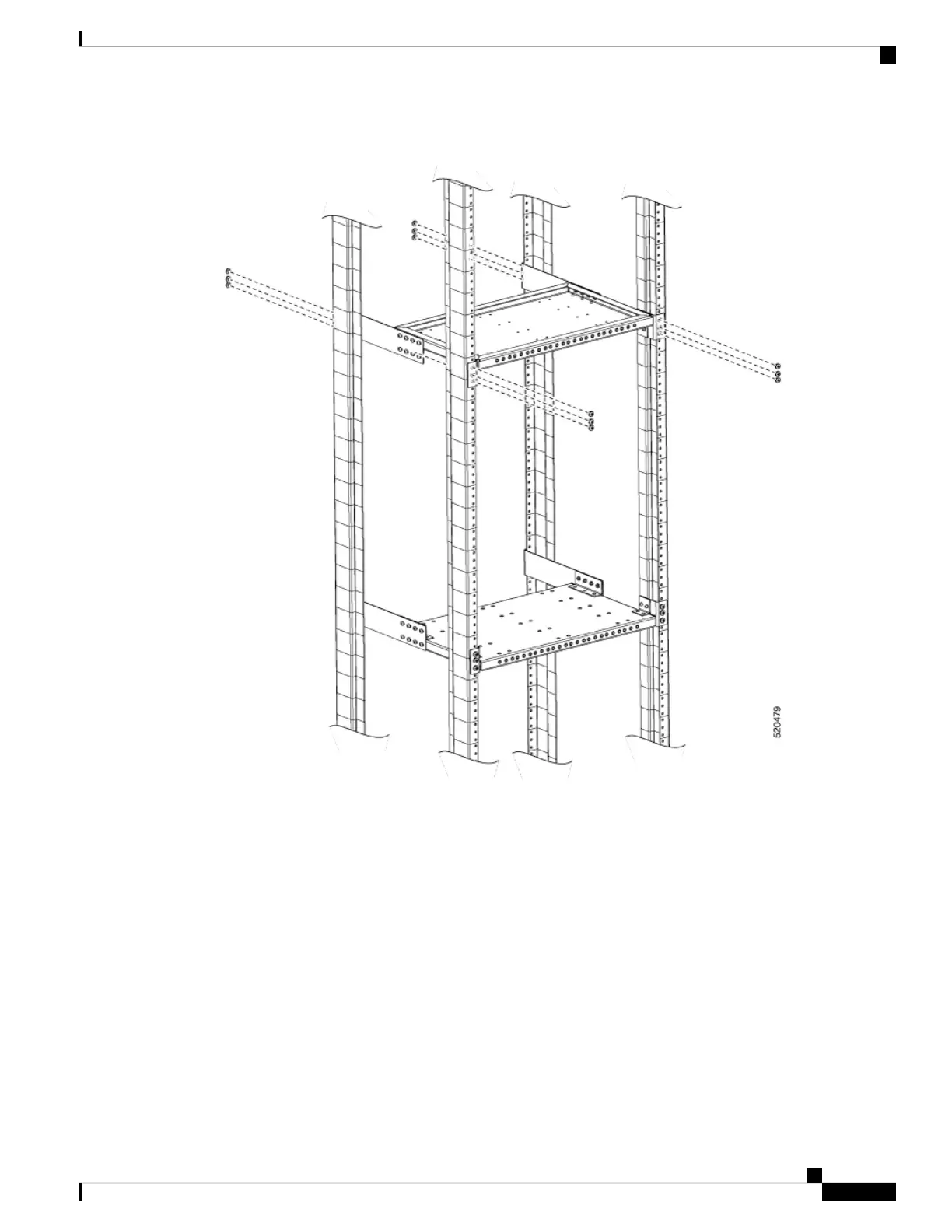
Figure 27: Assembling the Top Support Tray of the Plenum
Step 5 Assemble the vertical plenum into the slot between top and bottom support trays.
Step 6 Secure the plenum on to the trays using minimum four screws on every side. Use a torque of 25 in-lbs.
Cisco NCS 560-4 Router Hardware Installation Guide
57
Installing the Cisco NCS 560-4 Router
Installing the Cisco NCS 560 Router Vertically



 To Next Page