EX3™ Stepper English
REPROCESSING
WARNING
n
Users of this product have an obligation and responsibility to provide the highest degree of infection control to patients, co-workers and themselves.
To avoid cross-contamination, follow infection control policies established by your facility.
n
See your system's user guide for reprocessing transducer between uses.
n
These procedures for reprocessing have been validated for effectiveness and compatibility. Equipment could be damaged or cross-contaminated due
to improper reprocessing.
n
Do not soak or immerse posterior section of the EX3 Stepper that contains the electrical components.
n
Do not place in a mechanical washer.
n
Do not use ethylene oxide or autoclave to sterilize.
DISASSEMBLING EX3 STEPPER FOR REPROCESSING (REQUIRED IF USING IMMERSION CLEANING METHOD)
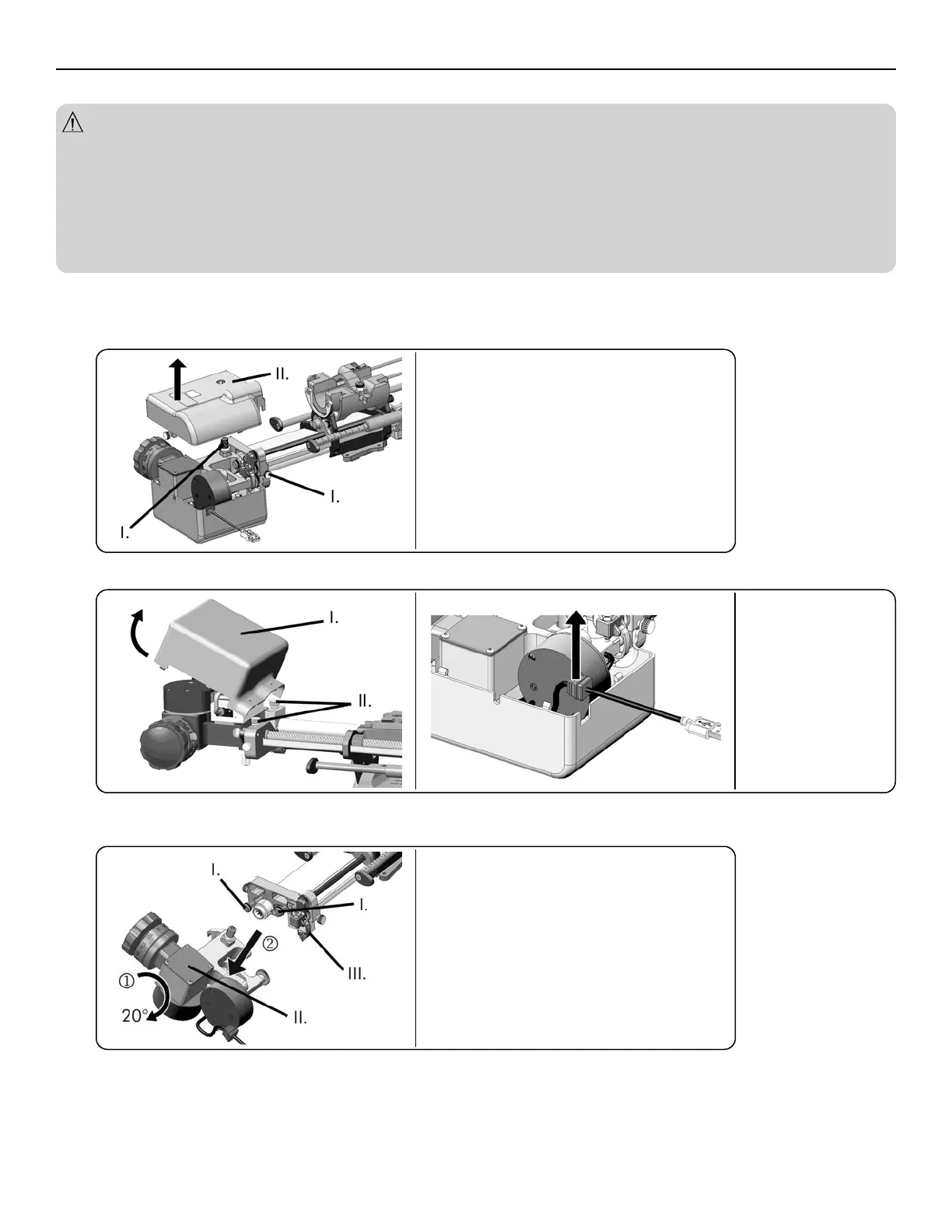
1. Place EX3 Stepper onto flat surface.
2. Loosen hold screws (2) by turning counterclockwise until top cover can be lifted vertically.
I.
Hold Screws
II.
Top Cover
3. Rotate EX3 Stepper, loosen hold screws (2) by turning counterclockwise until bottom cover can be removed. Ensure USB cord is disengaged from cover.
I.
Bottom Cover
II.
Hold Screws
4. Loosen interface screws (2) by turning counterclockwise.
5. Pull location lock finger and rotate posterior section 20 degrees to disengage.
I.
Interface Screws
II.
Posterior Section
III.
Location Lock Finger
5



 To Next Page