14 Clare Controls IP Network Camera User Guide
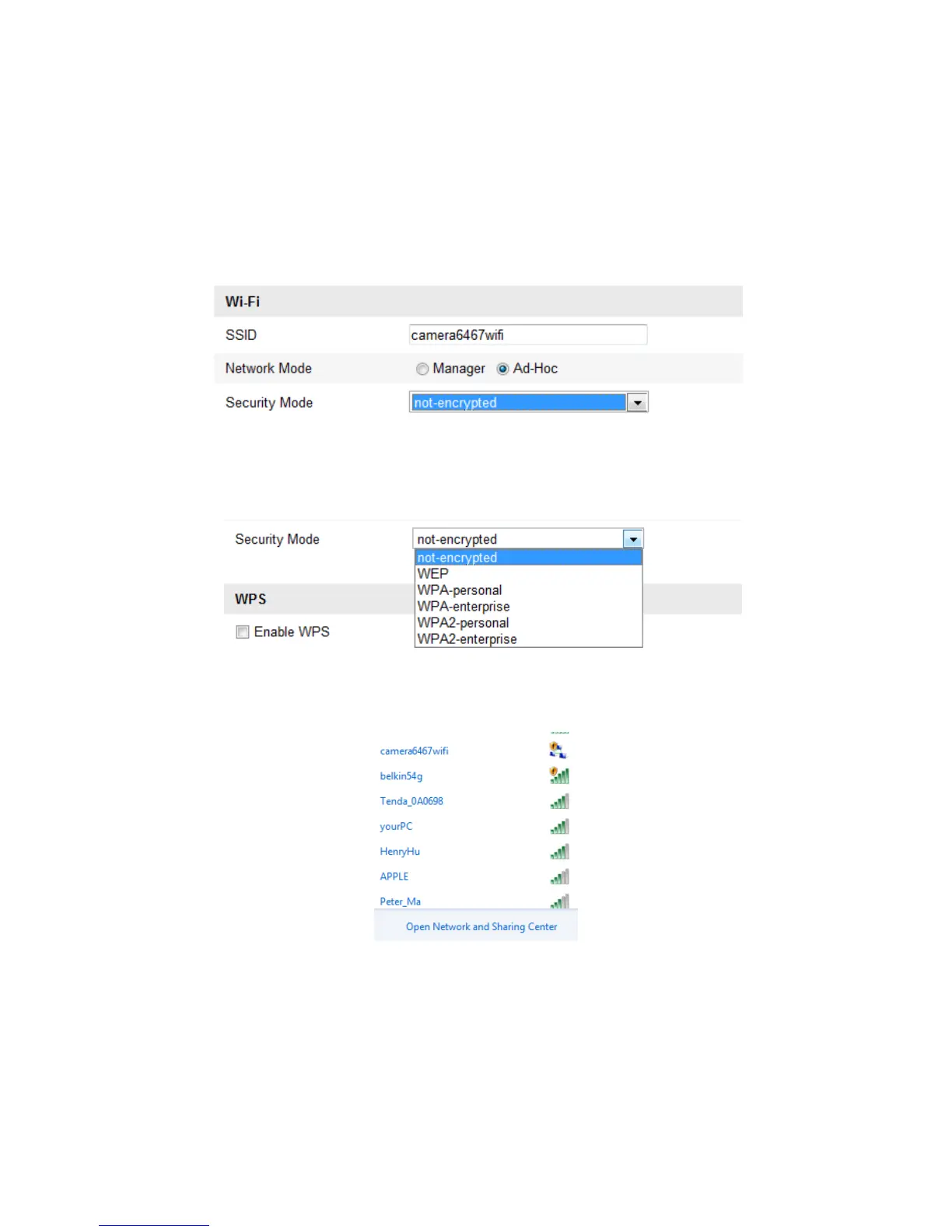
Wireless connection in ad-hoc mode
If you choose the Ad-Hoc mode, you do not need to connect the wireless camera via a
router. The camera broadcast the wireless signal. Connect the camera directly to the
PC with a network cable.
To configure a wireless connection in ad-hoc mode:
1. Choose Ad-Hoc mode.
2. Customize the SSID for the camera.
3. Choose the Security Mode of the wireless connection.
4. Enable the wireless connection function for your PC.
5. On the PC, search the network to see see the SSID of the camera listed.
6. Choose the SSID and connect.



 To Next Page