Clare Controls IP Network Camera User Guide 15
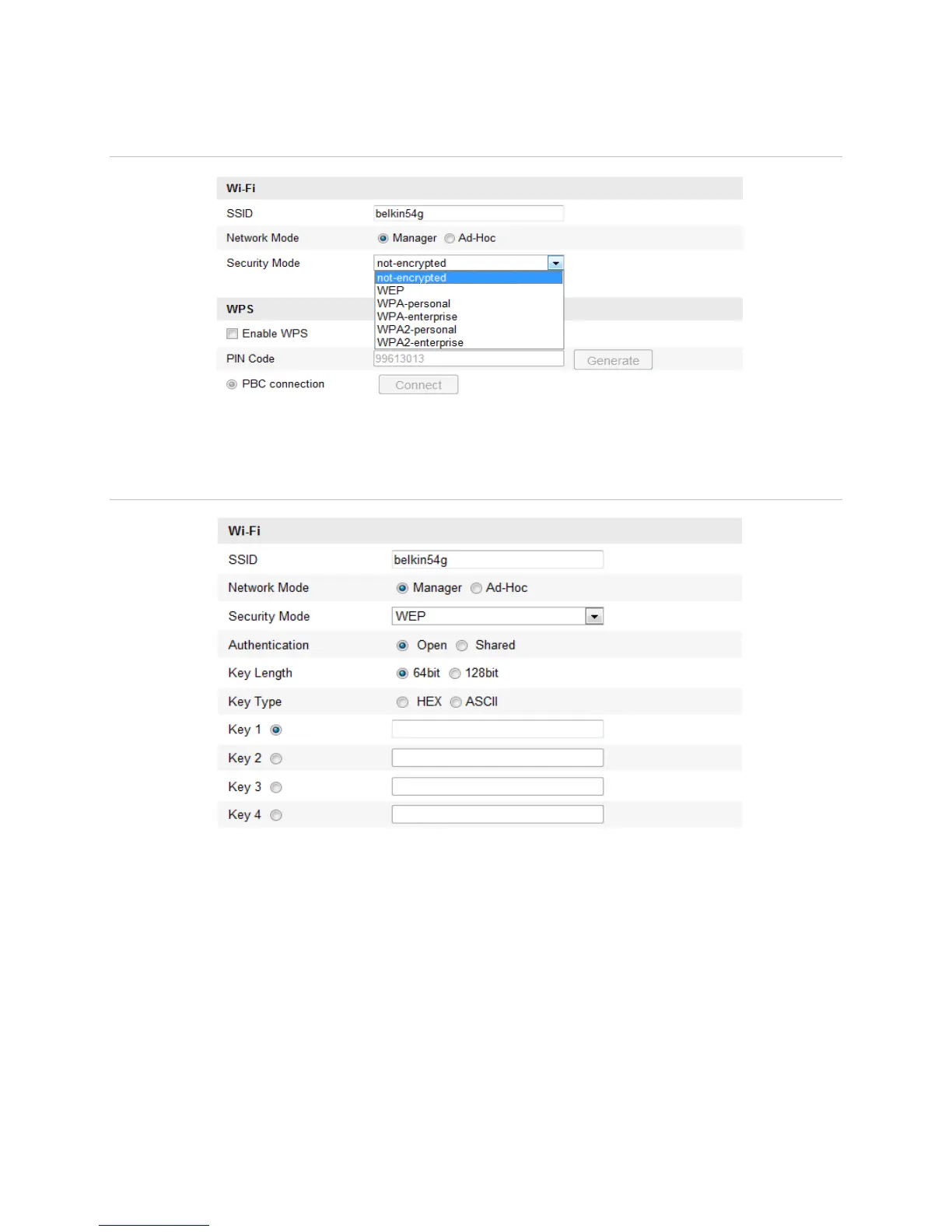
Security mode
Figure 9: Security Mode Options
You select the Security Mode; not-encrypted, WEP, WPA-personal, WPA-enterprise,
WPA2-personal, and WPA2-enterprise.
Figure 10: WEP Mode
Authentication - Select Open or Shared Key System Authentication, depending on
the method used by the access point. Not all access points have this option.
Key Length - This sets the length of the key used for the wireless encryption,
64 or 128 bit. The encryption key length can sometimes be shown as 40/64 and
104/128.
Key Type - The key types depend on the access point being used. The following
options are available:
o HEX - Allows you to manually enter the hex key.
o ASCII - In this method the string must be exactly 5 characters for 64 bit WEP and
13 characters for 128 bit WEP.



 To Next Page