56 Clare Controls IP Network Camera User Guide
Auto Scene Speed: Select an option 1 through 40.
Max. Tilt-angle: Select either -5 to 90, -4 to 90, -3 to 90, -2 to 90, -1 to 90,
and 0 to 90.
Auto Flip: Select either On or Off.
Zooming Speed: Select 1, 2, or 3.
3. In the PTZ OSD fields, customize the following.
Zoom Status: Select Always Open, Always Closed, 2 seconds, 5 seconds,
and 10 seconds.
PT Status: Select Always Open, Always Closed, 2 seconds, 5 seconds,
and 10 seconds.
Preset Status: Select Always Open, Always Closed, 2 seconds, 5 seconds,
and 10 seconds.
4. In the Power Off Memory field select one of the following, Disable, 30 seconds,
60 seconds, 300 seconds, 600 seconds.
5. Click Save.
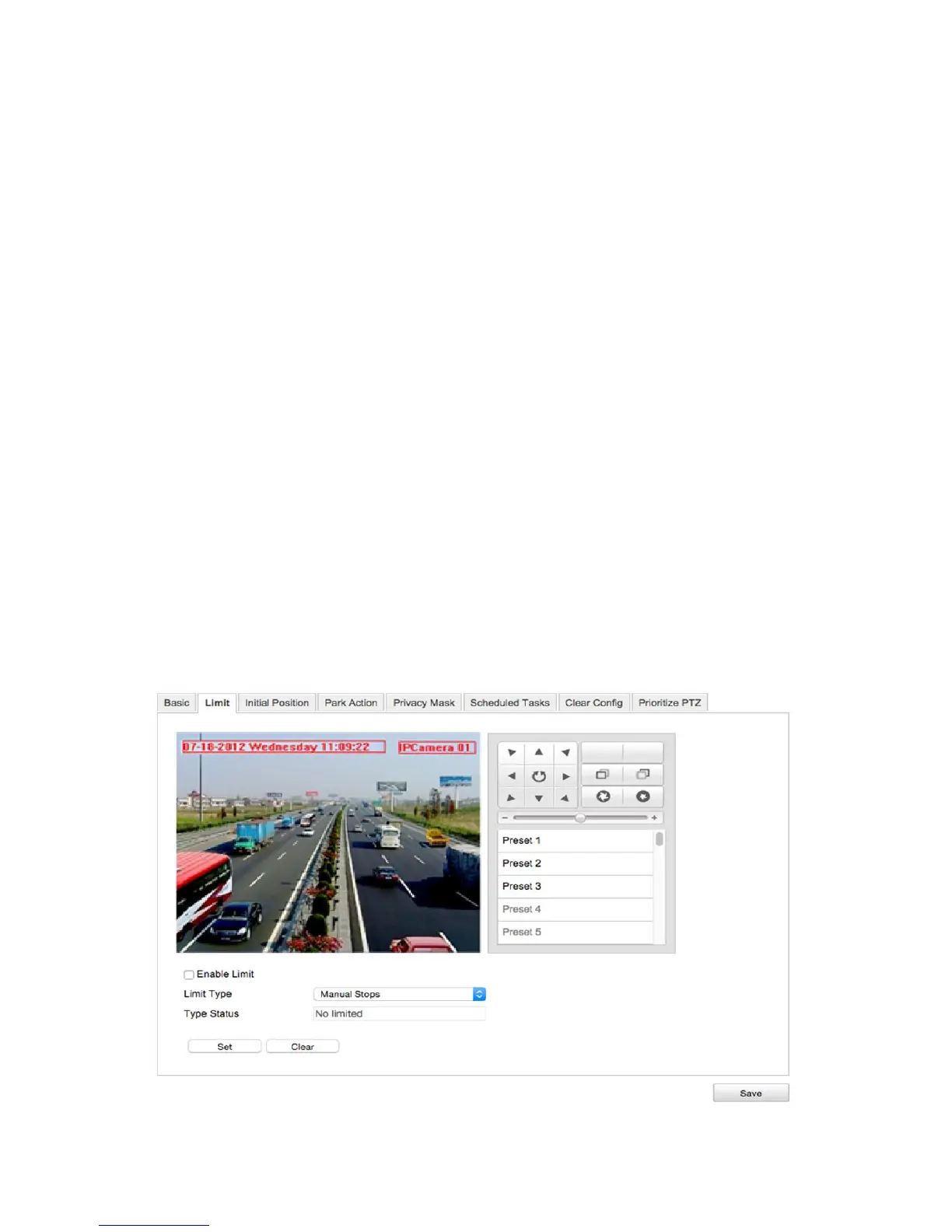
Configuring the PTZ limit settings
The Limit settings let you set a limit for camera movement.
To configure the limit settings:
1. Enter the Limit settings interface.
Configuration > Camera Configuration > PTZ > Limit



 To Next Page