Clare Controls IP Network Camera User Guide 37
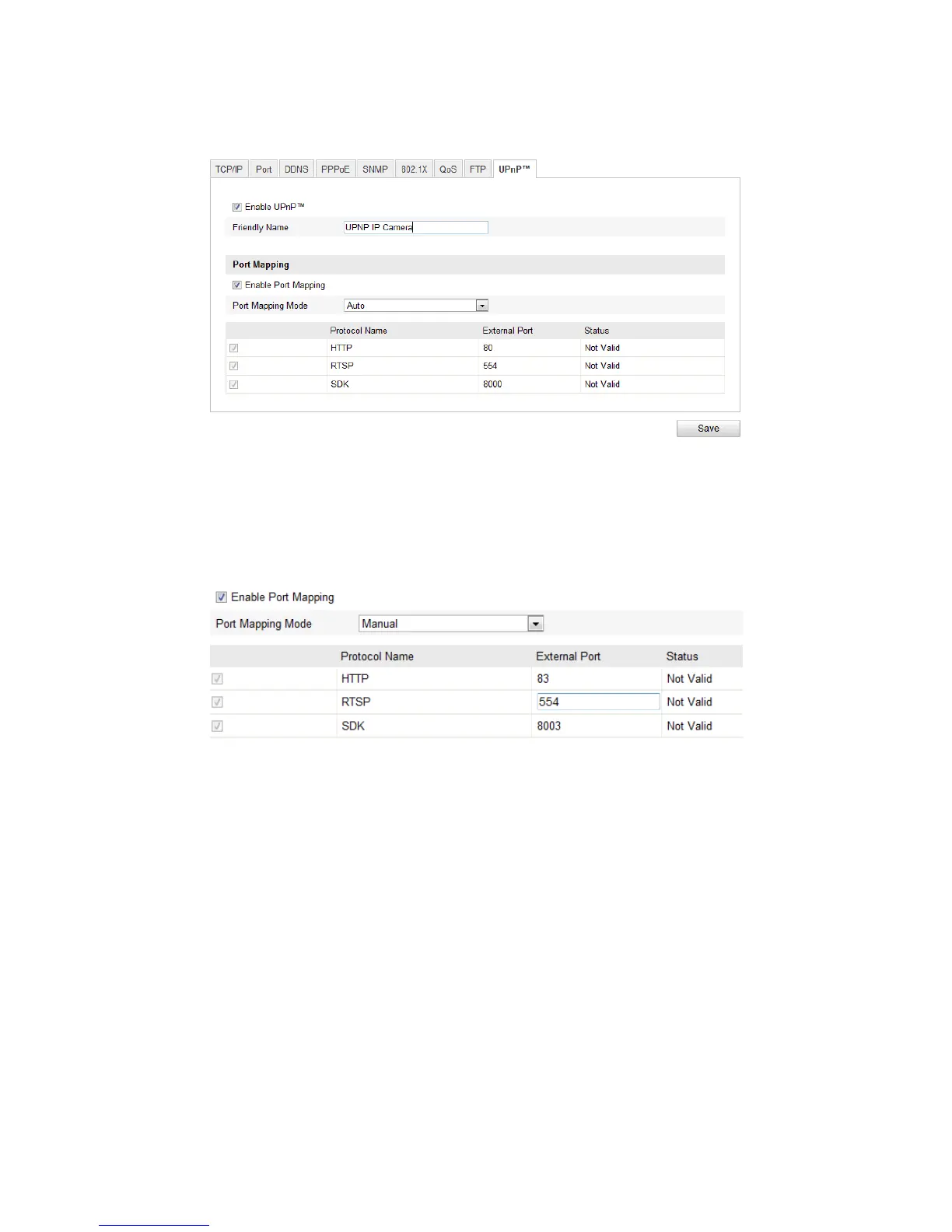
2. Select the Enable UPnP checkbox. This enables the Friendly Name field.
3. In the Friendly Name field, enter the name of the device.
4. From the Port Mapping Mode drop-down, choose one of the following:
Auto for port mapping with the default port numbers.
- or -
Manual for port mapping with the customized port numbers.
5. Click Save.
Configuring video settings
Customizing the video settings allows for better quality images based on the custom
needs of that video stream.
To configure video settings:
1. Enter the Video settings interface.
Configuration > Camera Configuration > Video/Audio > Video



 To Next Page