Clare Controls IP Network Camera User Guide 63
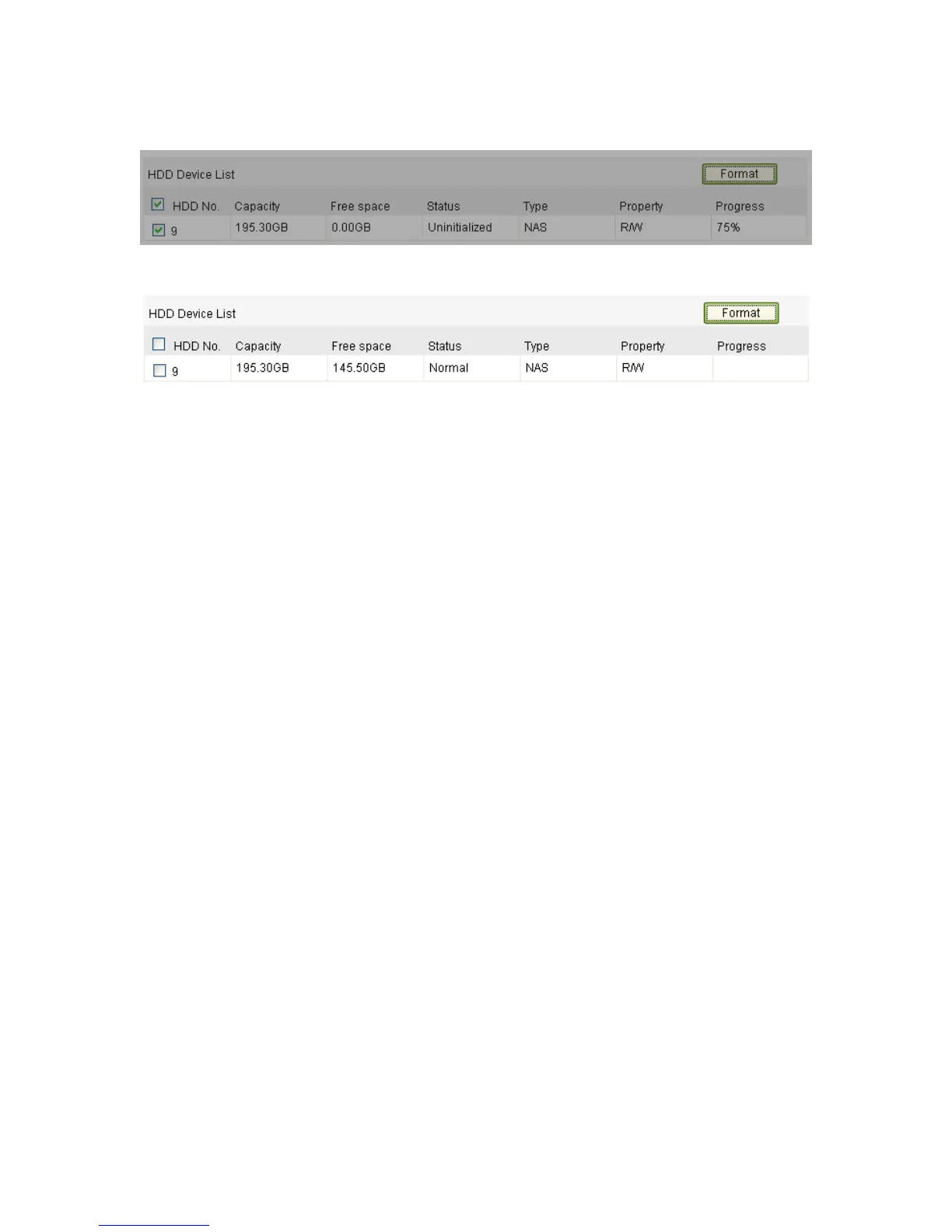
2. If the status of the disk is uninitialized, select the corresponding checkbox to select
the disk, then click Format to start initializing the disk.
3. When initialization is completed, the status of disk will become Normal.
Notes
Up to eight NAS disks can be connected to the camera.
Refer to the NAS disk instillation to initialize and use the SD card.
Configuring recording schedule
There are two kinds of recordings for the cameras: manual recording and scheduled
recording. In this section, you can follow the instructions to configure the scheduled
recording. By default, the record files of the scheduled recording are stored in the SD
card (if supported) or in the network disk.
To configure a recording schedule:
1. Enter the Record Schedule Settings interface.
Configuration > Camera Configuration > Storage > Record Schedule



 To Next Page