Clare Controls IP Network Camera User Guide 83
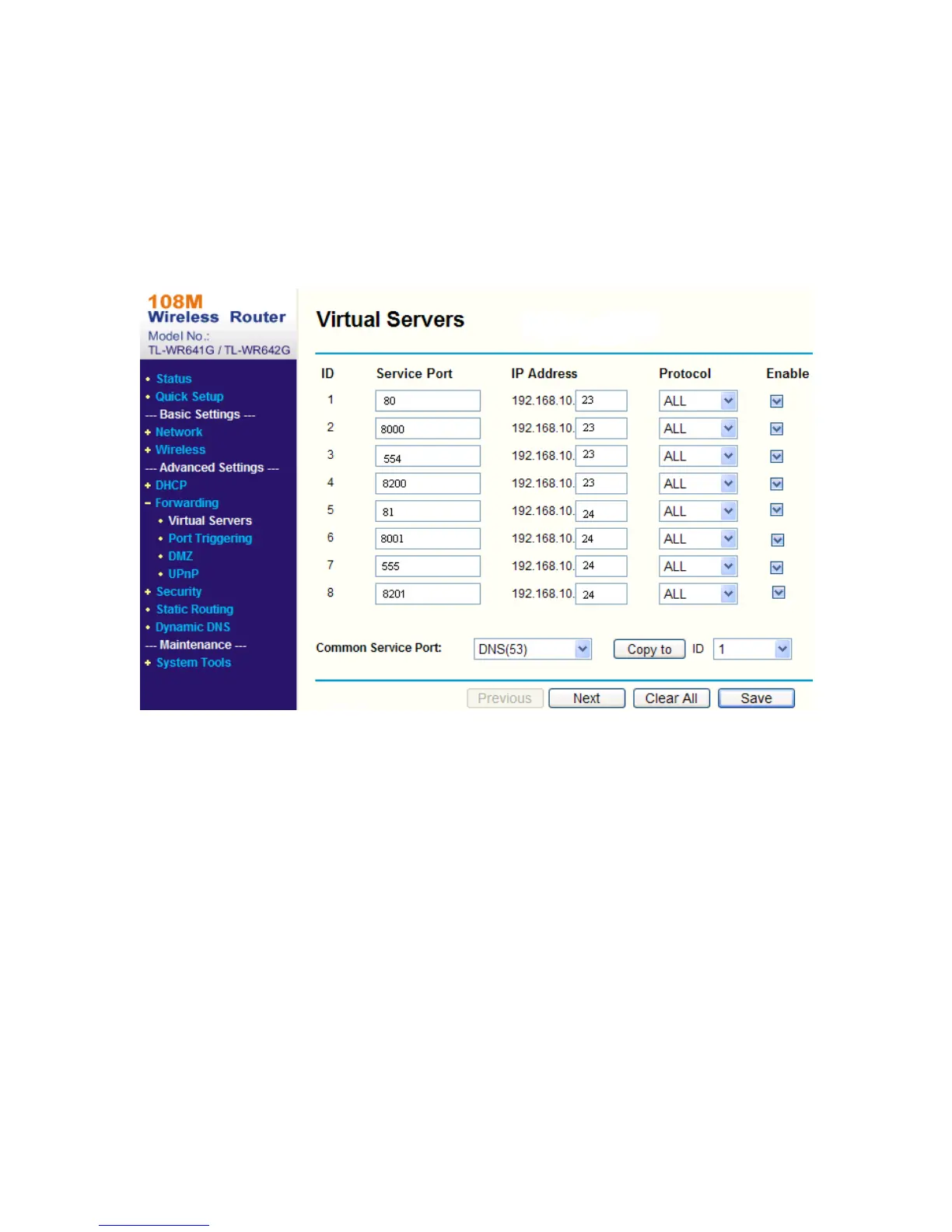
As the settings mentioned above, map the port 80, 8000, 554 and 8200 for the network
camera at 192.168.1.23
To map the ports:
1. Map the port 81, 8001, 555 and 8201 for the network camera at 192.168.1.24.
2. Enable ALL or TCP protocols.
3. Select the Enable checkbox and click Save.
Note: The ports of the network camera cannot conflict with other ports. For example,
the web management port of the router is 80. Change the camera port if it is the same
as the management port.



 To Next Page