Setup using the web interface
98-144390-A Chapter 4: Setup and operation 4-13
To load a configuration from a file, do as follows:
1. Select ADMINISTRATION > Export/import config.
2. Click the button Choose File and locate and double click the configuration file (.cfg
file).
3. In the web interface click the button Upload.
To clone a system configuration, do as follows:
1. Reset to factory default, see the following section for details.
2. Import a configuration from file, see section above.
4.1.9 Reset to factory default
When resetting EXPLORER 3075GX to factory default, the following settings are deleted or
reset to factory default:
• Navigation settings
• All added satellite profiles
• All added VSAT modem profiles
• Changes in the network setup
• User permissions
• Display: brightness setting
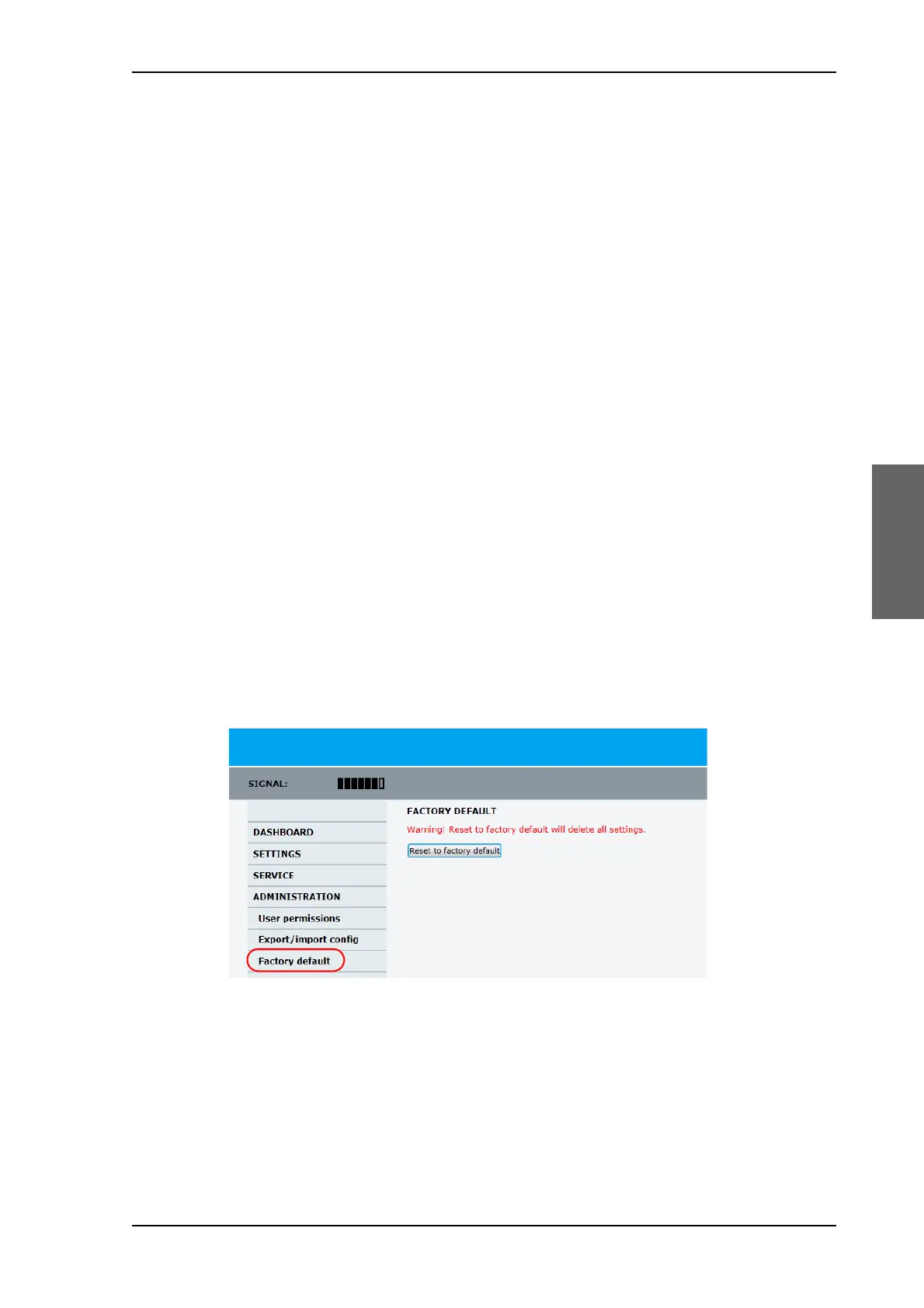
To reset to factory default settings, do as follows:
1. Select ADMINISTRATION > Factory default.
2. Click Reset to factory default.
Figure 4-13: Web interface: ADMINISTRATION > Factory default









 To Next Page