Chapter 4: Configuration with web interface
98-148232-E Optional: To set up cellular network for data 94
4. Type in the New PIN and retype it on the next line.
5. Click Save. The new PIN settings will take effect at next power on.
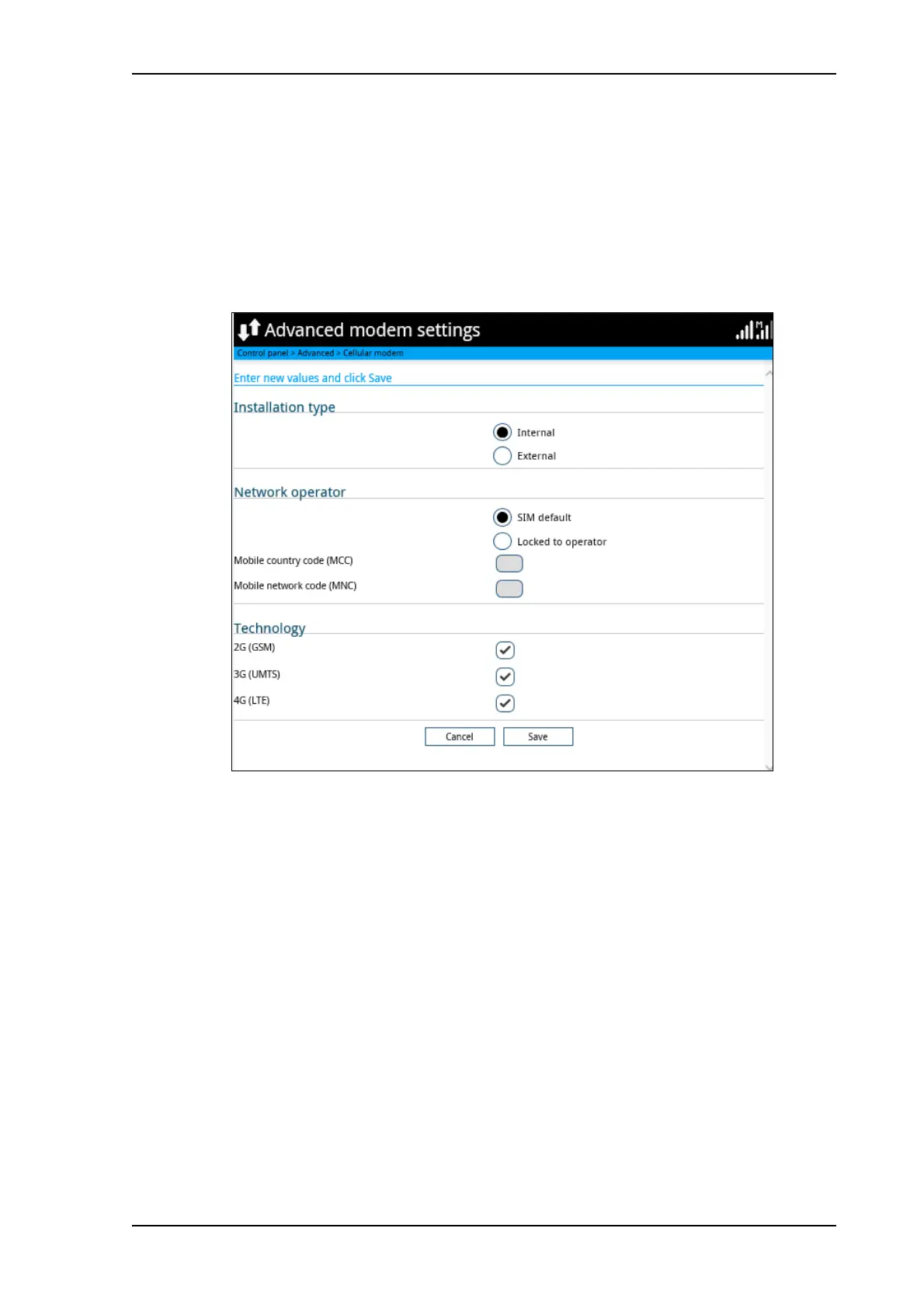
To set up the EXPLORER 540 LTE Modem
1. Under Advanced, select EXPLORER Cellular Modem.
2. Select Advanced modem settings.
3. Select the Installation type
• Internal: The modem is installed in the back of the EXPLORER 540.
• External: The modem is installed as an external unit connected to the EXPLORER 540
by a USB cable.
In certain geographic areas and in certain frequency bands it is recommended to move
the LTE modem away from the EXPLORER 540 in order not to interfere with the BGAN
signal. For details, see Optional EXPLORER 540 LTE Modem on page 121.
4. Select the Network operator mode.
• SIM default: The cellular modem uses the operator from the SIM card.
• Locked to operator: Type in the MCC and MNC for the operator you want to use. The
cellular modem will only use this operator.
5. Select the technology of the cellular network (2G, 3G and/or 4G).
For details, see Optional EXPLORER 540 LTE Modem on page 121.
6. Click Save.



 To Next Page