Chapter 5: Maintenance and troubleshooting
98-148232-E Reset button 101
Reset button
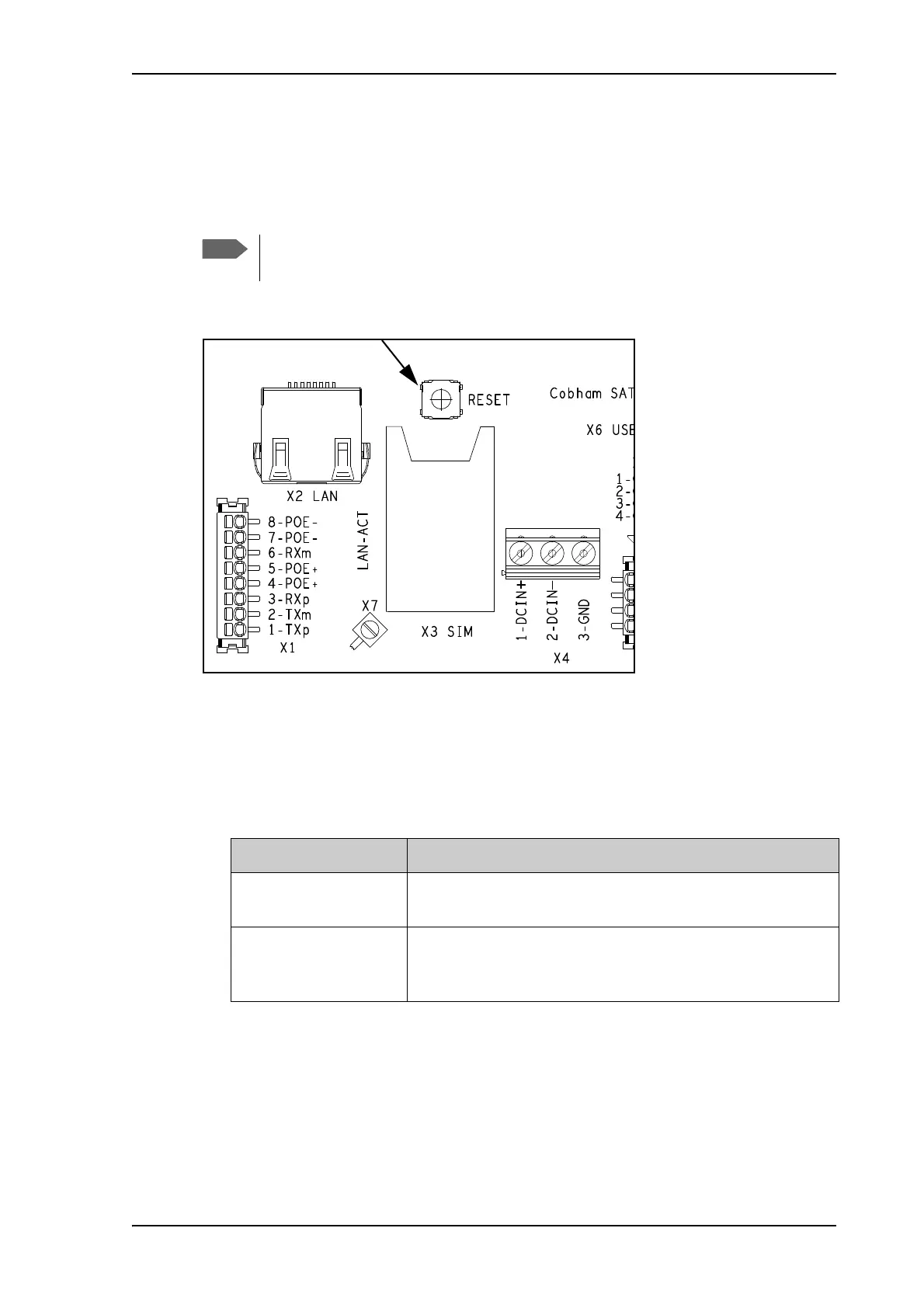
The EXPLORER 540 has a Reset button that has two functions: To restore all settings to factory
settings, or to restart the EXPLORER 540.
The Reset button is located inside the interface enclosure at the back of the terminal and can
only be accessed when the cover is removed.
Do as follows:
1. Use the included Torx bit to unscrew the screws holding the cover for the interface
enclosure.
2. Locate the Reset button.
3. Use a pointed device to push the Reset button.
4. Close the cover and tighten the screws carefully.
This is important in order to maintain the IP grade of the EXPLORER 540.
You can disable or limit the function of the Reset button using the web interface. See
Reset button on page 90.
Action Function
Push and hold the Reset
button for 2 seconds
The EXPLORER 540 restarts (power cycle) and begins the
installation process again.
Push and hold the Reset
button for > 10 seconds
The EXPLORER 540 restores factory settings and restarts the
system. All changes to the configuration are lost and the
administrator password is reset to admin.



 To Next Page