Chapter 2: To get started
98-148232-E SIM card 10
What’s in the delivery
The following items are included in the delivery:
•EXPLORER540 terminal
•Pole mount kit
• 2 Cable glands and 1 Blind plug
• Torx bit for mounting/dismounting the cover for the interface enclosure
• Installation guide for EXPLORER 540
SIM card
SIM card for BGAN operation
The BGAN SIM card determines whether the terminal operates as an M2M terminal or a BGAN
class 2 terminal.
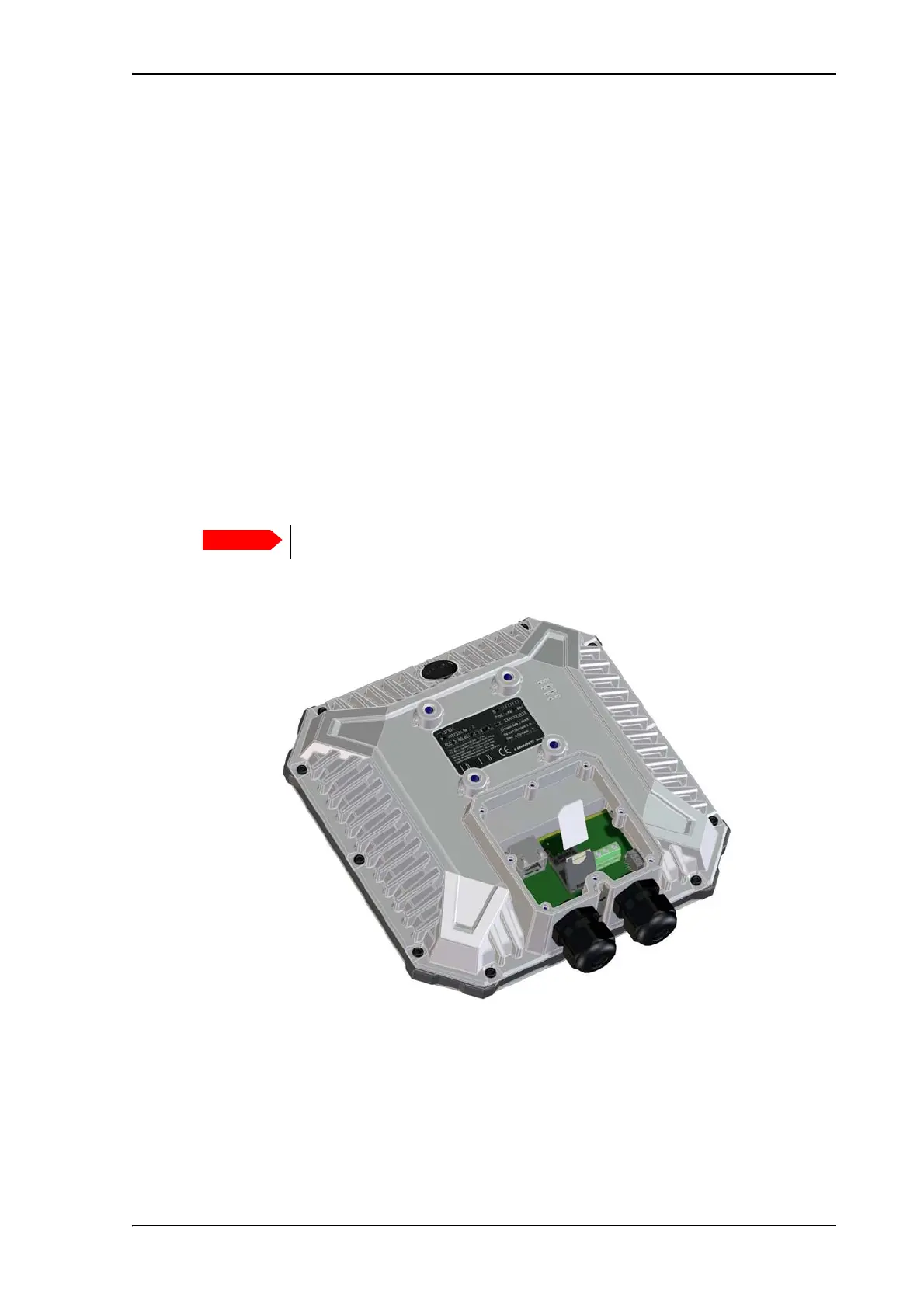
You insert the SIM card before installing the EXPLORER 540. The picture below shows the
location of the SIM card holder, in the interface enclosure at the back of the terminal.
For details on how to insert the SIM card, see the installation guide.
Optional: SIM card for cellular operation
The EXPLORER 540 LTE Modem must also have a SIM card installed. For details, see the
Installation guide that comes with the EXPLORER 540 LTE modem.
Do not insert or remove the SIM card while the EXPLORER 540 is powered!



 To Next Page