Appendix C: BGAN non-M2M functions
98-148232-E To set up data connections 145
To set up data connections
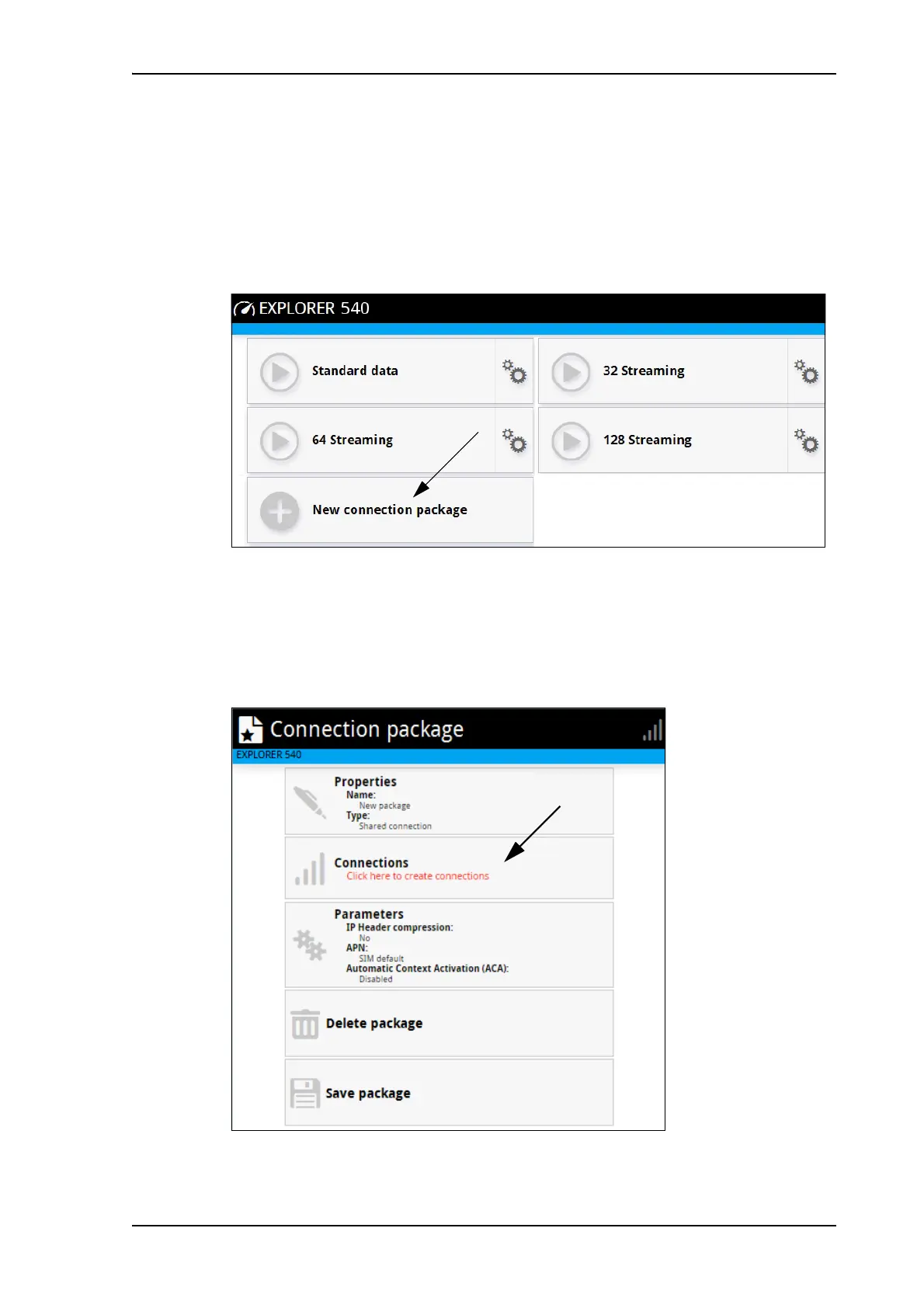
To create a new connection package
Do as follows:
1. Click New connection package.
2. Type a Name for the new package.
3. If you want to create dedicated connections, select the Type. For details on dedicated
connections, see To set up dedicated connections on page 55.
4. Click Save
5. Click Click here to create connections.
6. Select the connection type you want for your new connection package.



 To Next Page