Chapter 2: To get started
98-148232-E Cable connections 12
Requirements for LAN (PoE) input
Observe the following requirements for connecting power to the LAN input:
• Must comply with the requirements for PoE+ IEEE 802.3at type 2 class 4.
•Cable requirements:
• Temperature rating: Min. 95 °C
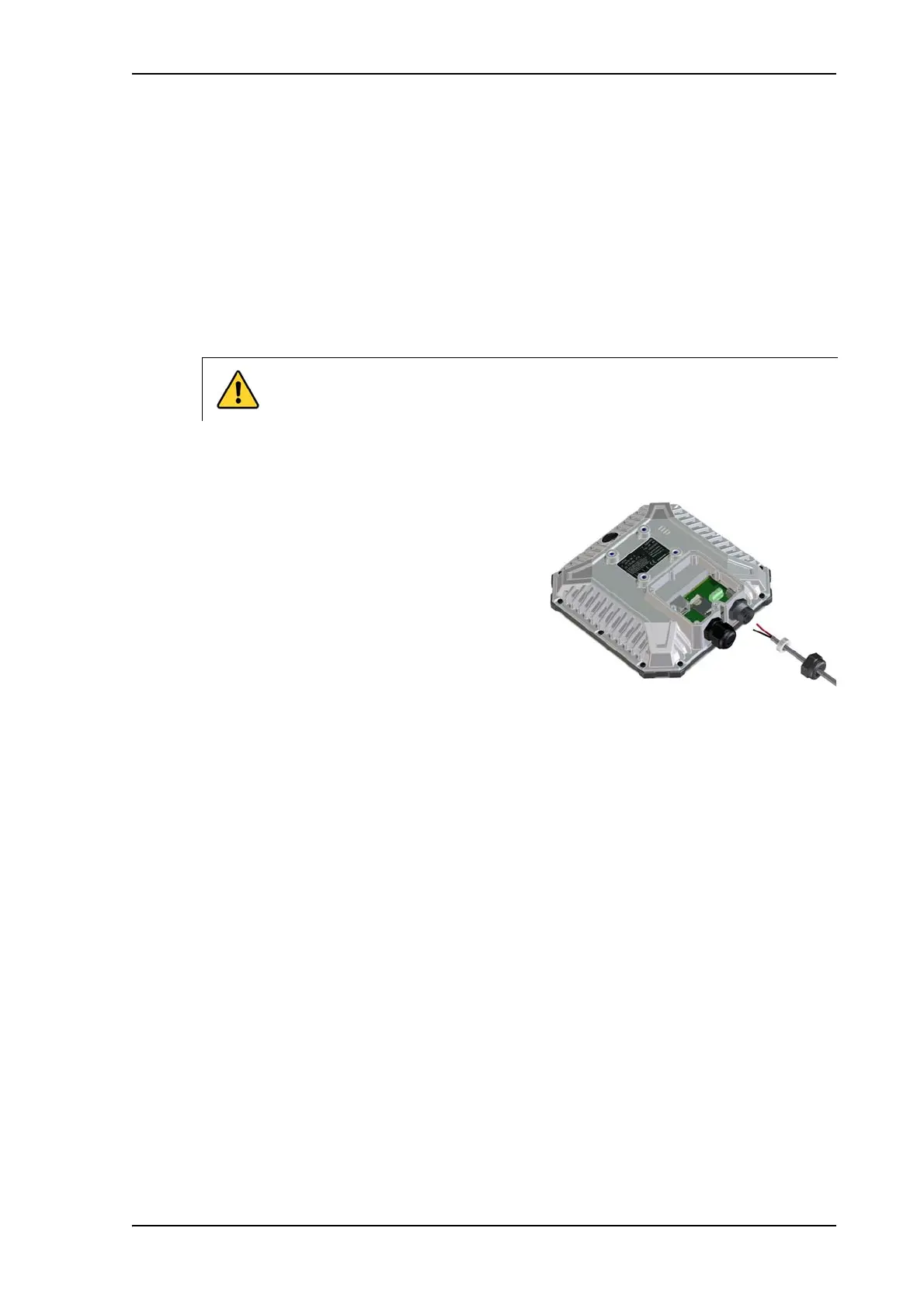
To connect to the DC input
Use a flat blade screw driver (max. 3.5 mm wide) to unscrew and fasten the screw terminals. Do
as follows:
1. Lead the cable through the cable gasket at
the DC input.
2. If the DC cable is shielded, insert the end of
the shield into the terminal marked 3-GND in
the DC terminal block and tighten the screw
to torque 4.5 lbf in.
3. Insert the negative wire into the terminal
marked 2-DCIN- in the DC terminal block and
tighten the screw to torque 4.5 lbf in.
4. Insert the positive wire into the terminal marked 1-DCIN+ in the DC terminal block and
tighten the screw to torque 4.5 lbf in.
5. Tighten the cable gland.
CAUTION! Make sure there is no power on the cables while you connect them
to the EXPLORER 540.



 To Next Page